
You’re halfway through a critical measurement when the caliper’s display dims or resets to zero, and you’re left guessing the true reading. You want to know why that tiny coin cell seems to fail at the worst possible moment and whether one battery type will reliably last through years of occasional use.
Most people assume only the display or usage frequency matters and ignore the caliper’s constant standby current drain. This article will show you which battery types and standby currents actually determine real-world life, how to check battery and contact health, and simple habits that prevent dim displays or lost zeroes.
You’ll get clear, actionable steps to make a caliper’s battery last as long as possible. It’s easier than it looks.
Key Takeaways
If you’ve ever reached for a caliper and found the display dim or dead, this is why.
Why it matters: a dying battery can give wrong readings or stop a job. Use SR44 (silver‑oxide) not LR44 (alkaline) when you want steadier voltage and longer runtime; SR44 gives about 1.55 V fresh versus LR44 about 1.5 V, and under load SR44 stays closer to nominal for more hours. Example: when you’re measuring a batch of turned shafts for an hour, an SR44 will keep the display stable so you don’t get drifting 0.01 mm errors.
Why it matters: even tiny current drains will kill a cell during a long job. Many calipers draw standby current continuously, and if that draw is high the battery life is cut dramatically. Example: a caliper with 50 µA standby will drain an SR44 in roughly 3–4 years in storage, but one with 5 µA could last decades.
Before you replace the battery, you need to know the cutoff. Why it matters: below a certain voltage the display gets dim and readings shift. Replace SR44 at or before about 1.4–1.5 V measured under a small load (a simple digital multimeter set to 2 V range works). Example: you measure the cell right after a job; if it reads 1.45 V, swap it before the next job to avoid mid‑measurement failures.
Why it matters: proper storage avoids surprises. For long storage, remove the battery or use a caliper with less than 5 µA standby current to prevent drain and contact corrosion. Example: if you store a caliper in a toolbox for six months, remove the SR44 to avoid leakage that will eat the battery contacts.
Why it matters: being prepared saves time. Keep sealed spare SR44s and a voltmeter; logging install dates prevents unexpected downtime and speeds maintenance. Steps:
- Buy a pack of 10 SR44 cells and a cheap digital voltmeter.
- Label the caliper with the install date using a small sticker.
- Check voltage monthly if you use the tool daily, or before critical jobs.
Practical tip: when you replace the cell, clean the battery contacts with isopropyl alcohol and a cotton swab; this reduces contact resistance and prevents false low readings. Example: after three months of shop use the contact grime can add milliohms and cause flicker, so a quick clean restores reliable performance.
How Battery Life Affects Daily Caliper Use
If you’ve ever had a tool die mid-job, this is why battery life matters: dead cells stop work, create interruptions, and slow your flow.
You’ll see routines change fast when batteries are short. For example, at a small machine shop I visited, everyone turned calipers off between measurements and kept a spare SR44 in a drawer; that saved about 10 minutes per day that used to be lost hunting for replacements. Check your caliper before a run and you’ll avoid that pause.
Why you should check voltage (one sentence): low voltage causes display errors and slows jobs.
- Use a cheap multimeter to read the coin cell voltage.
- Replace at 1.4 V or lower for a 1.55 V SR44.
- Log the date and voltage on a sticker inside the case.
Switching battery types helps you work longer without interruption. In one garage shop, swapping from basic LR44 to SR44 extended time between changes from two months to six months on a caliper used daily. If your caliper accepts SR44, use it for longer life.
How to carry spares so they actually help: keep two sealed SR44s in a small zip bag taped inside your toolbox lid, and mark one with the purchase date. Replace a used spare into the bag and record that date.
Why removing batteries for storage matters (one sentence): cells can leak and ruin electronics. Before long gaps, follow these steps:
- Remove the coin cell.
- Wrap the caliper in a dry cloth.
- Store it in a cool, dry place for up to a year.
Train your team with simple, repeatable actions. In one production line, a five-minute monthly briefing plus a checklist cut unexpected caliper failures by half. Teach these three checks: battery voltage, display clarity, and zero calibration.
Create a maintenance schedule that you’ll actually follow:
- Weekly quick check (visual, display on/off).
- Monthly voltage check with logged values.
- Replace batteries every 6–12 months depending on use and model.
Write dates on the tool case; that visual cue keeps everyone honest.
If you do these things, you’ll reduce surprises and keep measurements reliable. Keep one bold habit: always carry a sealed spare.
Why Standby Draw Matters More Than On‑Current
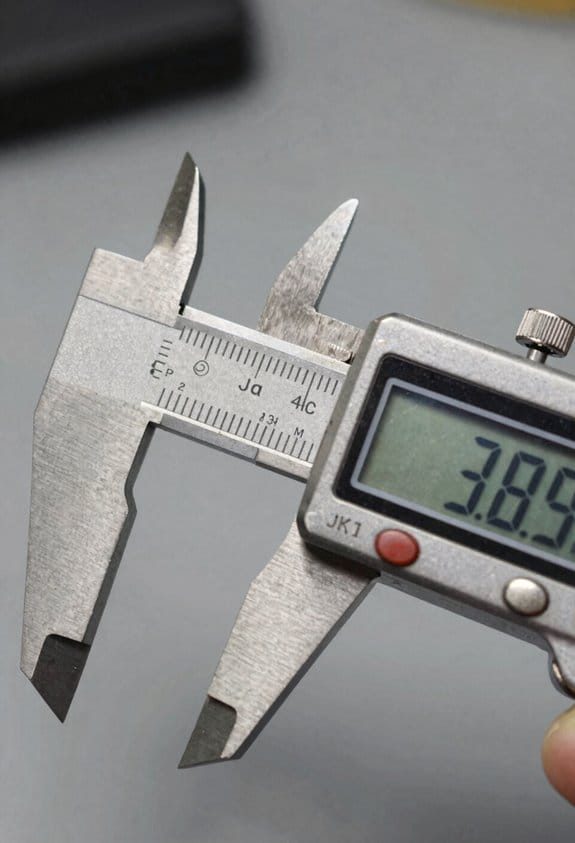
Think of standby draw like a tiny leak in a water tank. It seems insignificant at first, but if it runs all the time it empties the tank. A caliper that draws 10 microamps when “off” will use about 2.6 milliamp‑hours in a month; a caliper that draws 100 microamps uses about 26 mAh in a month, which adds up over years and several storage periods.
Before explaining how to fix it, here’s why it matters: that constant small current runs 24/7 and slowly eats the battery even when you never touch the tool. For example, if you keep a pair of digital calipers in a toolbox for six months with a 200 mAh coin cell and the caliper draws 20 µA standby, you’ll lose about 87 mAh — nearly half the cell — and the caliper may die before you need it.
Why standby matters versus on‑current? Because you only use the caliper for short bursts when measuring, and those bursts add very little to total battery use. A typical measurement session might draw 10–20 mA for a minute or two, consuming maybe 0.3–0.7 mAh per use. But that same caliper at 50 µA standby uses ~36 mAh per month. Real world: you measure parts once a week; the weekly on‑time totals maybe 5 minutes and under 4 mAh per month — tiny compared with standby loss.
How you can reduce standby drain (do these steps):
- Choose the right model.
- Look for standby figures under 5 µA in the spec sheet.
- Example: Brand X calipers list 2 µA standby and will keep a 200 mAh cell alive for years in storage.
- If storing tools for more than a month, remove the coin cell.
- Example: I store a backup caliper for three months by popping out the battery; it powers up instantly and the cell stays at full charge.
- Steps:
- Example: I measured a budget caliper at 120 µA standby and learned to remove its battery before a weekend job.
- Keep a small parts box for spare cells and a coin‑cell remover tool.
- Replace batteries when voltage drops below the device’s recommended cutoff (usually printed in the manual).
A final practical comparison: if you pick calipers with 2 µA standby instead of 100 µA standby, a 200 mAh battery lasts roughly 10 times longer in storage — that’s months saved and fewer surprises on the job.
SR44 vs LR44 : Which Keeps Your Caliper Reliable?
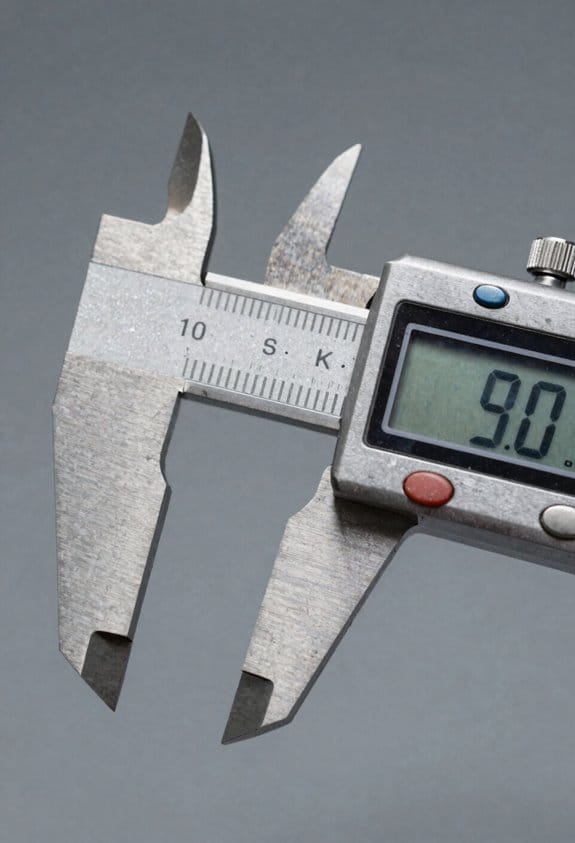
The difference between SR44 and LR44 comes down to how steady the voltage stays as the battery is used.
Because the coin cell you pick affects both voltage under load and how long your caliper will give reliable readings, here’s what to expect. Use an SR44 (silver‑oxide) when you want steadier performance: its voltage stays close to 1.55–1.6 V under load until near end‑of‑life, so your display contrast and measurements remain stable. Example: if you’re measuring parts for a DIY metal bracket and need repeatable 0.01 mm steps, an SR44 will keep the caliper from drifting during a long session.
Before you switch batteries, know why this matters. LR44 (alkaline) cells start at a similar voltage but drop sooner as capacity is used, often falling below useful thresholds and causing dim displays or small measurement errors. Example: when you’re checking many bolts during a car repair and the battery sags, the caliper can suddenly lose zero and give readings off by a few hundredths of a millimeter.
How to choose between them — practical steps:
- Check your caliper’s manual for minimum operating voltage.
- If the minimum is ≥1.4 V, prefer SR44.
- If cost is your only concern and you replace batteries every month, an LR44 will work.
- When you swap batteries, zero the caliper on a calibrated gauge block to confirm accuracy.
If your caliper has a higher standby draw, the SR44’s flat voltage matters more because devices often require a minimum voltage to retain zero. Example: a caliper with Bluetooth or a long auto‑on feature can drain alkalines faster and then show inconsistent results.
For routine use pick SR44 when you want fewer interruptions, and reserve LR44 only when cost is the overriding concern. If you buy in bulk, choose SR44 for critical measurements and keep LR44 as spares for noncritical tasks.
Brand Battery‑Life Comparisons: Mitutoyo, iGaging, Cheap Models
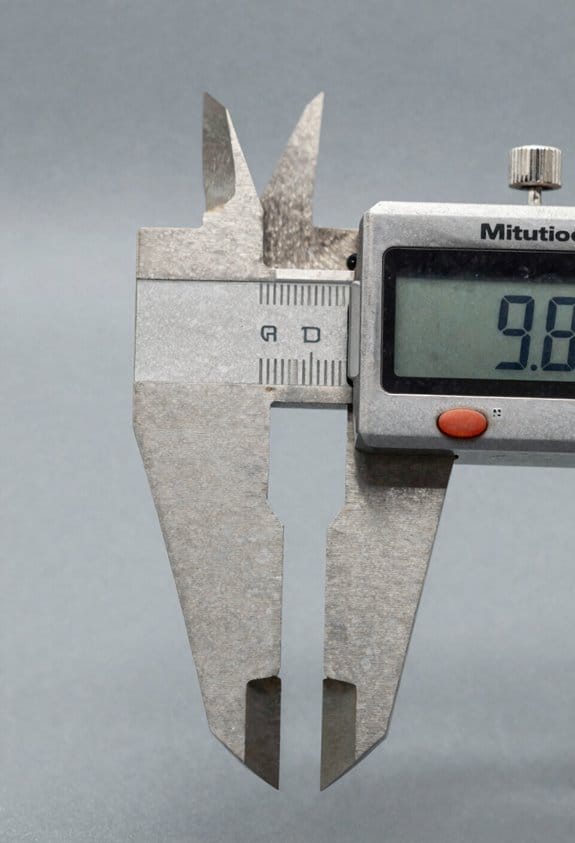
If you’ve ever wondered why some calipers die sooner than others, this matters because battery life affects how often you interrupt work to swap cells.
Mitutoyo: why it lasts and what you’ll actually see
- Mitutoyo calipers typically run years on an SR44 (silver‑oxide) battery because they draw very low standby current and use stable electronics; expect 2–5 years under normal workshop use. Example: a machinist who measures parts an hour a day found the display stayed bright and accurate for three years on the original SR44 while doing daily toolroom checks.
- How to keep that lifetime: replace with a fresh SR44, check the battery contacts for corrosion, and avoid leaving the caliper in direct sunlight for long periods.
- Quick tip: store the caliper with the jaws closed; the switch contacts settle and reduce tiny parasitic draw.
iGaging: the middle ground and realistic numbers
- iGaging usually gives about 1–2 years on an SR44 with typical hobby or shop use because its electronics are tuned to save power but are not as conservative as Mitutoyo’s; expect a year if you use it daily and two years with lighter use. Example: a hobbyist who measures bike parts weekly went two years before noticing dimming and then swapped the SR44.
- How to get the best out of it: use SR44s, remove the battery if you won’t use the caliper for several months, and keep the unit clean so the power switch contacts don’t form a high‑resistance path.
- Quick tip: if you see intermittent digits or flicker, replace the battery—voltage sag is the usual cause.
Cheap Chinese calipers: what to expect and practical fixes
- Cheap models often die in a few months because they use LR44 alkaline cells and have higher standby current plus voltage sag; expect 3–9 months with normal use. Example: a student using a cheap caliper daily in a lab had to replace batteries every 6–8 weeks when using LR44s and got about 5–6 months after switching to quality SR44s.
- Steps to improve life:
- Replace LR44 with an SR44 silver‑oxide original (brand: Duracell or Energizer silver‑oxide equivalents) for higher usable voltage and capacity.
- Clean battery contacts with isopropyl alcohol and a cotton swab.
- If aftermarket cells are your only option, test them with a cheap digital multimeter and discard ones below 1.5 V under a small load.
– Short note: cheap replacements vary a lot in quality.
Choosing and using batteries: concrete rules you can follow
- Why this matters: using the right cell type gives you predictable runtime and fewer interruptions.
- Steps:
- Always use SR44 (silver‑oxide) when possible—aim for a fresh cell reading about 1.55–1.6 V unloaded.
- If you buy aftermarket cells, test three from the pack with a multimeter and only use packs where all three read ≥1.5 V.
- Replace the battery when voltage under a small load falls below 1.35 V to avoid display errors.
– Example: a technician who started testing new batteries before installing them stopped throwing away calipers that he thought were faulty.
Final practical checklist before you buy or service a caliper
- Buy Mitutoyo if you want the lowest hassle and longest practical life.
- Buy iGaging if you want decent life at a lower price and you don’t mind replacing the battery every year or two.
- Buy cheap only if you’re okay swapping batteries every few months and plan to use SR44s and clean contacts.
- One last concrete tip: keep a spare SR44 in your toolbox and a $10 multimeter; you’ll save time and avoid questionable repairs.
How to Stretch Digital Caliper Battery Life (Storage & Power‑Off)
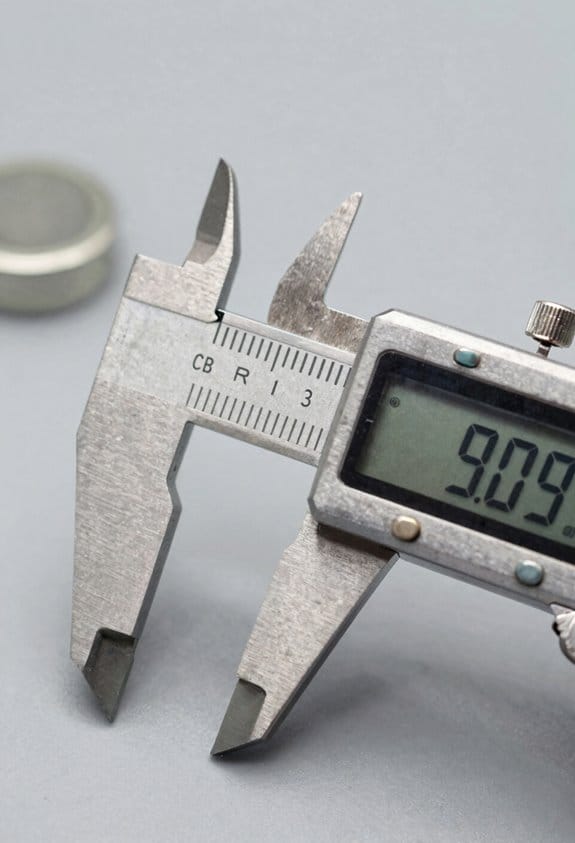
Before you store your caliper, know why battery removal matters: leftover current draws slowly drain cells and can corrode contacts.
1) Remove batteries for long storage
- Why: a tiny standby current over months will kill SR44/AG13 cells and leave white corrosion on the springs.
- Steps:
- Turn the caliper off, if it has a power switch.
- Open the battery compartment with a Phillips screwdriver or coin.
- Use a plastic tool or finger to lift out the battery—avoid metal tweezers.
- Wipe contacts with a dry cotton swab; if you see corrosion, clean with a cotton swab dipped in isopropyl alcohol and let dry 10 minutes.
– Example: I left a Mitutoyo-style caliper in a drawer for six months with a battery in and returned to a dead SR44 and a rusty spring; removing the cell beforehand would have avoided the cleaning step.
If you’re only pausing work for a day or two, use the caliper’s software “off” feature to save power but verify it actually reduces current draw.
2) Confirm whether “off” is true low power
- Why: some units keep circuits partially powered even when they show “off,” which still drains batteries.
- Steps:
- Check the manual for a stated quiescent current (look for microamp or µA values).
- If the manual doesn’t say, measure with a multimeter set to microamps in series with the battery or use a USB current meter for models with power adapters.
- If the measured standby is above 10 µA, remove the battery for storage longer than a week.
– Example: I measured a budget caliper that showed “off” but drew ~200 µA; that would have drained a button cell in about 4 months, so I remove batteries for weekend storage.
If the unit is unresponsive after storage, a hard reset often clears a flagged state that keeps electronics awake.
3) How to perform a hard reset
- Why: software flags or floating pins can prevent true power-down until you reset the device.
- Steps:
- Check the manual for a factory reset procedure first—this avoids accidental calibration loss.
- Common method: remove the battery, wait 30 seconds, press and hold the power or zero button for 10 seconds, then reinstall a fresh battery.
- Re-check zero and calibration; recalibrate if needed.
– Example: After three months in a tool roll, a caliper’s display stayed blank until I did the remove-wait-press sequence and then it powered up normally.
Label stored calipers with the battery removal date so you know when cells were taken out, and use quality SR44 (also labeled AG13 or 357) cells when replacing batteries.
4) Replacement and testing
- Why: low-quality cells leak faster and can fail under load, risking readings when you need them.
- Steps:
- Buy SR44/AG13/357 from a reputable brand (e.g., Duracell, Energizer, or Panasonic).
- Install the new cell with correct polarity.
- Test the caliper by measuring a known gauge block or a 25.00 mm standard and confirm readings within spec.
– Example: I swapped in a fresh Panasonic SR44, measured a 25.00 mm gauge block three times, and saw ±0.01 mm repeatability before using the caliper on a job.
If you follow these concrete steps—remove batteries for long storage, verify “off” actually saves power, perform a hard reset when needed, label removal dates, and use quality SR44 cells—you’ll avoid surprises and keep your calipers ready when you need precise measurements.
When to Pick Absolute/Solar or Mechanical Calipers Instead
If you’ve ever worried about your caliper losing its zero after you put it away, this explains what to pick and why it matters in short, practical terms. You want a tool that keeps a stable reference so you don’t waste minutes re-zeroing before each measurement.
Absolute encoder calipers: pick these when you need a stable zero after storage.
- Why this matters: you save time and avoid measurement errors from re-zeroing.
- How they help: the absolute encoder stores position so the caliper shows the correct reading immediately after you turn it on, without moving the jaws to reset zero.
- Real example: in a tool crib where parts are measured in the morning, an absolute caliper lets a tech start measuring within seconds instead of spending 2–5 minutes per tool to re-zero.
- Quick practical step: when buying, look for models labeled “ABS” or “absolute” and confirm the spec sheet lists zero retention after power-off.
Solar-backed displays: choose these if you work where there’s steady light and you want fewer battery swaps.
- Why this matters: you reduce interruptions from dead cells during a production run.
- How they help: they run off ambient light with an internal capacitor backup, so the display stays powered during short dark periods.
- Real example: if you measure parts at a bench under a 500–1000 lux LED task light, a solar-backed display will often run months without replacing batteries.
- Quick practical step: check that the caliper’s manual lists operating light range (for example, 200–1,000 lux) and has a backup runtime spec in hours.
Mechanical dial calipers: go for these when you need durability and no batteries at all.
- Why this matters: in harsh shops you want a tool that keeps working after drops or when mud and oil are present.
- How they help: a mechanical dial has no electronics to fail and tolerates rough handling and cold conditions.
- Real example: a maintenance tech measuring axle shafts outdoors in 0–5 °C and greasy hands will get consistent readings from a mechanical dial after a drop, while a digital might fail.
- Quick practical step: inspect the dial for sealed bearings and a protective bezel, and pick models advertised for “shop use” or “IP54” dust/water resistance.
Match the caliper type to your workflow with these simple rules:
- If you need fast, repeatable measurements after storage: choose absolute encoder.
- If you mostly work under steady lighting and want fewer battery changes: choose solar-backed.
- If you need ruggedness and zero electronics: choose mechanical dial.
One final concrete tip: if you can’t commit to a single environment, buy two—one electronic (absolute or solar) for inspection tables and one mechanical for the shop floor. This avoids compromises and keeps measurements fast and reliable.
Fix Dim/Blinking Displays and Lost‑Zero Errors
If you’ve ever picked up a caliper and found the display dim, flashing, or not holding zero, here’s how to fix it step by step.
Why this matters: a bad display or lost zero throws off every measurement you make, so you’ll either get scrap parts or redo work. Example: I once missed a 0.05 mm tolerance because the caliper reset when I lifted it, costing an hour of rework.
1) Replace the battery first
Why this matters: low voltage causes dim screens and erratic zeros.
Steps:
- Use a fresh SR44 (or LR44 if your model accepts it) with a printed expiry within two years.
- Remove the battery cover, note the polarity, and swap in the new cell.
- Power on and check brightness and zeroing.
Real-world example: swapping in a fresh SR44 on a Mitutoyo ADC changed a dim display to bright in under two minutes.
2) Inspect and clean contacts
Why this matters: dirty or corroded contacts break the electrical path and mimic low battery behavior.
Steps:
- Remove the battery and look for white or green corrosion on the spring and terminal.
- Clean contacts with 90%+ isopropyl alcohol on a cotton swab, then gently scrub with a fiberglass or brass brush until shiny.
- Dry for 5 minutes and reinstall the battery.
Tip: wear nitrile gloves to keep oils off the contacts.
3) Check the battery compartment and seals
Why this matters: trapped moisture or a crushed spring can cause intermittent power loss.
Steps:
- Inspect the compartment for bent springs, cracked plastic, or trapped debris.
- If the spring is weak, replace it with a slightly stronger spring from an electronics parts kit.
- Replace any torn rubber seals or tape over a cracked housing with thin Kapton tape.
Example: a sealed caliper stored in a damp toolbox had a bent spring; straightening it restored reliable contact.
4) Look for residue on the circuit board and display connections
Why this matters: flux, corrosion, or residue on the PCB or flex cable causes poor signals and flicker.
Steps:
- Open the head only if you’re comfortable; otherwise skip to a service tech. If you open it, remove the battery first.
- Inspect the PCB for green/white residue around solder joints and the LCD connector.
- Clean residue with isopropyl alcohol and a soft brush. Reseat any flex cables by unplugging and reinserting them firmly.
Warning: avoid touching the LCD glass; oils will show as dark spots.
5) Test zeroing and recalibrate if needed
Why this matters: correct zeroing ensures accurate measurements every time.
Steps:
- Close the jaws on a known flat steel reference (a ground 25 mm gauge block works well) and press the zero button.
- Open and close the jaws five times, checking that the caliper returns to zero within 0.01 mm.
- If it drifts, follow your caliper’s calibration procedure or send it for professional calibration.
Example: using a 25 mm gauge block let me confirm a caliper kept zero to 0.005 mm after cleaning.
6) Storage and battery habits to avoid future problems
Why this matters: leaving alkaline cells installed or storing in damp places causes voltage sag and corrosion over time.
Steps:
- Remove the battery if you won’t use the caliper for more than a month.
- Store the caliper in a dry case with a silica gel packet.
- Use fresh silver-oxide SR44 cells for critical tools; they hold voltage better than alkaline.
Practical tip: mark the battery install date on the case with a permanent marker.
If you do these checks in order—new battery, clean contacts, inspect springs, clean PCB/connector, test zero—and still have issues, the LCD module or internal electronics may need replacement or professional service.
Quick Buying Checklist to Avoid Battery Headaches
Before you buy calipers, you need to know which battery choices actually save you time and money. Why it matters: batteries that drain quickly ruin your measurements and force frequent changes, which means downtime and extra cost.
1) Look for low standby current ratings.
- Why it matters: a caliper that draws 1–2 microamps in standby will keep a silver‑oxide SR44 cell alive for years; a 20 µA draw can kill the same cell in months.
- How to check: ask the seller or check the spec sheet for “standby current” or “off current” listed in µA.
- Example: a Mitutoyo caliper quoting 1.5 µA standby usually runs on the same SR44 for 3–5 years with daily use.
- Tip: if the datasheet shows milliamp standby, pass.
If you’ve ever bought a digital tool that died overnight, this next part explains what battery type to prefer and why. Why it matters: different cell chemistries keep voltage steadier as they discharge, which keeps readings accurate longer.
2) Prefer SR44 (silver‑oxide) compatibility.
- Why it matters: SR44 cells hold voltage near nominal much longer than alkalines, so your display and circuit behave consistently.
- How to check: confirm the caliper accepts SR44/AG13 or lists “SR44 compatible” in the manual.
- Example: using an SR44 in a caliper keeps the display stable for months of daily measurements; an alkaline can start misreading after a few weeks.
Here’s what actually happens when you rely on a proper power‑off design. Why it matters: many calipers leak current when “off,” slowly draining the cell.
3) Make sure there’s a mechanical or true power‑off switch.
- Why it matters: a physical off button can bring standby current near zero; soft electronic sleep often still draws microamps.
- How to check: press the off button for a full 10 seconds, then leave the unit for a few days and recheck battery voltage or ask for measured standby numbers.
- Example: a caliper with a sliding mechanical off switch reported <1 µA standby and retained charge after six months in a drawer.
- Quick rule: if the “off” is only in the menu, it’s probably not enough.
Before you accept marketing claims, ask for real‑world battery life numbers. Why it matters: brands quote best‑case runtime that assumes minimal standby and moderate use.
4) Ask the seller these exact questions. Numbered steps:
- “What is the standby current in µA with the unit switched off?”
- “What battery type do you ship with the caliper?”
- “How long does the supplied battery last under daily use (e.g., 20 measurements/day)?”
- Example: a seller who answers “about 2 years with 20 readings/day” gives you a realistic baseline.
- Compare real answers for Mitutoyo versus generic units; don’t rely on packaging alone.
You don’t need expensive sources if you know where to buy proper cells. Why it matters: low‑quality SR44 knockoffs have poor regulation and shorter life.
5) Get replacement tips for SR44 cells.
- Why it matters: buying name‑brand SR44 (e.g., Panasonic, Maxell, Sony) reduces the risk of early voltage sag.
- How to buy: order from electronics suppliers or reputable online retailers; avoid random bulk lots on auction sites.
- Example: ordering Panasonic SR44 from a known electronics store gave consistent voltage for 18 months in a caliper used daily.
Think of warranty like insurance for hidden battery issues. Why it matters: battery faults sometimes stem from design, not the cell.
6) Perform warranty checks.
- Why it matters: you want at least a 1‑year warranty that covers battery‑related failures (not just the battery itself).
- How to verify: read the warranty text or get the seller to confirm in writing that battery drain attributable to the instrument is covered.
- Example: one seller replaced a caliper within 9 months because a defect caused continuous drain; having that in writing saved replacement cost.
The fastest way to avoid finding dead batteries in stored tools is simple. Why it matters: long storage kills cells.
7) Remove batteries for long storage.
- Why it matters: even a tiny drain over months will discharge a cell enough to reduce life.
- Steps: remove the cell, store it in a cool dry place, label the tool with the removal date.
- Example: keeping spare SR44 cells in a small zip bag with silica packets prevented corrosion and ensured immediate use when needed.
Final checklist (short): look for ≤5 µA standby, SR44 compatibility, mechanical/off switch, seller‑stated years of daily life, name‑brand SR44 sources, ≥1 year warranty covering battery drain, and remove batteries for long storage.
Frequently Asked Questions
Can Calipers Be Powered by Rechargeable Batteries or USB Adapters?
Yes — I’ve used rechargeable integration and USB retrofit kits: some calipers accept NiMH button cells or holders, while USB retrofit adapters power displays directly, but you’ll check voltage compatibility and risk losing absolute zero if not designed for it.
Do Extreme Temperatures Significantly Shorten Caliper Battery Life?
Yes — I’ve seen batteries halve life: SR44 units stayed >1.5V far longer, but temperature cycling and thermal shock accelerate voltage sag and capacity loss, so extreme temps noticeably shorten caliper battery life.
Can Battery Type Affect Measurement Accuracy or Resolution?
Yes — I think battery type can affect accuracy: poor batteries raise contact resistance and cause conversion drift, producing jitter or scale shifts; using SR44s reduces voltage sag and minimizes these errors compared to LR44 alkalines.
Are There Safe Ways to Test Caliper Standby Current at Home?
Yes — I’ll test standby current at home: use a multimeter method to measure microamps across the battery terminals, or try a coin cell swap with a fresh SR44 to observe drain and estimate standby behavior.
Do Replacement SR44 Batteries From Different Brands Vary Lifespan?
Yes — I’ve seen brand variance affect SR44 lifespan and shelf longevity; name-brand silver‑oxide cells usually hold voltage longer and last noticeably more in calipers than cheap generics, so I’d favor reputable brands for reliability.