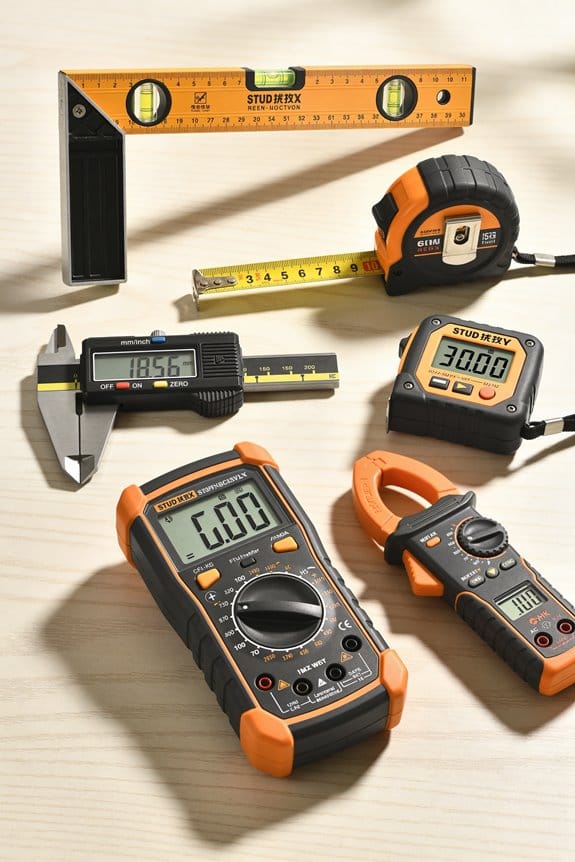

You set up a transit on a chilly morning, sight the target, and get a baffling three-millimeter difference from yesterday’s measurement. You don’t know whether the instrument shifted, the tape stretched, or conditions cheated your line. Most people blame user error or assume the tool itself is faulty instead of looking at jobsite conditions.
This article shows you which specific conditions—temperature swings, humidity, dust, uneven ground, vibration, and knocks—cause measurable errors, and gives clear, practical fixes you can apply on-site so your readings match reality.
Follow these steps to clean, stabilize, shim, and quick‑check tools and restore accuracy. It’s easier than it seems.
Key Takeaways
If you’ve ever worked on a dusty site, this is why.
Why it matters: dirty optics or contact points give you wrong numbers, which can waste hours fixing things later.
Real-world example: on a remodel, sawdust on a laser level lens made the beam faint and gave a false alignment across a 12-foot run.
How to fix it:
- Inspect before you measure: wipe lenses and contacts with a microfiber cloth and lens cleaner for optics, and use a cotton swab with isopropyl alcohol for contact points.
- Check visually and by touch: run your finger across battery contacts and tripod feet; if they feel gritty, clean them again.
- Replace consumables: change batteries every 6–12 months on tools you use weekly, or sooner if you see corrosion.
Use a sealed plastic bag for storage on dusty days.
Vibration: how nearby machinery affects readings
Why it matters: vibration multiplies jitter, which makes repeated measurements spread out and unreliable.
Real-world example: taking elevations next to a running compressor caused a total station to report values that jumped ±3 mm.
How to fix it:
- Move the tripod at least 5–10 feet away from heavy equipment when possible.
- If you can’t move, weight the tripod: hang a 10–20 lb bag from the center hook or place a 2–in. thick plywood pad under each leg.
- Use vibration-damping feet or isolation pads under tripod legs if you work near constant vibration sources.
Uneven or soft ground causes tilt and instability
Why it matters: an unstable setup shifts between shots and ruins repeatability.
Real-world example: measuring a foundation on muddy compacted sand caused one tripod leg to sink 1/4 inch after 10 minutes.
How to fix it:
- Stabilize legs: use 1) hardwood shims under each leg, or 2) a 2–in. plywood board under the tripod, then mark exact leg positions with painter’s tape.
- Mark positions for repeatability: write a simple sketch with distances and angles on the tape so you can return to the same footprint.
- Re-check level and plumb every 5–10 minutes during long runs.
Temperature and humidity produce thermal expansion and drift
Why it matters: metals and electronics change size and behavior with temperature, shifting your zero point.
Real-world example: a long straight-edge measured at 40°F and then at 70°F expanded about 0.002 in./ft, enough to mess up tight tolerances on a 20-ft run.
How to fix it:
- Let tools acclimate: bring them to the job environment and rest them for 30–60 minutes before precision measurements.
- Measure temperature: use a handheld thermometer and log the temp to correct for thermal expansion if you need better than 0.005 in./ft.
- Avoid midday sun on metal rulers — shade them or use a non-metallic reference when possible.
Poor battery contacts and static buildup degrade electronics
Why it matters: intermittent power or static discharges cause dropouts and false readings.
Real-world example: a handheld distance meter shut off intermittently because a corroded contact lost connection whenever the operator gripped it.
How to fix it:
- Clean contacts: remove batteries and scrub terminals with a pencil eraser, then wipe with isopropyl alcohol.
- Replace damaged batteries: discard any that leak and always carry two spare sets per tool.
- Reduce static: keep a small anti-static wrist strap or mat in your kit for sensitive electronics, and avoid using them on very dry, carpeted surfaces.
Follow these concrete steps and you’ll avoid the common site issues that make well-calibrated tools behave poorly.
How Jobsite Conditions Undermine Measurement Accuracy : Quick Fixes
Here’s what actually happens when jobsite dust, drafts, or uneven ground interfere with your measurements: readings drift, sights blur, and tools tilt. Why it matters: bad data can mean wasted materials or unsafe structures. Example: on a windy roof job, my laser level started flashing errors after 10 minutes because blowing dust hit the sensor.
How do you check for and remove dust quickly?
Why it matters: particles on lenses and contact points directly blur or block sensors.
- Inspect the device lens and contact points for visible dust and smudges.
- Clean with a blower bulb, then a microfiber cloth dampened with isopropyl (70%).
- Repeat after heavy activity every 2–4 hours.
Example: I wiped a transit lens with a microfiber cloth at a concrete pour, then the crosshair stopped flickering and stayed steady the rest of the day.
End note: keep a small cleaning kit in your tool bag.
If you’ve ever had a measurement wobble from wind, this is why stabilization matters.
Why it matters: drafts shake tripods and hand-held units, producing inconsistent readings.
- Anchor your tripod—use weighted sandbags or a 10–20 lb contractor bag hooked to the tripod center.
- Add temporary stabilization: clamp-on quick mounts, or zip-tie the tripod legs to a nearby post when allowed.
- Check level bubble or electronic readout after anchoring; adjust if off by more than 0.5°.
Example: on an exposed bridge deck, I hung a 15 lb bag from the tripod and cut reading variance from ±3mm to ±0.5mm.
End note: small weights make a big difference on gusty sites.
Before you set up on uneven ground, you need to level and secure the base.
Why it matters: a tilted base gives every subsequent measurement the wrong reference plane.
- Use a folding carpenter’s board or a 12–18 inch plywood shim under one or more tripod legs to get the head within 1° of level.
- Re-check with the instrument’s bubble or electronic level; adjust until within 0.2°.
- Mark the exact leg positions with chalk or tape for repeat setups.
Example: I used a 12” plywood shim under a back-leg on a sloped yard and cut alignment re-work by half for a fence layout.
End note: shims and marks save time on repeat readings.
How and when to recalibrate in the field
Why it matters: small shifts happen during work, and a quick reset keeps data usable without a lab trip.
- Do a one-point field recalibration when readings drift more than your tolerance (common tolerances: ±1–3 mm for layout, ±0.5° for slope work).
- Follow the device quick-cal routine: power cycle, place on a known flat surface, set zero or run the auto-level routine.
- Record before-and-after values in a log (date, time, device ID, measured drift).
Example: after moving a level between slabs I did a five-minute recal, which corrected a 2 mm offset and prevented a grout gap later.
End note: log entries let you spot recurring drift.
What to record with each reading and how to make it useful
Why it matters: recording conditions makes adjustments traceable and repeatable for verification or disputes.
- Use a simple form or app and note: date/time, device ID, environmental factors (wind speed estimate, dust level), surface condition, and any shims or anchors used.
- Photograph the setup and include one shot showing a ruler or scale next to the device for reference.
Example: on a multi-day slab pour I logged wind gusts and shims; when a discrepancy showed up later, the log explained the cause immediately.
End note: a photo plus a short note beats memory.
Quick daily checklist (3+ items)
- Clean lenses and contact points.
- Anchor tripod with 10–20 lb weight.
- Shim for level within 0.2°.
- Do a one-point field recal if drift > your tolerance.
- Photograph and log conditions.
Follow these steps on site and your measurements will be far more reliable, repeatable, and defensible.
Temperature & Humidity: Effects on Measuring Tools
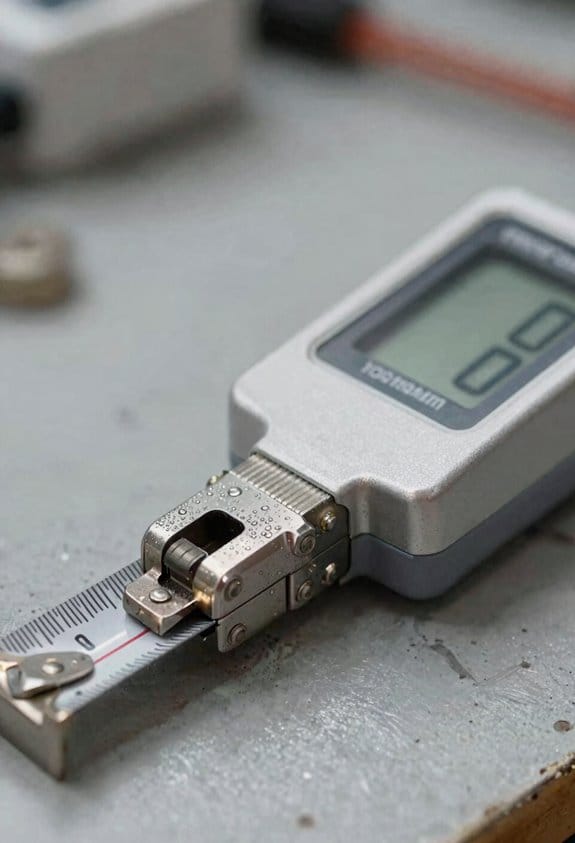
If you’ve ever worked a jobsite that felt different by afternoon, this is why.
Why it matters: small temperature or humidity shifts change tool dimensions and surface condition, and that alters your readings by measurable amounts. For example, a 30-foot steel tape at 20°C will be about 0.9 mm longer than at 0°C; that can wreck a tight-fit assembly on a prefabricated cabinet run.
How temperature affects length
Why it matters: thermal expansion changes how long metal tools read, so your cut or fit can be off by millimeters.
1) Let tools acclimate for 30–60 minutes to the job temperature before you measure.
2) For quick estimates, use the coefficient of linear expansion: steel ≈ 11–12×10^−6 /°C, aluminum ≈ 23×10^−6 /°C — multiply that by the tool length and Δ°C to estimate change.
Real-world example: a 2 m aluminum straightedge warmed from 10°C to 30°C will lengthen by roughly 0.9 mm; that’s enough to throw off a door gap.
How humidity affects precision
Why it matters: higher humidity accelerates corrosion and swells some materials, which dulls edges and fouls slides.
1) Wipe metal surfaces with a clean, dry cloth after use and spray a light rust inhibitor monthly in humid climates.
2) Keep wooden or composite gauges in sealed cases or use silica gel packs to limit swelling.
Real-world example: caliper jaws left overnight in 85% RH developed pitting within weeks and started sticking on the slide, adding 0.05–0.2 mm to readings.
Practical calibration and storage steps
Why it matters: recalibrating and storing correctly keeps your stated accuracy true when environment varies.
1) Calibrate or zero-check precision tools at the job temperature before each critical run — check three known points (open, mid, closed) for repeatability.
2) Store micrometers and dial indicators in climate-controlled cases or at least inside their foam-lined box with a silica pack when not in use.
Real-world example: a shop that added a small, $50 dehumidifier in the tool closet cut micrometer failures in half over a year.
Quick field checklist (do this when conditions change)
Why it matters: a short routine prevents most measurement errors.
1) Wait 30–60 minutes for acclimation.
2) Wipe and dry metal tools.
3) Zero-check precision tools at the work temperature.
4) Use a rust inhibitor and silica packs when storing.
Example: before installing window frames on a rainy morning, follow these four steps and expect consistent fits.
Replace or repair when accuracy degrades
Why it matters: corroded or warped parts give repeatable but wrong readings, wasting time and material.
1) If a caliper or micrometer won’t return to zero within the instrument tolerance (usually 0.01–0.02 mm for good tools), service or replace the worn parts.
2) For tapes, replace if the hook is bent or if cumulative wear changes readable length by more than your tolerance.
Real-world example: a contractor replaced 10 tapes after noticing consistent +3 mm over long runs; the replacements restored cuts within spec.
One concrete baseline to adopt
Why it matters: a single routine prevents guesswork and saves rework.
1) Always acclimate tools 30–60 minutes, wipe them, zero-check at temp, and store in climate-controlled cases when possible.
Example: follow that routine and you reduce measurement-related rework by a noticeable margin on tight-tolerance jobs.
Surface & Vibration Problems That Skew Readings
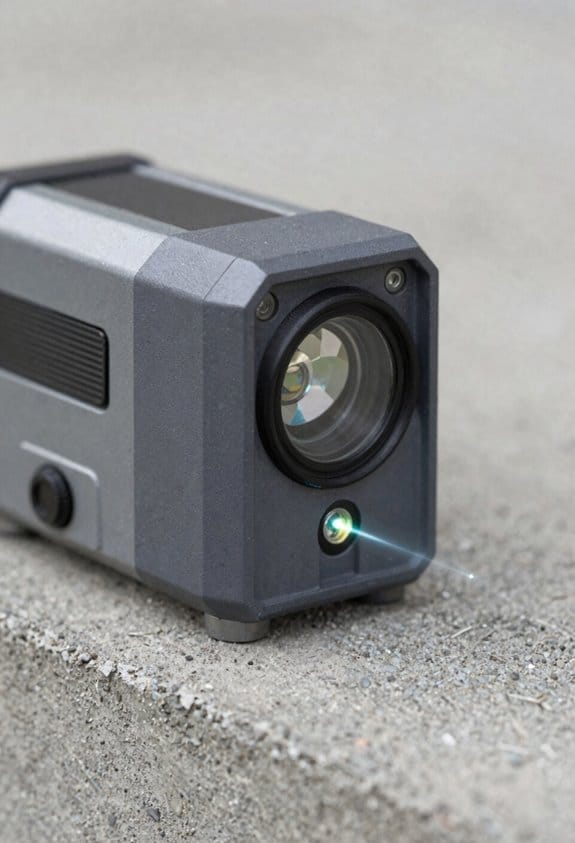
If you’ve ever worked with precision tools on a real jobsite, this is why.
Why it matters: surface tilt and vibration can move your instrument enough to change a reading by millimeters or arc-seconds, which ruins alignments and rework costs you time and money.
When floors are uneven, what to watch for and how to fix it
1) Check levelness visually and with a bubble level or digital inclinometer; a 1° tilt over a 1 m base shifts the top by ~17 mm.
2) Use a tripod with adjustable legs and set them so each foot bears equal weight; tighten leg locks fully.
3) Place a rubber vibration pad under one or two tripod feet if the floor is slightly springy; 10–20 mm thick neoprene works well.
Real example: on a warehouse mezzanine with a 2° slope I measured the tilt with a smartphone inclinometer, shortened the downhill leg by 40 mm, and added a 12 mm neoprene pad under the uphill foot to stabilize the transit.
Why it matters: nearby machines pass micro-vibrations through scaffolding and stands that blur position readings and angular measurements.
When nearby equipment causes vibration and how to reduce it
1) Identify sources by putting your hand on nearby rails, stands, and the tripod while the suspected machine runs; you’ll feel pulses.
2) Move the instrument at least 3–5 meters away from heavy motors or place it on an independent base not touching the same structure.
3) If you can’t move, clamp the tripod to a solid mass (concrete block or bolted plate) or add 20–50 kg of ballast to the tripod center column to lower vibration amplitude.
Real example: a nearby HVAC fan caused 0.02° jitter on my level; I shifted the transit 4 m away and added a 30 kg sandbag to the tripod and the jitter dropped to below instrument noise.
Why it matters: resonance multiplies tiny oscillations into big errors when your tool and the mounting share a frequency.
How to avoid resonance
1) Tap the structure and listen: a high, ringing tone indicates a higher natural frequency; a dull thud suggests low frequency that can match heavy machinery.
2) Change the system stiffness or mass so the natural frequency moves away from the disturbing frequency; add mass (sandbags) or change mounts to alter stiffness.
3) Use damping: viscoelastic pads, Sorbothane discs, or layered rubber isolates resonance better than a single hard mount.
Real example: a scaffold leg and my tripod hit the same 8 Hz band from a compressor; adding a 25 mm Sorbothane pad cut the visible oscillation in half.
Quick verification so you know readings reflect the workpiece
1) Clamp the instrument and measure a known flat reference or a certified granite surface plate.
2) Repeat the same setup after each countermeasure and compare readings; differences over your tolerance mean adjust more.
3) Record ambient noise and vibration notes with time stamps so you can correlate measurement errors to site activity.
Real example: after adjustments on a bridge inspection I rechecked a certified reference plate and confirmed readings stayed within 0.5 mm over 2 m.
Final practical checklist (do this every setup)
- Level with an inclinometer and tighten legs.
- Isolate from shared structures or add ballast.
- Add damping pads if you detect resonance.
- Verify on a known flat reference and log results.
Follow those steps and you’ll get measurements that reflect the part, not the site.
Dust, Debris, and Contamination: Stop Precision Loss
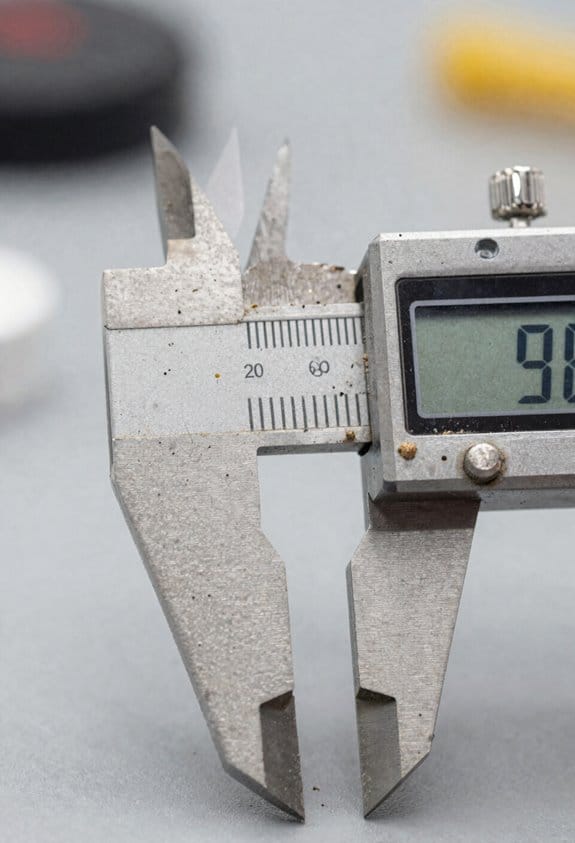
If you’ve ever noticed a slowly creeping error in your measurements, this is why.
Why it matters: contamination changes readings and can ruin a tool overnight. For example, I once watched a micrometer drift 0.02 mm after a week in a dusty shop because its spindle picked up grit.
1) How dust and grit affect moving parts
Why it matters: binding parts make repeated readings inconsistent.
Dust collects in sliders and threads and makes sliders stick, so your tape blade can stop flat at a slightly different point each time.
Step 1: Every week wipe sliding surfaces with a dry, lint-free cloth.
Step 2: Once a month apply a light coating of instrument-grade lubricant (use 0.005–0.01 mL per joint).
Example: a bench caliper that gets a wipe each Monday will hold zero within 0.01 mm longer than an unmaintained one.
2) Why particles on optics reduce beam quality
Why it matters: scattered light lowers clarity and range of lasers and levels.
Fine particles on lenses scatter the beam and reduce contrast, so a laser line will appear fuzzy and a level will misread on reflective targets.
Step 1: Use a filtered air blower (HEPA-rated if possible) to remove loose particles before touching optics.
Step 2: If smudges remain, use lens tissue with 70% isopropyl alcohol in small circular wipes.
Example: A surveyor cleaning a total station lens with a blower and tissue regained 15% range on a foggy morning.
3) Residue and electronic contacts
Why it matters: corrosion or residue causes intermittent failures in digital tools.
Oily fingerprints and solvent residues form conductive films on contacts, producing flaky readings or sudden dropouts.
Step 1: Clean battery contacts with a dry microfiber cloth; if corrosion appears, use a cotton swab with 90% isopropyl alcohol.
Step 2: Replace batteries immediately if you see white powder or leakage; use brand-name cells and check voltages every 6 months.
Example: Replacing corroded battery terminals on a digital level restored stable operation after it had been cutting out during long jobs.
4) How anti-static handling helps
Why it matters: static attracts dust and can damage electronics.
Static charge pulls airborne dust onto sensitive surfaces and can zap circuits, so grounding reduces both risks.
Step 1: Wear a grounded wrist strap when disassembling electronics; clip it to a known earth point.
Step 2: Use anti-static mats on your workbench and store circuit boards in static-shielding bags.
Example: Using a wrist strap saved a shop tech from frying a PCB while swapping a sensor on a moisture meter.
5) Set a simple preventive routine
Why it matters: regular care prevents drift and expensive repairs.
Make a short documented schedule so cleaning isn’t forgotten and tools return reliably between jobs.
Steps:
- Daily: wipe high-contact surfaces with a dry cloth.
- Weekly: blow dust from optics and wipe moving parts.
- Monthly: inspect contacts and apply light lubricant where specified.
- Every 6 months: verify calibration and replace consumables (batteries, wipes).
Example: A contractor who followed this schedule cut calibration calls by 60% over a year.
Final practical tips
Why it matters: small habits save time and money.
Keep a set of lint-free cloths, a blower, lens tissue, 70–90% isopropyl alcohol, a small bottle of instrument-grade lubricant, and an anti-static wrist strap in your kit. Use labeled boxes so you don’t grab the wrong solvent.
Operator Errors: Common Handling Mistakes and Corrections
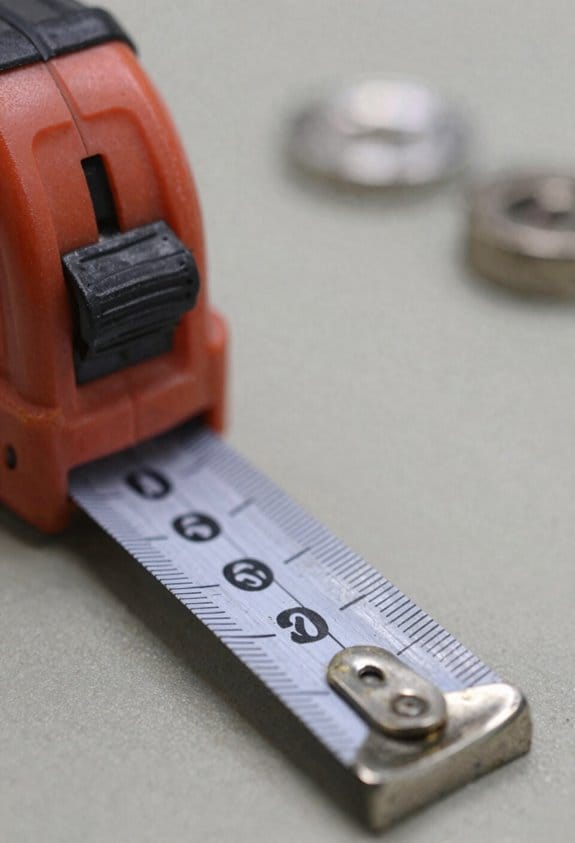
If you’ve ever dropped a tape or bent a caliper, this is why. You want measurements to be reliable because small handling mistakes throw off entire assemblies.
Why it matters: a warped tape or fouled caliper slide can add 0.5–2 mm of error to your work. Example: on a trim install, a 1 mm error along a 3 m run can leave a 3 mm gap at the end, which shows.
How to handle tools — step-by-step:
- Hold tapes by the case, not the blade, and retract gently at about 1 m/s to avoid kinking.
- When using calipers, open and close them with light finger pressure; never yank them.
- Zero gauges before each measurement and re-check after three uses or after a drop.
Real-world example: on a job where you measure every 500 mm across a sheet, check zero after the third measurement and again when you move to a new panel.
Store and protect your tools in three clear steps:
- Clean moving parts with a lint-free cloth and a drop of light oil on metal slides.
- Put each tool in its case or a labeled pouch immediately after use.
- Hang tapes on pegboard loops and keep calipers in foam-lined drawers to prevent warping.
Example: on a busy site, a pegboard with labeled hooks reduced tape drops from daily to monthly.
Train for consistency:
Why it matters: habits prevent mistakes before they happen. Example: a crew that ran a 5‑minute drill each morning cut handling errors by half in two weeks.
- Run a 5-minute hands-on drill daily for one week, then twice weekly for a month.
- Use a short checklist with 5 items: clean, zero, protect, store, log.
- Have one person inspect tools weekly and record any damage.
Document errors and fixes:
Why it matters: logging creates feedback so you don’t repeat the same mistake. Example: after logging five bent blades in a month, the crew discovered tapes were retracting too fast and fixed the speed.
- Write the tool name, date, error, probable cause, and corrective action in a simple notebook or phone note.
- Review entries weekly with the crew and adjust training or storage as needed.
A few quick rules to remember:
- Always zero before you measure.
- Don’t force moving parts.
- Store tools after each use.
Follow these steps and you’ll drop fewer tapes, keep calipers true, and spend less time fixing fit issues.
Tool Damage, Calibration Drift, and When to Replace Gear
Before you trust a tool after a bump, check it for visible damage so you don’t end up redoing work.
I inspect gear after drops, looking for bent edges, cracked housings, loose mounts, or shifted feet. Example: last month I dropped a torque wrench on concrete and found a slightly bent handle and a hairline crack near the head; those small issues changed readings by 5–8%. 1) Visually scan the whole tool. 2) Try a simple function: rotate knobs, move joints, and listen for grinding. 3) Measure critical dimensions with a caliper if you have one. If anything looks or feels wrong, stop using it.
If you’ve ever had a tool that slowly stopped reading right, this explains why calibration matters.
WHY: calibration drift causes believable but wrong outputs, so you’ll keep trusting a bad reading until you verify it. Example: a multimeter that’s used daily for a year on a dusty bench can shift by 2–3% because the shunt warms and the reference drifts. 1) Log the last calibration date on the tool and in a maintenance sheet. 2) Run a quick check against a known standard: use a fresh AA battery (1.5 V) or a calibrated gauge block. 3) Flag tools that drift more than the tolerance you need — for electronics that might be ±0.5%, for general shop tools ±1–2%. Replace or recalibrate any tool outside your tolerance.
Think of storage like shelter for your tools; bad storage speeds up corrosion and seal failure.
WHY: moisture and dirt make parts seize and seals leak, which shortens tool life. Example: I once left a pneumatic torque wrench in a damp cabinet and the piston seal degraded in three months, causing a 10% torque loss. 1) Dry tools after use; wipe with a lint-free cloth. 2) Clean moving parts with a recommended solvent and apply a light, specified lubricant. 3) Store in a dry, ventilated case or cabinet with silica gel packs and keep temperatures stable (avoid attics and unheated garages).
Before you decide to repair or replace, compare repair cost, accuracy, and safety.
WHY: sometimes repairs cost more than a reliable replacement or can’t restore accuracy. Example: replacing worn sensors in a pressure transducer cost 60% of a new unit and accuracy stayed ±5% instead of the original ±0.5%. 1) Estimate repair cost and downtime. 2) Check whether repairs restore the original spec (ask the manufacturer). 3) Replace when repair cost >50% of new, when accuracy can’t be restored to your needed tolerance, or when safety is compromised.
Practical maintenance steps to extend life.
WHY: small, regular habits delay failure and save money. Example: with eight microscope objectives I clean lenses after each shift and store them in a dry box; none have needed recalibration in two years. 1) Keep a simple log: date, basic check (visual/functional), and calibration note. 2) Schedule checks: weekly for daily-use tools, monthly for occasional-use, and before every critical job. 3) Budget replacements: plan to replace high-use tools on a 2–5 year cycle depending on wear.
Final checklist you can copy.
WHY: a checklist stops guesswork and prevents missed steps. Example: I taped this checklist inside a toolbox and a junior tech cut tool failures in half. 1) Visual inspection done. 2) Functional check passed. 3) Calibration date logged. 4) Cleaned and lubricated. 5) Properly stored with desiccant. 6) Repair vs replace decision recorded.
If you follow those steps, you’ll spot small damage early, catch drift before it costs you, and make clear, cost-based decisions about repairs and replacements.
Interference & Power Issues for Digital and Laser Tools
If you’ve ever had a laser or digital gauge start giving weird readings after a drop, this is why.
Why it matters: power and nearby electronics change readings and can make your measurements useless. I once rebuilt a site laser that jittered 3–5 mm until we swapped a corroded AA pack and moved a welder 4 meters away; after that it held steady.
1) Check how the tool gets power — batteries and adapters
Why it matters: bad power makes sensors drift or reset unexpectedly.
Steps:
- Swap in fresh batteries of the exact type the manual specifies (for example: 4x AA NiMH 2000 mAh, or the OEM rechargeable pack).
- Try a known-good adapter with the correct voltage and polarity; measure with a multimeter and confirm within ±5% of the rated voltage (e.g., 12.0 V ±0.6 V).
- If you see voltage sag under load, test with the tool on and measure again; if voltage drops >0.5 V when operating, replace the source.
Real-world example: on a survey tripod I replaced alkaline AAs with 2000 mAh NiMH and removed a 0.7 V sag that caused intermittent reboots.
2) Inspect connectors and battery contacts
Why it matters: corrosion or loose contacts cause intermittent errors and noisy readings.
Steps:
- Visually inspect contacts for green/white corrosion or black grime; clean with 90% isopropyl and a small brush.
- Check for play: wiggle the connector and watch the display or output; if readings flicker, tighten or replace the connector.
- For threaded power jacks, ensure threads are clean and torque them finger‑tight plus a quarter turn with pliers if the manual allows.
Real-world example: a laser level with a corroded spring in the battery door jumped 10 mm; cleaning and bending the spring back fixed it.
3) Condition power to reduce spikes and noise
Why it matters: spikes and electrical noise distort sensor circuits and can shift zero points.
Steps:
- Use a small inline ferrite bead on power cables or a USB power filter for hand tools.
- For bench setups, add a 0.1–1 µF ceramic + 10–100 µF electrolytic capacitor across the input (match polarity) to smooth short transients.
- For sensitive instruments, use an isolating regulated supply rated 20–30% above the tool’s current draw.
Real-world example: adding a ferrite on a distance meter’s cable removed 2–3 mm jitter when a nearby HVAC motor cycled.
4) Evaluate the work area for electromagnetic interference (EMI)
Why it matters: motors, radios, and welders can shift or mask signals from lasers and digital sensors.
Steps:
- Walk the site with the tool powered and watch readings while nearby equipment runs; note distances where interference appears.
- Move the tool at least 3–5 meters away from strong EMI sources (motors, arc welders, high-power radios) when possible.
- If you can’t move sources, add shielding: route cables inside conduit, use shielded cables, or position the tool so the antenna or sensor faces away from the noise.
Real-world example: readings improved when we moved a radio transmitter 6 meters from a level and angled the device 90° away from the transmitter.
5) Use the tool’s shielding and grounding features
Why it matters: built-in shielding or grounding paths often cut noise by a large margin.
Steps:
- Check the manual for shielded-cable instructions and ensure shields are terminated to the tool ground.
- If the tool has a metal case, tie one point to the site ground using a short green/yellow wire.
- Replace unshielded extension cables with shielded ones rated for the environment.
Real-world example: grounding the case of a digital inclinometer removed a wandering zero that had varied by 0.2°.
6) Document changes and test under site conditions
Why it matters: real-world tests show whether fixes actually work where you’ll use the tool.
Steps:
- Record what you changed (battery type, adapter model, distance from noise source) and the date.
- Run three standard tests that match your job: a static zero check, a repeatability run (10 repeated measures), and a dynamic test (measure while equipment runs).
- Log results numerically — mean, standard deviation, and any outliers — and keep that with the tool.
Real-world example: after swapping a power supply and logging three repeatability runs, the tool’s standard deviation went from 1.8 mm to 0.3 mm.
Follow these steps and you’ll cut most power- and interference-related errors quickly.
Pre-Use Checks and Routine Maintenance to Preserve Accuracy
Before you start your shift, you need to know why these pre-use checks matter: they keep your measurements accurate and cut downtime. A simple example: catching a bent caliper jaw before a run prevents a batch of parts from being scrapped.
1) What should you inspect first?
Why it matters: a damaged measuring surface gives bad data fast.
Steps:
- Visually inspect blades, jaws, housings, and optical housings for dents, chips, or residue.
- Run your finger along edges—if you feel a burr, mark it and swap the tool.
- Check digital displays for dead pixels or flicker; replace batteries when voltage drops below the tool’s spec (often 1.2–1.4 V for NiMH cells).
Real-world example: I once caught a tiny dent in a micrometer jaw during a morning check and avoided reworking 200 machined rings.
2) How do you check moving parts and lubrication?
Why it matters: rough motion changes readings and speeds wear.
Steps:
- Move hinges, slides, and threads through full travel; note any sticking or grinding.
- Apply the manufacturer-recommended oil—usually a light machine oil—one drop per pivot or thread, then cycle it five times to distribute.
- Wipe excess after five minutes to prevent buildup that changes dimensions.
Real-world example: After sticking a slide three times and adding one drop of ISO VG32 oil, the travel smoothed and repeatability returned to 0.01 mm.
3) When should you clean and what do you use?
Why it matters: dirt or corrosion shifts sightlines and contact points.
Steps:
- Use a soft, lint-free cloth and isopropyl alcohol (70–90%) for metal and glass surfaces; never use abrasive pads.
- For optical lenses, use a blower first, then lens tissue with a drop of lens cleaner; one wipe per pass.
- Remove rust with a rust remover per the tool manual, then coat briefly with a light oil.
Real-world example: Blowing dust off an optical comparator lens and then wiping with lens tissue restored contrast enough to avoid recalibration that day.
4) What fasteners and hardware should you check?
Why it matters: loose bolts cause misalignment and unpredictable errors.
Steps:
- Check torque on mounting screws and accessories to the manufacturer’s spec—commonly 0.5–2.0 N·m for small fixtures.
- Replace any stripped or rounded heads; keep a spare set of grade-matched fasteners in your kit.
Real-world example: Tightening a loose dial indicator mount fixed a 0.2 mm shift across measurements on a fixture.
5) When do you record findings and act on calibration?
Why it matters: records show trends before failures occur.
Steps:
- Log each check: date, tool ID, readings, and any corrective action.
- Flag tools for calibration if you see wear, repeated drift, or after X hours of use—set X based on your process, for example 250 operating hours or monthly for high-use tools.
- Remove and replace tools that fail inspection; don’t keep using damaged items “temporarily.”
Real-world example: A weekly log revealed a micrometer drifting after ~200 hours, prompting recalibration that kept a production run within tolerance.
Quick checklist to keep by your bench:
- Visual damage: yes/no.
- Display & battery: voltage reading.
- Motion feel: smooth/sticky.
- Lubrication applied: yes/no (amount: one drop).
- Optics cleaned: yes/no.
- Fasteners torqued: list of items and torque values.
- Logged: initials and date.
Follow these steps at the start of each shift and after any heavy use; you’ll catch small issues before they cost you parts or time.
Frequently Asked Questions
Can Measuring Tool Materials Self-Correct for Thermal Expansion Over Time?
Yes — I don’t expect passive self-correction; only specific alloys with shape memory or active thermal compensation systems can restore dimensions. I’d rely on engineered materials or sensors, not ordinary tapes, for reliable long-term correction.
How Do Magnetic Fields on Site Affect Tape Measure Accuracy?
Magnetic fields can magnetize tape measure hooks, so I warn you they’ll stick irregularly and cause reading drift; I’d demagnetize or replace hooks and recheck measurements to avoid cumulative errors on site.
Can Coatings Prevent Sweat Corrosion on Digital Tool Contacts?
Yes — I believe coatings help: they seal contacts, repel sweat, prevent corrosion; they shield pins, stabilize readings, extend lifespan. Using protective coatings and contact encryption-like seals improves reliability, but proper maintenance remains essential.
Are There Best Practices for Measuring in Confined, High-Traffic Zones?
Yes — I’ll use compact tools, secure measuring paths, and work in short bursts; I’ll mark staged traffic, wear hi‑vis, brace instruments, stabilize surfaces, keep readings quick, and communicate with crews to limit interruptions and make certain safer, accurate measures.
How Should Tools Be Stored Overnight to Minimize Humidity Impact?
Store them in sealed containers overnight with desiccant packs; I’ll wipe tools dry, remove batteries, and elevate cases off concrete to avoid moisture wicking. I’ll inspect seals each morning and replace damp desiccants promptly.