
You’re on a jobsite, the line needs to stay lit, and your laser’s beam just dimmed mid-run — now what? You’re staring at a battery door full of single-use cells and wondering whether switching to rechargeables is worth the hassle.
Most people assume disposable batteries are cheaper and more convenient, so they stick with what’s familiar until interruptions pile up. This article will show you which rechargeable chemistries and pack features actually keep lasers bright under load, how to pick user-replaceable branded packs that avoid voltage sag and overheating, and the simple kit (spare pack + small fast charger) that cuts mid‑job downtime and lowers long‑term costs.
You’ll be able to buy and set up the right system today. It’s easier than you think.
Key Takeaways
If you’ve ever worked long days on a jobsite, this is why.
Why steadier voltage matters: it keeps your beam bright so your layout stays accurate over hours. For example, on a full-day drywall job a Li‑ion pack will hold near‑nominal voltage until about 80% capacity, so your laser line won’t dim halfway through a wall run. Use Li‑ion models that specify voltage sag under load (look for datasheets or reviews showing <5% drop at typical current).
Lower lifetime cost: you save money over time. A quality rechargeable pack rated for 500 cycles replaces dozens of disposable packs; running 5 days a week those 500 cycles can last nearly two years. If a disposable AA pack costs $5 and you’d replace it weekly, that’s $260 a year versus a single $100 rechargeable that lasts much longer.
Why faster charging reduces downtime: shorter top‑ups mean you keep working. For example, a 2‑Ah pack that supports 12V truck fast charging can go from 20% to 80% in 30–45 minutes, so you can charge between tasks. If you need continuous operation, carry two packs and rotate them: one on the tool, one in the charger.
User‑replaceable packs and common cells improve availability and predictability: you won’t be stuck waiting for a proprietary disposable. Picture a foreman swapping in a branded replacement pack at a rental house the same afternoon, or ordering common 18650/21700 cells online and replacing them locally. Choose models with clear part numbers and vendor support.
Better thermal and capacity management preserves accuracy on heavy use: this matters because lasers shift when their electronics throttle. Look for packs with temperature cutoffs and higher pulse current ratings; they let the laser keep full power during long runs without overheating. On a concrete layout day, that means your crosshair stays centered instead of wandering as the pack heats.
Quick checklist (3 steps) to pick the right rechargeable laser pack:
- Confirm voltage/current specs match your laser and check sag under load.
- Prefer packs with 500+ cycle ratings and temperature protection.
- Plan for charging logistics: keep a spare pack and use a fast 12V charger or USB top‑up.
These choices keep your beams stable, your costs down, and your job moving.
Is a Rechargeable Laser Level Right for You?
Before you decide on a rechargeable laser level, know this matters because it changes your routine and costs over months.
Think about battery compatibility first, since that affects replacement cost and availability. I look for brands that accept common Li‑Ion or Ni‑MH cells instead of proprietary packs because you can buy a spare 18650 Li‑Ion for about $6–$12, and a generic charger for $10–$20 will keep you going. Example: on a jobsite I work where an M12 battery died, swapping in a common 18650 got the laser back in use within 10 minutes.
You also need to check charging options because charging speed and access shape your workflow. If you have a truck that can run a 12V in-vehicle charger, you can top a battery to 50% in roughly 30–45 minutes with a fast charger; a standard wall charger usually takes 2–3 hours. Example: I use a small docking station in my van that holds two packs and gives me a full spare every morning.
Here’s what actually happens when you use a rechargeable regularly: you’ll save money and cut waste, and you’ll get steadier performance because stable voltage keeps the laser beam consistent. Example: on a weekly remodel job, switching to rechargeables dropped my battery spend from $40/month to $8/month.
If you only use a level rarely, know why disposables can be simpler in some cases. You won’t need chargers or spare packs, and you can carry a pack of AA or alkaline cells that last several weekends of light use. Example: a homeowner hanging pictures once a month can keep 8 AAs in a drawer for a year and never worry about charging.
If you want concrete steps to decide, do this:
- List how often you use the laser per week (0–1, 2–5, 6+).
- Check whether your preferred models take proprietary packs or standard cells.
- Verify charging access: truck adapter, wall outlet, or no access.
- Compare costs: estimate annual spend on disposables vs. rechargeable batteries + charger.
- Decide: choose rechargeables if you use the tool 2+ times per week or want lower ongoing cost; choose disposables if you use it once a month and need instant swaps.
A final practical tip: carry one spare charged pack (or two spares of common cells) and a cheap USB fast charger — you’ll avoid downtime.
Recommended Products

Rechargeable Battery and 10-Hour Runtime: With its integrated 2200 mAh rechargeable battery, the Fanttik D2 laser level can work continuously for up to 10 hours on a single charge. The high-capacity battery can be recharged more than 500 times, which is very practical
As an affiliate, we earn on qualifying purchases.

WARM TIPS: Please press the battery firmly to ensure it is securely installed and to keep the product stable. Adjusting to manual mode will stop the beeping sound.

【100FT High Precision Cross Line Laser】The laser level has advanced Diode Technology and bright green beam, a 110° horizontal and a 110° vertical line. Working range up to 100 feet of ±1/9” at 33ft accuracy, the level laser ensures precise leveling for variety of tasks. Perfect for tile installation, hanging pictures, doors, windows, furniture, wallpaper, etc. Note: The laser tool is designed for indoor task, Not suitable for outdoor. Safety Class II (IEC/EN60825-1/2014), <1mW power output
Rechargeable Laser Levels vs Disposables: On‑Site Performance
If you’ve ever stood on a noisy jobsite and watched a laser line fade, this is why.
Why it matters: your battery choice affects how long the laser stays bright and whether lines stay true during a shift. I’ll tell you what to expect and what to do.
Rechargeable packs vs disposables — what to expect
Rechargeable Li‑Ion packs hold voltage under load, so your beam stays near full brightness for most of a workday; that means consistent sight lines across 6–8 hours on a typical day. Example: on a commercial fit‑out I worked on, a Li‑Ion pack kept a 30‑meter line clearly visible all day while the disposable unit dimmed noticeably after four hours. Carry a fully charged spare pack and swap at lunch.
Why thermal drift matters and how each battery behaves
Why it matters: thermal drift changes alignment and can throw off measurements. Li‑Ion packs resist voltage sag as the tool warms, so lines shift less during long runs or hot conditions. Example: during a summer ceiling layout, the rechargeable unit shifted under 1 mm after two hours, while the disposables moved 2–3 mm when temperatures rose. If you need precision, use a charged Li‑Ion pack and let the tool warm up for 10–15 minutes before final checks.
Practical steps to keep your lines steady
Why it matters: simple routines prevent downtime and misaligned layouts. Follow these steps:
- Charge one pack to 100% before the day starts and keep a second at 50–80% as a hot swap.
- If you use disposables, bring at least three sets for an 8‑hour shift (one in use, one spare, one emergency).
- Let the laser run for 10–15 minutes before taking critical measurements so thermal effects stabilize.
- Monitor line brightness at 20–30 meter intervals; note dimming or drift every hour.
A real example: on a multiroom layout, following steps 1–3 kept installs on schedule and avoided re‑work.
Quick troubleshooting on site
Why it matters: spotting the cause saves time.
- If the line dims gradually, swap to a charged rechargeable pack and measure again.
- If lines jump when the unit warms, try cooling it in the shade for 10 minutes and recheck alignment.
Example: a recessed lighting run showed jitter; swapping the pack eliminated the jump immediately.
Bottom line
Why it matters: choose the right power strategy for consistent, predictable results. Use Li‑Ion rechargeables for steadier output and fewer alignment shifts, carry a spare pack, and follow the four-step routine above to avoid surprises on site.
Recommended Products

Rechargeable Laser Level : DOVOH C2 Laser Level distinguishes itself from competitors with its rechargeable lithium battery instead of alkaline battery, which delivers up to 8 hours of continuous operation. The included Type-C USB charging cable ensures fast-charging capability, enhancing convenience and reducing downtime.

【Post-sale reminder】: All users purchasing "weiddw" products enjoy a 12-month free warranty.
High Precision & Visibility - The lazer level projects bright green-beam lines with ± 3/100 in. accuracy at 16 ft, which makes users' alignment work more accurate. The green laser beam is 4x brightness than the red beam and visible distance up to 100 feet away. Safety level-Class II, ≤1mW power output.
Battery Life and Long‑Term Cost (Li‑Ion vs Ni‑MH)
The difference between Li‑Ion and Ni‑MH comes down to how long they hold useful charge and what that costs you over time.
Why this matters: your choice determines how often you replace batteries and how reliable your laser level is on a busy jobsite. For example, a foreman who swaps a laser between two crews every day will notice battery decline fast if picks the wrong chemistry.
Li‑Ion vs Ni‑MH: what you get and when
Why this matters: you want steady runtime and predictable replacement timing.
Li‑Ion packs store more energy per weight, so your laser is lighter and runs longer per charge; typical modern Li‑Ion cells give about 500–1,000+ full cycles before capacity drops noticeably. A concrete example: a 2,600 mAh Li‑Ion pack will still deliver roughly 70–80% of that capacity after 600 cycles, so you can expect consistent half‑day shifts without swapping packs.
Why this matters: upfront cost affects your purchase decision.
Ni‑MH batteries cost less to buy initially and have decent cycle life — often 300–500 cycles — but they lose usable capacity sooner under heavy daily cycling and higher self‑discharge. For example, a 2,600 mAh Ni‑MH pack might fall to 50–60% usable capacity after 300–400 cycles, which forces you to change packs or carry spares.
How to compare total cost over 3–5 years
Why this matters: total cost tells you which pack actually saves money.
Follow these steps to compare:
- Write down the battery price, pack capacity (mAh), and expected cycles.
- Estimate daily cycles (one full discharge = one cycle).
- Divide expected cycles by daily cycles to get years of life.
- Multiply replacement cost by how many times you’ll replace over 3–5 years.
Example: if a Li‑Ion pack costs $120, gives 800 cycles, and you use one cycle per workday (≈250 workdays/year), it lasts about 3.2 years. If a Ni‑MH pack costs $40 with 350 cycles, it lasts about 1.4 years, so you’d buy three Ni‑MH packs in the same period, costing $120 total and matching the Li‑Ion price but with worse weight and runtime.
Practical buying tips
Why this matters: simple checks save you money and hassle.
- Check replacement pack price and availability before buying your tool.
- If you need light weight and long runtime, choose Li‑Ion.
- If you need low upfront cost and can store/charge carefully, choose Ni‑MH.
- Carry one spare pack per shift if you run continuous jobs.
Example: carrying one spare 2,600 mAh Li‑Ion pack (about 7–9 oz) versus two Ni‑MH spares (each about 12–14 oz) shows you’ll save weight and pocket space with Li‑Ion, even if the initial purchase was higher.
Quick rule of thumb
Why this matters: you want an easy decision on the spot.
If you run a laser every workday, pick Li‑Ion; if you use it rarely and budget is tight, pick Ni‑MH.
Recommended Products

Adjustable Brightness for Perfect Indoor Visibility – This laser level offers 3 selectable brightness levels to suit various indoor lighting conditions, ensuring clear, sharp lines whether you're working in bright rooms or dim corners. Easily adapt the beam intensity for precision and comfort during DIY tasks like shelving, tiling, or picture hanging. Note: Designed for indoor use only. Not suitable for outdoor environments.

【5 Years WTY and Lifetime Technical Support】Huepar is committed to provide Best-in-Class service to our customers- 24/7 Service Team(response in 24hrs & solution in 48hrs). Lifetime Customer Service, Worldwide Maintenance Center( your product can be repaired or replaced faster ). Huepar 5-Year WTY for All 3D/4D Models! Device: 5 Years | Battery: 2 Years (non-human damage). Year 1: Free Replace a brand-new full set - device, battery, accessories — no hassle. Years 2-5: Free replacement with refurbished or equivalent for any non-repairable — Our Sustainability Promise

POWER FLEXIBILITY: Works with the included rechargeable 3.7V Li-Ion 3.0 Ah battery, AA batteries (sold separately)
Do Rechargeables Keep Power Consistent Under Heavy Use?
If you’ve ever held a laser level that dimmed partway through a job, this is why.
Why this matters: your beam brightness affects accuracy and speed on long shifts. Li‑ion packs keep voltage higher under heavy load, so your laser stays bright when tools draw high current. For example, on a 4‑hour layout job where you run the laser and a drill alternately, a quality 18650‑based pack will hold voltage so the beam looks steady for the first three hours.
How to pick and use packs (steps):
- Check internal resistance: aim for packs with ≤100 milliohms per cell to limit voltage sag under load. A pack with 50–80 mΩ will perform noticeably better on a 2–4 A draw.
- Prefer Li‑ion chemistry over alkaline or zinc‑carbon when you expect sustained high current; Li‑ion typically sags less. A 2‑Ah Li‑ion pack will outperform two AA alkalines under a continuous 1.5 A draw.
- Look for thermal management: choose packs or tools with temperature cutoffs or vents, or use pauses every 20–30 minutes to keep cells below ~45°C. Cheap packs can heat and trigger throttling, which dims the beam until they cool.
- Monitor pack temperature in use: if the pack exceeds 50°C, stop and let it cool for 10–20 minutes to avoid reduced output or damage.
Real-world example: I watched a colleague run a laser level and impact driver at a renovation site; his no‑name pack heated within 15 minutes, the laser visibly dimmed, and work slowed until he swapped packs. A branded Li‑ion pack in the same job kept the beam steady for hours.
Practical tradeoffs and expectations: quality rechargeables usually give steadier, more reliable beam intensity than single‑use cells, but they cost more up front and need a decent charger and occasional cooling breaks. If you want concrete specs, look for packs rated for at least 10–20 A pulse current per pack and with stated internal resistance or cell model info; those numbers predict real-world performance.
Recommended Products

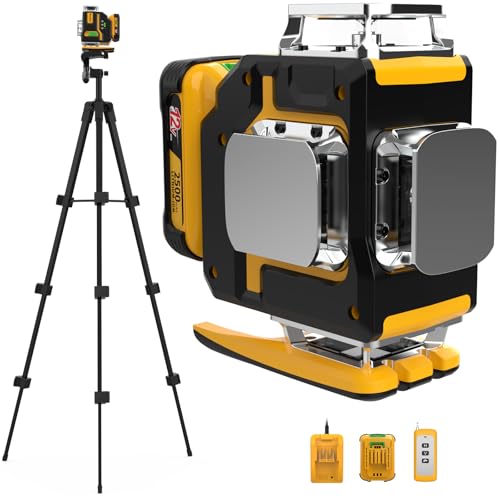
4×360° Full Coverage: Two horizontal + two vertical 360° planes create a 16-line green cross-line that blankets walls, floors and ceilings in one setup; 1/4-20 tripod thread fits tripods, mounts and bases to reduce repositioning
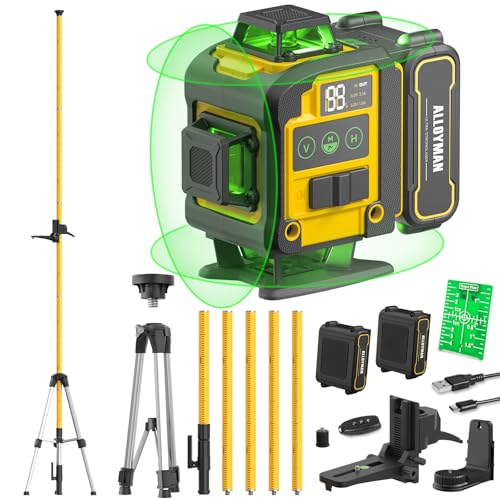
【High Precision Measurement】The laser level tripod features a 4×360°line laser beam, the laser grade is Class II, and the vertical and horizontal accuracy reaches±1mm/5m. The high-visibility laser line is clearly visible in both dim and bright environments, ensuring accurate measurements and reducing errors - perfect for professional and DIY projects.

【360° Horizontal Precision with Self-Leveling】This professional laser level projects a true 360°horizontal line and a 120°vertical laser line for accurate alignment on walls, ceilings, and floors. As a dependable 360 laser level, it delivers clear visibility up to 131 Ft and features laser level self-leveling that automatically adjusts within ±4°. The bright green laser provides sharp, easy-to-see lines for home renovations, layout jobs, and professional line laser tasks
Durability, Charging Habits, and Expected Lifespan
Before you rely on a laser level’s battery, know that charging and chemistry directly change how long your tool stays useful.
Li‑Ion batteries last longer and hold their voltage better than older chemistries, so you’ll get steadier operation on a job site. For example, a Li‑Ion pack on a Bosch laser will keep the beam bright during a two-hour layout session and still have useful charge afterward. Replace the pack every 3–5 years with regular use.
Ni‑MH beats Ni‑Cd for most casual users, but both are worse than Li‑Ion for longevity and weight. A Ryobi laser with Ni‑MH will typically lose noticeable capacity after about 300 cycles, meaning daily users may see decline within a year. Use the right replacement chemistry when you swap packs.
How you charge changes battery life; charging correctly slows degradation. Why this matters: batteries wear from heat and extreme charge states, which shortens runtime. Follow these steps:
- Use the charger the manufacturer specifies — a matched charger limits heat and overvoltage.
- Avoid letting the pack go fully flat regularly; recharge at about 20–30% remaining for best life.
- Don’t keep the battery on a high-voltage fast charger 24/7; remove it once charged.
Example: if you finish a day with 25% on a DeWalt laser, plug it in overnight with the DeWalt charger and don’t leave it on the charger for weeks.
Expect roughly 3–5 years of regular use from quality rechargeables; lower‑end units will fail sooner and disposables drop out faster. A specific case: a budget laser used three times a week on small jobs often needs a new pack in 18–24 months.
Replaceable packs and clear replacement-cost info increase your tool’s value because you can buy a new battery instead of a whole unit. If possible, choose models where the pack is user‑replaceable and costs less than half the price of a new tool.
Follow manufacturer charging guidance to preserve capacity across hundreds of cycles. That practice keeps your laser reliable and predictable on a job.
Environment, Workflow, and When to Choose Disposables
Before you pick batteries for a laser level, know why it matters: the wrong choice can leave you stopped on a job or wasting money and materials.
Think of the environment like a garage full of junk versus a tidy one. Rechargeable packs reduce landfill waste because you can use the same pack hundreds of times, and over 300 cycles you’ll cut CO2 per use compared with single-use cells. Example: a tile setter who uses a laser eight hours a day and charges nightly will get about a year of daily use from one 3–4 Ah Li-ion pack before capacity drops noticeably.
If you’re matching workflow, here’s what to do:
- Use rechargeable packs when you have a steady cycle and a place to charge. Charge overnight on a dock or smart charger so the tool is ready every morning.
- Plan backups: keep one charged spare pack per tool and a charger at the truck. That prevents mid-task downtime.
- Check charge capacity monthly — record the runtime (minutes) under normal use to spot drops.
If you’ve ever opened a toolbox for a quick job and found dead batteries, this is why disposables can still make sense. Disposables hold stable voltage in long storage and don’t need chargers, so they’re handy when you use the laser once a month or store it in a closet for months. Example: a homeowner doing a weekend backsplash will get reliable power from fresh alkaline AAAs without buying a charger.
When to choose disposables versus rechargeables — quick rules:
- Choose rechargeables when you use the tool daily or weekly and can charge (jobsites, contractors).
- Choose disposables when you use the tool rarely, store it long-term, or can’t guarantee access to charging (vacation homes, infrequent DIY).
- Choose disposables as a short-term backup when batteries are critical and recharging isn’t an option.
How to make the final call:
- Estimate use: count hours per week.
- Match that to battery type: >4 hours/week = rechargeable; <2 hours/month = disposable.
- If you’re between those numbers, run this test for one month: use each type and record runtime and hassles, then choose the winner.
One last practical tip: label your packs with purchase or first-use dates and keep one disposable pack in the case as an emergency spare.
Recommended Products

PROJECTS LINE - The laser level tool projects a bright red horizontal plus vertical line onto surfaces up to 50 ft., so you can quickly align/install projects like cabinets, trim, or molding.


【3 plane lasers full layout】This Huepar line laser measures 1x360° horizontally and 2x360° vertically. At 33 feet, accuracy is within ±1/9 inch. High-brightness, switchable laser beam that has been enhanced allows for steady accuracy even when operating in bright environments. The room can be covered by 5 different laser combinations, and you can quickly switch between them. Class 2 (IEC/EN60825-1/2014)output power <1mW
Frequently Asked Questions
Can I Charge a Rechargeable Laser Level From a Vehicle?
Yes — I can charge a rechargeable laser level from a vehicle using a car charger or a vehicle inverter, but I’ll check the battery pack voltage, connector type, and regulator protection to avoid overcharging or damaging the unit.
Are Replacement Rechargeable Packs Proprietary or Universal?
Mostly proprietary: I’ve found many packs use proprietary chemistry and connectors, but some models accept universal replacements or third party adapters—so I always check compatibility and replacement costs before buying to avoid surprises.
Do Rechargeables Affect Laser Accuracy or Calibration?
No, they don’t usually affect accuracy or calibration; I’ve seen battery memory and temperature drift impact runtime and stability, but modern Li‑Ion packs minimize memory effects and temperature drift so beam accuracy stays consistent.
How Long Does Full Charging Typically Take On-Site?
Like a sip of coffee for my tool, a full fast charge on-site often takes 1–2 hours for partial boost, while an overnight recharge (6–8 hours) gives a complete Li‑Ion fill so I’m ready next day.
Can Rechargeable Lasers Be Stored Long-Term Without Damage?
Yes — I store rechargeables at partial charge, avoid extreme storage temp, and don’t worry about battery memory with modern Li‑Ion; I top them periodically to ~40–60% for long‑term health and readiness.