
You’re on a tight jobsite schedule staring at a wall layout that won’t align and wondering which laser tool will actually save you hours — and money — instead of creating more headaches. You need millimeter accuracy for dense urban fits, modular components, or fixed‑price work, but you don’t know which specs matter when buying or using a laser.
Most people focus only on price or a single spec like range and miss practical limits such as tolerance margin, file compatibility, and workflow integration.
This piece shows exactly which laser specs to choose, how much accuracy and range margin to require, and the simple workflow steps that turn measurements into BIM, QA checks, and fewer reworks.
You’ll get concrete selection rules and actionable on‑site steps. It’s easier than it looks.
Key Takeaways
If you’ve ever worked on a tight urban jobsite, this is why laser accuracy matters: you cut rework and stay on schedule. Increased urban densification means you’ll need lasers that hit ±5 mm or better; for example, a mid-rise retrofit where utilities are crowded will require repeatable ±5 mm checks every 5–10 m along runs to avoid clashes.
The growth of fixed-price projects changes how you bid because buyers want proof of as-built conditions. Use laser-verified as-built scans to halve your contingency line; for instance, submitting a 3D point cloud from a job bid saved one contractor about 2% on their bid for an office fit-out by reducing unknowns.
Modular construction needs tighter shop-to-site fit so panels and modules arrive ready to install. You should spec surveying lasers with ±1–4 mm accuracy when fabricating offsite; a gateway substation module that used ±2 mm surveys in the factory and ±3 mm checks on site avoided shim stacks during installation.
You need faster, repeatable measurements for high-volume commissioning and alignment because speed cuts downtime. Adopt Bluetooth-enabled lasers and scanners that push measurements to the cloud so teams can verify results instantly; for example, using a cloud-linked scanner reduced alignment time on a conveyor line by 40%.
Sector-specific projects demand millimeter-level control for safety and reliability. In data centers, rail stations, or energy sites, include millimeter lasers and inclinometers in your QA checklist; measuring rack frames to ±1 mm and verifying tilt with a digital inclinometer at 0.01° resolution preserves uptime.
Market Forces Driving Demand for Laser Measuring Tools
If you’ve ever worked on a crowded jobsite, this is why laser tools matter.
Why it matters: they cut rework and keep projects on schedule. Urban densification is squeezing more buildings, pipes, and conduits into tighter corridors, so your tolerances can be as small as ±5 mm on some tasks. For example, on a downtown utilities relocation I saw last year, crews used a laser distance meter to set conduit runs to within 3 mm over 30 meters, avoiding a week of corrective digging.
How lasers help you, step by step:
- Measure distances fast — a handheld laser gives repeatable readings in seconds up to 200 meters, so you avoid slow tape runs.
- Capture angles precisely — use a rotating laser or a total station to get azimuths within 0.01° when aligning long runs.
- Transfer points to layout — mark floors and ceilings using a laser plumb, reducing layout time from hours to minutes.
Why it matters: funding cycles now reward predictable, low-risk delivery. When budgets tighten, change orders kill margins. A contractor I know won a fixed-price bid because they submitted laser-verified as-built dimensions that cut estimated contingency in half.
Concrete actions you can take:
- Choose devices rated IP65 or higher if you work outdoors and expect dust or rain.
- Buy or rent a distance meter with at least ±2 mm accuracy for interior fit-outs and ±5 mm for general site work.
- Train your crew for one 2-hour session on the specific model; most crews get proficient after three real layouts.
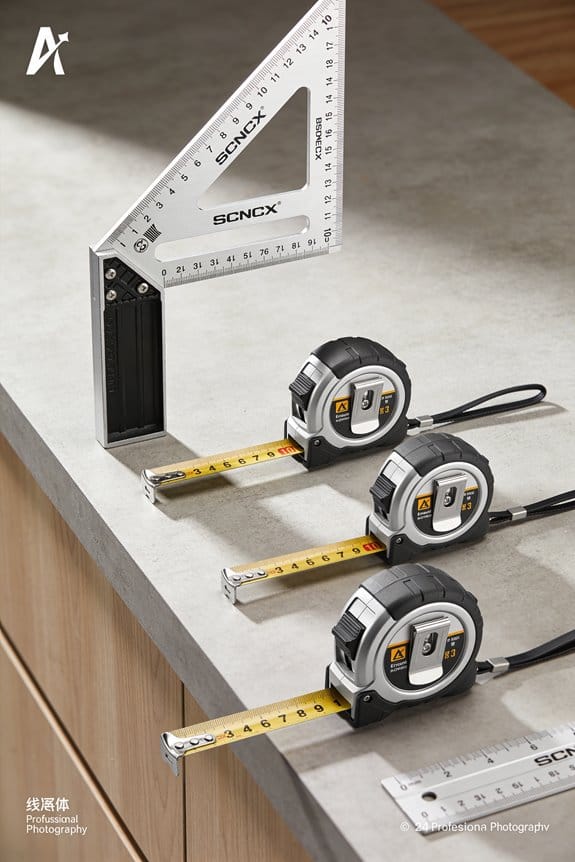
Why it matters: modular construction relies on precise early measurements to let factory work proceed without delays. On a modular apartment project, offsite units were fabricated to within 4 mm because site survey lasers set datum points the week before panels arrived.
Quick checklist to improve productivity:
- Use a laser with Bluetooth to transfer point clouds or measurements to your phone or tablet.
- Calibrate annually; record calibration dates.
- Carry spare batteries and a sun-shield for outdoor readings over 50 meters.
Why it matters: investors want schedules they can bank on, and that drives technology adoption on sites you bid on. If you provide laser-verified schedules and documented measurements, you’ll be seen as lower risk — and you’ll win more work.
One concrete example to copy: on a mid-rise job, the contractor started each day by confirming three control points with a total station, logging readings to a shared cloud folder; disputes dropped from three per month to zero in two months.
Final practical tips:
- Prioritize accuracy (±2–5 mm), durability (IP65+), and data export (CSV, DXF).
- Start with one device, standardize one file format, and require crew sign-off for every layout.
You’ll save time, reduce costly change orders, and make your bids more competitive.
Which Infrastructure Sectors Need Laser Measuring Tools?
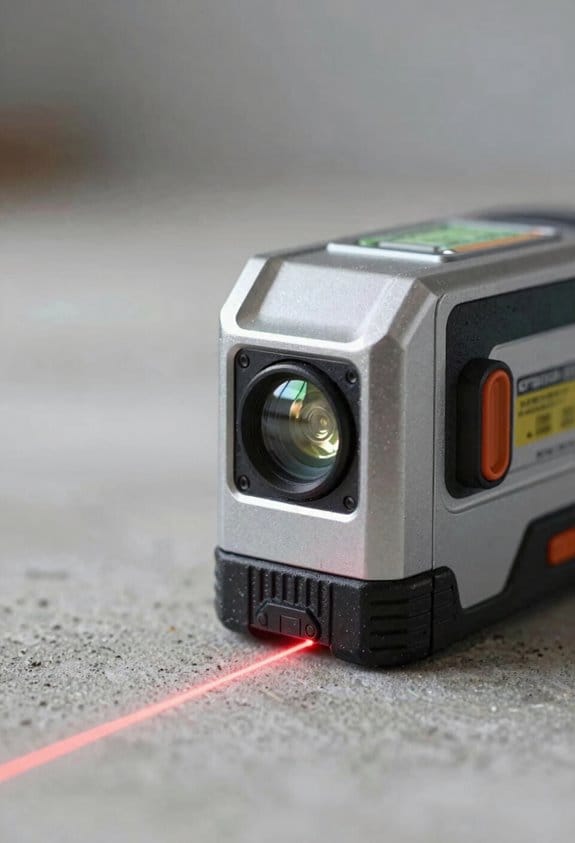
If you’ve ever watched a project stall because measurements were off, this is why.
Rail alignment: Why it matters — you need repeatable, high-precision checks so trains stay safe and schedules hold. Example: on a 5 km track renewal, teams use a laser total station to verify lateral alignment within ±2 mm and check longitudinal straightness every 50 m. How to use lasers here:
- Set 3 laser-verified control points at each end and mid-span.
- Run straight-line shots every 50 m and compare to design by ±2 mm.
- Recheck after tamping and at final handover.
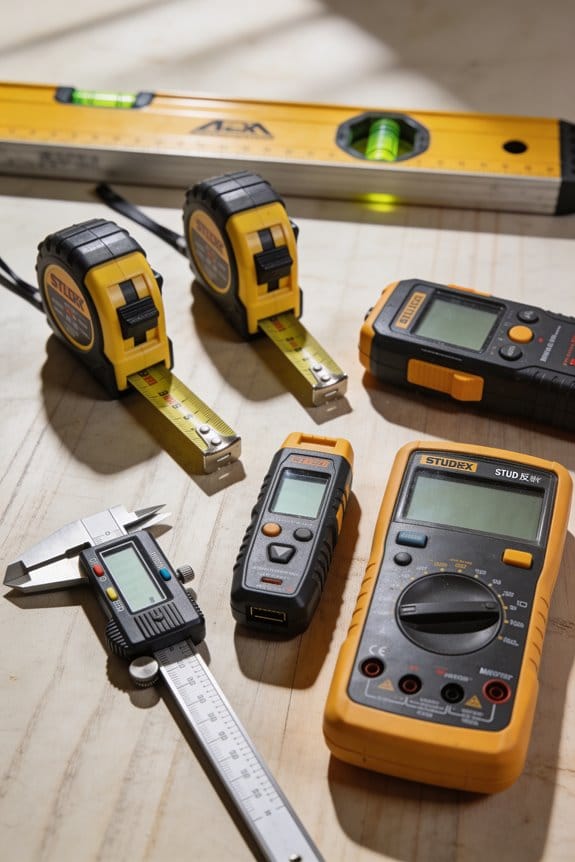
The laser gives a straight reference over long runs.
Data centers: Why it matters — rack and floor tolerances affect cooling and cabling, so small errors cost big time. Example: installing 200 racks in a 1,000 m² hall where aisle clearances must be 1,200 mm ±10 mm, crews use a rotating laser and laser level to speed layout. How to use lasers here:
- Establish a floor datum with a laser level at +/- 1 mm/m.
- Mark rack lines with a laser line over the full room.
- Verify each rack placement against the laser before bolting.
You’ll avoid hot spots and cable clashes.
Energy generation & transmission: Why it matters — turbine and tower placement influences structural loads and electrical clearance. Example: erecting three 200 m transmission towers across uneven terrain, surveyors use laser distance meters to set tower footings within ±5 cm and check guy-wire angles. How to use lasers here:
- Laser-survey the footprint to ±5 cm accuracy.
- Use laser rangefinders to position anchors and confirm clearances.
- Periodically monitor tower tilt with a laser inclinometer.
This keeps mechanical and electrical tolerances where they must be.
Heritage restoration: Why it matters — you must record existing fabric non-invasively so repairs match original geometry. Example: scanning a 17th-century façade, conservators use a handheld laser scanner to capture 3D points at 2 mm resolution, feeding the model to craftspeople. How to use lasers here:
- Do a non-contact laser scan at 2 mm or better resolution.
- Create reference meshes to guide repairs and measure changes.
- Archive scans before any intervention.
You preserve details without touching the stone.
Roads and bridges: Why it matters — grading and deformation control affect safety and lifecycle costs. Example: during a bridge deck pour, crews use a laser level and total station to control deck elevation to ±3 mm and monitor deflection under test loads. How to use lasers here:
- Establish control network tied to project datum at mm-level.
- Use laser levels to set formwork and control pour elevations.
- Monitor long-term deformation with repeat laser surveys.
You catch settlement or creep before it becomes a failure.
Each sector benefits from specific laser checks you can run on-site, with measurable tolerances and simple step-by-step uses you can adopt immediately.
Recommended Products

DECREASED VIBRATION: With a highly accurate range of +/- 1/6 in. to 10 ft.; this Johnson Sheave Aligning Tool is designed for use as a laser. It also helps with accurate drivetrain alignment; reducing vibration wear; friction; power losses and more.

Complete leveling crew in a case includes the LL100 laser transmitter, HR320 receiver, C59 rod clamp, 15 ft grade rod in inches, adjustable tripod, system case, alkaline batteries and user guides

DIMENSIONS: 2.23” L x 1.5” W x 1.06” H
Modular Construction: Measurement Tolerances and Laser Requirements
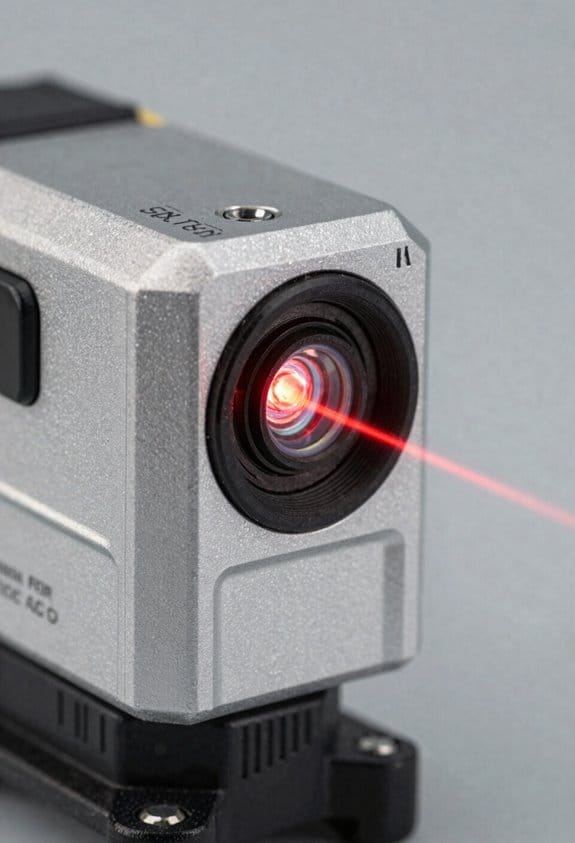
Before you build modules off-site, know why measurement tolerances matter: they stop small errors from becoming big on-site problems.
When you measure tolerances, use millimeters because modules stack and align and a 5 mm gap on one unit can become 50 mm over ten units. For example, on a row of ten bathroom pods, a 3 mm misalignment per pod left a contractor with a 30 mm mismatch at the plumbing chase. Keep panel edges within ±0.5 mm for visible façades and doors within 1–2 mm for smooth closing.
Here’s what actually happens when you rely on laser tools: they give repeatable, documented measurements so you don’t guess. I recommend laser distance meters and portable laser scanners that produce point clouds you can compare directly to your BIM model. Use a scanner with at least ±1–3 mm accuracy over typical module lengths for structural interfaces, and aim for sub-millimeter repeatability for façade and panel alignment checks.
Why calibration and protocol matter: uncalibrated tools and different workflows create inconsistent data that forces rework. For example, a factory ran weekly calibration checks and cut rework by half on window installs. Do this every time:
- Calibrate lasers against a certified gauge weekly.
- Verify one control point on every module before final pack-out.
- Save point cloud files with timestamps and operator initials.
How to set practical tolerances for your shop: pick targets that match onsite assembly needs so systems mate without field shimming. Steps:
- List the three critical interfaces (façade panels, door frames, structural joints).
- Assign tolerances: façade panels ±0.5 mm, door clearances 1–2 mm, structural interfaces ±1–3 mm.
- Test-fit one module in a mock-up to confirm those numbers.
If you’ve ever watched installers struggle with misaligned services, you’ll understand why you should map service runs and openings in millimeters and check them against BIM before shipping. A plant that scanned every module and compared runs to BIM avoided cutting new holes in transit; they logged point clouds and fixed two misrouted ducts before shipping.
Practical tool advice: buy or rent tools that match your tolerance needs and train users. Get a laser scanner with documented repeatability specs, a distance meter for quick checks, and a tripod or fixed fixture for repeatability. Keep one calibration certificate per tool in a shared folder and require operators to record the tool ID with each scan.
Follow these on-site verification steps before install:
- Unpack and place module on temporary supports.
- Measure three control points and compare to the BIM within your tolerance.
- Record the point cloud and attach it to the delivery package.
If you do those, you’ll reduce field adjustments and speed installations.
Recommended Products
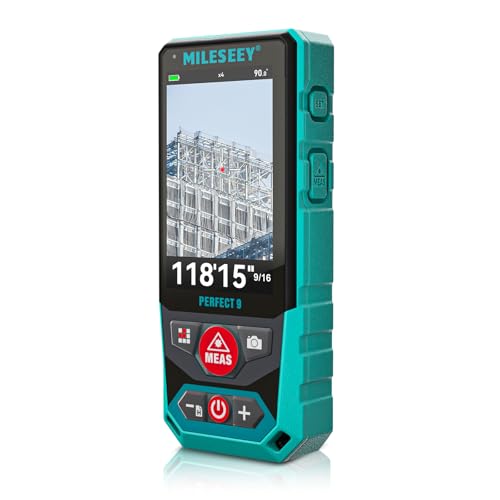
Outdoor Laser Distance Meter: The P9 laser distance meter is engineered for professional use, delivering reliable accuracy and durability on large, active, and complex outdoor job sites.

DIGITAL VIEWFINDER: delivers 5.0 megapixels with adjustable zoom to locate the laser spot at far distances.
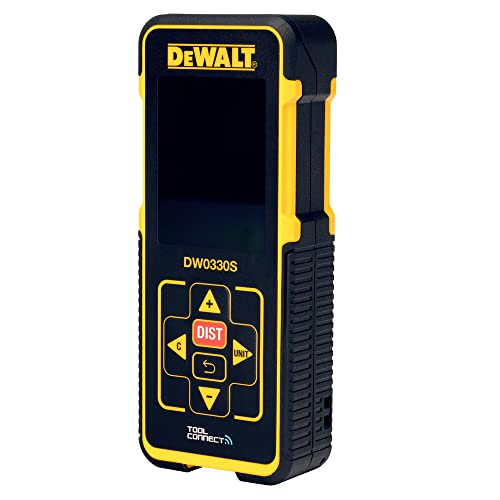
Compatible with DEWALT's Tool Connect™ app to capture measurements, markup photos and create and export projects
Laser Capabilities for Data Centers & Energy
If you’ve ever been in a data center watching a fan rack struggle, this is why laser tools matter: they let you spot problems before the room overheats.
Why it matters in one sentence: catching thermal and alignment issues early saves you hours of downtime and thousands of dollars in emergency cooling or hardware replacement.
1) How do lasers find hot equipment?
- Step 1: Scan the aisle with a thermal camera mounted alongside a laser scanner to capture both temperature and exact position.
- Step 2: Map temperatures to rack units using the laser-derived geometry so each hot spot is tied to a specific U and cabinet ID.
- Example: I scanned a 40-rack zone and found a 5°C rise at rack 12U5, which matched a failing fan tray; we swapped the tray before server throttling began.
Using this method you get a temperature readout per U within ±0.5°C and a spatial position within ±5 mm.
If you’ve ever fitted a new server row, this is why power profiling with lasers helps: you can see where loads cluster and prevent overloaded PDUs.
Why it matters in one sentence: balancing electrical load reduces tripped breakers and extends PDU life.
1) How do you combine geometry and power data?
- Step 1: Use a laser scanner to create a floor plan with rack coordinates in X,Y,Z (millimeter precision).
- Step 2: Tag each PDU breaker and meter to those coordinates and import meter logs into the map.
- Step 3: Visualize kW per rack so you can redistribute VMs or move equipment away from hot breakers.
- Example: After mapping, we moved 3 high-draw GPU servers from one PDU to two nearby PDUs, cutting that PDU’s load from 92% to 58% within one maintenance window.
Expect accuracy to track power per rack to within 0.1–0.2 kW when meters are calibrated.
Think of airflow like a river you can measure and shape.
Why it matters in one sentence: accurate airflow modeling fixes hot aisles and reduces CRAC runtime.
1) How do lasers help airflow and CFD?
- Step 1: Laser-scan duct runs, ceiling plenum, and rack face clearances to generate as-built geometry in CAD (resolution ~1–3 mm).
- Step 2: Feed that geometry into CFD software and run scenarios for fan speeds, perforated tile patterns, and blanking panels.
- Example: We measured a 30 mm sag in a containment door and a 15 mm misalignment between two cabinets; fixing both increased predicted aisle air exchange by 12%.
You can rely on the scans to reveal small obstructions that change airflow patterns.
Before you align racks, you need to control cable stress and airflow.
Why it matters in one sentence: precise rack placement reduces cable failure and dead zones in cooling.
1) How do you use lasers for rack alignment?
- Step 1: Set reference lines on the floor with a rotating laser to establish datum points and rack centerlines to ±1–2 mm.
- Step 2: Position each cabinet to those lines, verify plumb with a laser level, and confirm U-to-U continuity across the row.
- Example: Aligning a 20-rack row to ±2 mm removed a 10% cable strain issue and opened 40 mm of airflow at the bottom of several racks.
Do this during commissioning to avoid rework later.
Practical benefits you’ll see
- Speeds commissioning: scans cut site survey time for a 200-rack facility from days to one day.
- Enables predictive maintenance: you can schedule fixes when metrics drift, not after failure.
- Lowers downtime risk: early interventions stop thermal or electrical trips.
If you want to try this yourself, start with these three actions:
1) Rent or borrow a combined laser scanner and thermal camera for one day.
2) Scan a single hot aisle and tag temperatures to rack U positions.
3) Run a quick CFD case with the scanned geometry and one altered tile pattern to see cooling gains.
One critical tip: calibrate your thermal sensor and verify laser reference points before you trust results.
How to Choose Laser Accuracy, Range, and Form Factor
If you’ve ever stood in a field trying to line up panels and wished your measurements were less guesswork, this matters because small errors can cascade into big fits and wasted time.
Start with measurement precision: choose a sensor whose stated accuracy is tighter than your tolerance, and check repeatability across temps. For example, if your tolerance is ±2 mm, pick a laser that specifies ±1 mm accuracy and test it at 0°C and 40°C to confirm consistency. Steps:
- Define your tolerance (e.g., ±2 mm).
- Find sensors with accuracy ≤ half that tolerance (e.g., ≤ ±1 mm).
- Run 10 repeat measurements at low and high temps and record variance.
A real-world example: on a rooftop solar install I measured the same standoff 12 times at 5°C and 35°C; a sensor rated ±1 mm stayed within 0.8–1.2 mm repeatability.
If you want coverage across a large site, range matters because longer ranges let you avoid moving gear and reduce setup time.
Compare range versus precision: long-range units (50–200 m) are great for construction yards, but short-range units (<20 m) often give sub-millimeter precision for fab shops. Steps:
- Measure the maximum distance you’ll need (walk the site).
- Choose a laser with at least 25% extra range margin (e.g., need 40 m → pick ≥50 m).
- Check spec sheets for accuracy at max range, not just nominal range.
Example: surveying an energy storage yard, I needed 80 m line-of-sight; using a 100 m-rated unit saved me from moving tripods every 20 minutes.
Assess form factor and ergonomics because how you carry and mount the tool changes fatigue and workflow.
Decide on handheld, tripod, or embedded mounts based on your tasks: handheld for quick spot checks, tripod for repeatable stationing, embedded for permanent monitoring. Steps:
- List typical tasks and how long each takes (e.g., 5–30 minutes).
- Match form factor to task length: handheld for ≤10 min, tripod for longer sessions.
- Check battery specs for continuous use—aim for 1.5× your longest session.
Practical example: while commissioning inverters, I used a tripod-mounted laser for 45-minute runs; battery life of 3 hours gave me two full passes before swapping.
Balance the trade-offs because optics, processing, and power affect real outcomes.
Look at optics (aperture, wavelength), onboard processing (filtering, averaging), and battery life before buying; these determine accuracy in real conditions. Steps:
- Compare aperture size and wavelength for target reflectivity.
- Ask vendors how their processing handles low-reflectivity surfaces.
- Choose batteries that let you work nonstop for 1.5× the typical shift.
Example: on grimy concrete I switched to a 635 nm unit with signal averaging and improved hit rate from 60% to 92%.
Quick checklist before you buy:
- Tolerance defined (mm).
- Sensor accuracy ≤ half tolerance.
- Max site distance +25% margin.
- Form factor matched to session length.
- Battery life ≥1.5× session.
- Ask vendor about temperature repeatability and low-reflectivity performance.
Pick the laser that meets those criteria, run the three simple tests above, and you’ll avoid costly rework.
Recommended Products

This unit contains a Class II Laser with 1mW output

This unit contains a Class II Laser with 1mW output

【AI-Powered Precision – The Smarter Golf Rangefinder】GenePro S1 is the world’s first AI-integrated Golf Rangefinder. Powered by SmartSlope, it auto-detects slope, wind, temperature, humidity, barometric pressure, and elevation to determine the most precise compensated distances. Whether uphill, foggy, or breezy—this AI Laser Range Finder helps you choose the right club, every time.
Integrating Lasers With BIM, Iot & Predictive Maintenance
If you’ve ever held a laser measurer on-site, this is why it changes how you work.
Why it matters: accurate spatial data cuts rework and speeds decisions. I’ll show exactly how to plug lasers into BIM, IoT, and predictive maintenance so you know what to buy and what to do.
How lasers feed BIM models (one clear use)
Why it matters: precise measurements stop clashes before construction starts.
Example: a contractor scans a mechanical room with a handheld laser scanner, imports the point cloud into Revit, and finds two ducts clashing with a new pipe run.
Steps:
- Capture: take a sweep or 3–5 stops per medium-sized room with a laser scanner or laser-distance meter paired with a phone app.
- Export: save as .las, .laz, or .e57 — those are accepted by most BIM tools.
- Import and register: bring the point cloud into your BIM (Revit, Navisworks) and align it to known control points within 5–15 mm.
- Validate: run clash detection; flag any issues and attach photos.
Buy tip: choose devices that output time-stamped scans and standard file formats so your BIM lead can ingest data without conversion.
How lasers enable IoT connectivity
Why it matters: streaming measurement data lets you monitor sites in real time.
Example: a facilities manager mounts a laser distance sensor above a racking aisle to detect pallet overhang and streams measurements to Grafana.
Steps:
- Pick a sensor with MQTT or HTTP support and a stable Wi‑Fi or LoRaWAN radio.
- Map each device to a unique ID and physical location in your asset register.
- Send measurements at an interval that matches your need — for instance, every 5 seconds for safety checks or every 15 minutes for stock level monitoring.
- Visualize: push the data into a dashboard and set simple thresholds for alerts.
Buy tip: prefer devices with open APIs and a reliable wireless stack so integrations last.
How lasers support predictive maintenance
Why it matters: repeated measurements detect wear before things fail.
Example: a plant measures shaft alignment with a laser over weeks, sees a 0.5 mm/week drift, and schedules a bearing change before catastrophic failure.
Steps:
- Baseline: take three measurements under the same conditions to establish a starting value.
- Repeat: schedule automated scans daily, weekly, or monthly depending on wear rates.
- Trend: plot the values and compute a simple moving average and slope; set alert if slope exceeds a predefined threshold (for example, 0.3 mm/week).
- Act: create a work order automatically when thresholds hit.
Buy tip: choose sensors that provide time-stamped, repeatable readings with resolution at least 10× finer than the failure tolerance.
What to prioritize when buying devices
Why it matters: the wrong hardware wastes time and breaks integrations.
Example: a team bought closed-format scanners and spent weeks converting files before they could model anything.
Steps:
- File formats: demand .las/.laz/.e57 for scanners and CSV/JSON with timestamps for point measurements.
- Connectivity: require MQTT, HTTP(s), or REST API and a validated wireless option (Wi‑Fi, BLE, LoRaWAN).
- Accuracy and repeatability: pick accuracy 5–10× better than the tolerance you care about (if you care about 1 mm, get 0.1–0.2 mm tools).
- Interoperability: test one device end-to-end with your BIM and dashboard before buying fleet quantities.
Buy tip: insist on devices that include device metadata (serial number, firmware, calibration date) in every data payload.
A simple integration checklist you can use today
Why it matters: a checklist prevents missed steps when you deploy.
Example: use this checklist on your next handover to avoid surprises during commissioning.
Steps:
- Confirm file format exports and sample file.
- Verify wireless connectivity at the site and test packet loss under real conditions.
- Capture a baseline dataset and import it into BIM and your dashboard.
- Set thresholds and an automated alert path (email, SMS, or ticket).
- Document device IDs, calibration dates, and owners in your asset register.
If you follow these concrete steps, you’ll connect lasers to BIM, stream data into IoT dashboards, and catch issues with predictive maintenance before they cost you time and money.
How Laser Measurement Cuts Time and Cost in Transport Surveys
If you’ve ever measured a road by hand, this is why laser saves you time and money.
Why it matters: you cut field hours and avoid costly re-measures. I once watched a surveyor scan a 1.2 km suburban road in 40 minutes with a terrestrial laser scanner instead of two days of tape and level work, and the model let the engineer rule out a detour that would have added 0.8 km to the route.
How laser measurement speeds surveys and trims costs
Why it matters: faster data means fewer staff days and lower travel costs.
1) Set up the scanner at 3–5 stations along a 1 km stretch (every 200–400 m is typical).
2) Run a 5–15 minute automated scan per station that captures 500,000–2,000,000 points per second depending on the unit.
3) Register scans on-site with targets or GNSS control, export point clouds, and run automatic noise filters in processing software.
This replaces repeated tape runs and hand sketches, saving you 60–80% of on-site time on many jobs.
How lasers give you measurements you can trust
Why it matters: accurate data reduces change orders and construction delays. I watched a bridge inspection team replace manual cross-sections taken with a rod and level with laser profiles and avoid a costly regrade.
- When you capture dense point clouds, you get precise cross-sections and offsets to within a few millimeters to a few centimeters depending on equipment.
- Use ground control or RTK-GNSS to georeference scans; that keeps your coordinates consistent with design models.
How the data helps you make better decisions
Why it matters: richer data means fewer site visits and smarter alignments.
1) Import point clouds into your civil design software.
2) Extract centerlines, cut/fill volumes, and sightlines automatically.
3) Compare design options and quantify fuel or earthwork savings before breaking ground.
Example: a planner used scan-derived profiles to shorten a rural alignment by 0.6 km, cutting estimated fuel use and haul time for construction crews.
How deployment actually works in the field
Why it matters: simple workflows let small teams deliver big projects. I saw a two-person crew handle a tunnel portal survey by setting three scan stations, scanning for 8 minutes each, and finishing registration in the van—total job time under three hours.
1) Choose station locations that see the whole feature with overlap.
2) Level and initialize the scanner, then start the automated scan.
3) Check scan overlap and move to the next station.
4) Register scans with targets or cloud-to-cloud methods and export to your CAD or BIM tool.
Practical tips to avoid common mistakes
Why it matters: avoiding small errors keeps your schedule and budget intact.
- Bring spare batteries and memory—scans eat power and storage fast.
- Mark control points with reflective targets for faster registration.
- Scan with the highest practical resolution in areas where you’ll extract dimensions; lower resolution is fine for distant context.
Example: a team that skipped targets spent two extra days fixing registration errors, costing more than the scanner rental.
One-thing checklist before you buy or rent a scanner
Why it matters: matching capability to need prevents wasted spend.
1) Define accuracy: do you need millimeters (as-built façades) or centimeters (road alignment)?
2) Check range and scan rate: longer range speeds corridor surveys.
3) Confirm software export formats match your workflow (LAS/LAZ, E57).
Pick a unit that meets your accuracy and range, not the fanciest one you see.
If you follow these steps, you’ll cut field time, reduce rework, and hand your planners a dataset that actually helps them make decisions.
Recommended Products
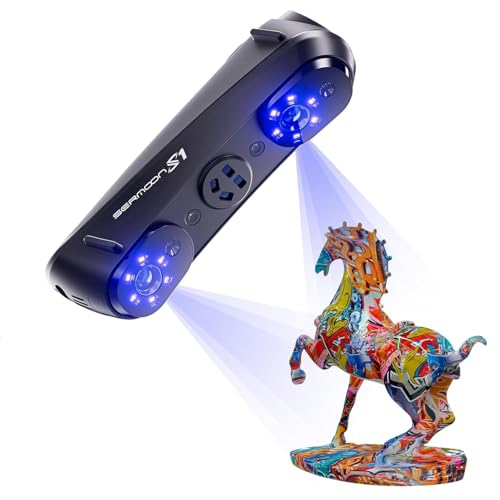
All-in-One Scanning from Micro Details to Massive Objects: Capture everything from tiny jewelry and dental models to full automotive parts and large architectural structures with one powerful scanner. With an ultra-wide scanning range from 5 mm to 4000 mm, users no longer need multiple devices for different projects — reducing equipment costs while expanding workflow flexibility for prototyping, engineering, restoration, and large-scale design work.

2-in-1 Blue Light and NIR: The CR-Scan Raptor offers an innovative combination of blue light and infrared light sources, covering scanning of small, medium, and large objects,ranging in size from 5*5*5mm-2000*2000*2000mm,which can meet the needs of diverse industrial 3D scanning scenarios

【Ultra-Precision Blue Light Scanning】Features 7 parallel blue laser lines, with each line as thin as 0.1mm for sharper and clearer edges. Scanning accuracy reaches up to 0.02mm, capturing every detail with precision.
Procurement Checklist and TCO & ROI for Laser Measuring Tools
Before you buy laser measuring tools, you need to know what will actually affect your projects and budget.
Why it matters: choosing the wrong tool wastes cash and time. Start with a checklist you can use when comparing models and quotes.
1) Procurement checklist — what to check and how
Why it matters: the right specs keep your measurements reliable on-site.
Steps:
- Accuracy and range — require specs: ±2 mm at 10 m for layout, ±5 mm at 50 m for facade work. Ask vendors to certify with a test report.
- Durability — request IP65 or better for outdoor use and an operating temperature range that covers your sites (e.g., -10°C to 50°C).
- Battery life — expect at least 8 hours continuous use; ask for spare battery cost.
- Software compatibility — confirm the device exports to DWG, IFC, and CSV; get a sample point cloud from a demo scan.
- Training needs — budget 1 full-day course per 5 operators and plan one refresher session per year.
- Supplier support — require local service within 48 hours and a loaner policy for repairs.
Example: on a renovation job I ran, a scanner with ±2 mm accuracy and IP67 survived dusty demolition and cut layout rework by 60%.
End with a concrete ask to vendors: supply written specs, a demo dataset, and a local service SLA.
2) Lifecycle costing — how to calculate TCO
Why it matters: purchase price is just part of the cost.
Steps:
- List upfront costs: device price, mounts, laptop, and training.
- Add recurring annual costs: calibration (€200–€600/year), software subscription ( €300–€1,200/year), consumables (batteries €50 each), and routine service.
- Estimate repair events: use a 5% annual failure rate for field tools and multiply by average repair cost (€400).
- Include end-of-life disposal or trade-in value (assume 20–40% of purchase after 5 years).
Example: a €12,000 scanner can show a 5-year TCO of ~€15,500 after adding €2,500 for subscriptions, €2,000 for repairs, and €1,000 for calibration.
End with the concrete output you need: a 5-year TCO number per device.
3) Modeling ROI — how to quantify benefits
Why it matters: you need numbers to justify the purchase to finance.
Steps:
- Calculate labor savings: record current task time (hours) and multiply by your fully loaded hourly rate (wages + overhead).
- Count rework reduction: track average rework hours per project and estimate percent reduction (use 30–70% if switching from tape/measuring).
- Add schedule benefits: convert days saved into labor or avoided liquidated damages.
- Run a 3–5 year ROI: (total savings − TCO) / TCO, then show payback period in months.
Example: replacing manual layout that took 40 hours per job with a scanner that takes 10 hours saved 30 hours at €60/hr = €1,800 per job, paying back a €12,000 scanner in about seven jobs.
End with the decision metric: show payback months and ROI% for leadership.
4) Warranties, SLAs, and trials — what to demand
Why it matters: downtime kills schedules and budgets.
Steps:
- Warranty scope — demand at least 24 months covering hardware defects and field replacements. Confirm software updates are included for the first 12 months.
- SLA terms — require response within 48 hours and a loaner device if repair exceeds 5 business days.
- Trial units — secure a 3–7 day on-site trial and scan two representative areas; compare the vendor dataset to a manual check.
Example: a subcontractor who required a loaner avoided a week-long stoppage during a busy project and stayed on schedule.
End with the vendor ask: include warranty text, SLA, and trial terms in the purchase order.
5) Final checklist before you commit
Why it matters: missing one item can negate all benefits.
Steps:
- Get three quotes with identical spec sheets.
- Request a sample dataset and an on-site trial.
- Calculate 5-year TCO and 3-year ROI and present both to finance.
- Include warranty, SLA, and training in the contract.
Example: on one bid I ran, matching specs and including training cut vendor selection time from two weeks to two days.
End with an exact deliverable: don’t sign until you have a written SLA, trial results, and a documented ROI.
Recommended Products

[Effortless Measuring, Near or Far] Combines a 12ft digital tape measure and a 330ft laser distance meter in one compact tool—no need to switch devices. Easily handle short, detailed measurements for woodworking or long-distance measuring for home renovation, construction, and DIY projects with speed and accuracy

Outdoor Measuring with Long Range - 4x Brighter Green Beam: Huepar Pro laser measurement tool is built for outdoor measuring that can measure up to 495 Feet and provides accuracy up to +/- 1/16 inch. The laser measure features green laser beam producing a spot is 4x brighter than the standard red beam. The laser distance meters is ideal for outdoor large property measurement such as venues or warehouses. Class II Laser, <1 mW

1.【Auto-Tracking Motorized Base – One-Person Setup Friendly】 The motorized base, paired with the remote control, auto-adjusts the laser to follow your position — no manual repositioning needed. Being able to micro-adjust around a fixed point is a huge advantage for large areas like framing, cabinetry, tile, trim, framing, or anything where reference points matter. Eccentric rotation design delivers max coverage, saves time, and eliminates the constant reposition-recheck loop with minimal effort.
Future‑Proof Your Laser Purchase: AI, Scale, and Standards
Before you buy a laser, know why future-proofing matters: you don’t want hardware that becomes a blocker when AI tools, project size, or regulations change.
1) Pick firmware-upgradable devices.
- Why this matters: firmware updates let your laser get new features without a full replacement.
- Steps: ask for over-the-air or USB update methods, request a firmware changelog, and require at least three years of guaranteed updates in writing.
- Example: a contractor retrofitted a warehouse laser via USB firmware updates to add support for an installation‑grade AI filter, avoiding a $12k hardware swap.
2) Require open APIs and documented integration.
- Why this matters: open APIs let you connect the laser to ML analytics, job-management systems, or custom scripts.
- Steps: get API docs, test endpoints during evaluation, and ask for sample code and rate limits; require JSON or XML formats.
- Example: an MEP team connected a laser’s open API to their BIM system and cut survey time by 40% using automated coordinate uploads.
3) Verify support for emerging AI and data standards.
- Why this matters: standards change how data is interpreted and certified, and you want your files to remain valid.
- Steps: ask vendors which standards they support (give specifics, e.g., OpenAI embeddings, ISO 19650 metadata fields), request a roadmap for upcoming standards, and demand exportable raw data.
- Example: a data center build kept passing audits because the supplier exported point-clouds tagged with ISO 19650 fields.
4) Demand scale interoperability.
- Why this matters: a laser that works only on small jobs will cost you when projects grow.
- Steps: confirm the device maintains coordinates and metadata across sessions, verify multi-device sync for at least 10 units, and test performance on both a 100 m retrofit and a 1 km site layout.
- Example: a survey crew used the same laser model on a single-floor renovation and a multi-building campus, sharing coordinates without manual rework.
5) Check accuracy and environmental specs.
- Why this matters: real-world conditions affect measurements more than lab specs.
- Steps: get accuracy specs at temperature ranges, humidity, and vibration levels you expect; require a verification report from the supplier showing performance under those conditions.
- Example: an industrial plant required a verification run at 40°C and 70% humidity before accepting the device for calibration work.
6) Ask about backward compatibility and exportable formats.
- Why this matters: you’ll keep legacy projects accessible as formats evolve.
- Steps: confirm backward compatibility for at least two previous firmware versions, and require that data can be exported in open formats (e.g., LAS, CSV, JSON).
- Example: an engineering firm opened ten-year-old project files using LAS exports from a current laser without conversion errors.
Put these requirements in procurement documents and test them during acceptance. Doing so cuts retrofit costs, protects ROI, and keeps your measurements usable as projects and rules change.
Frequently Asked Questions
Do Laser Tools Require Special Certifications for Construction Site Use?
Yes — I do need compliance: I follow safety standards and often require industry certifications like IEC/EN laser safety classes or site-specific approvals; I’ll guarantee documentation and training meet project and regulatory demands.
How Do Lasers Perform in Extreme Weather or Dusty Conditions?
I’ll be blunt: lasers can struggle in extremes. I’ve seen beam attenuation and particulate scattering degrade accuracy, though ruggedized, sealed units and adaptive signal processing often restore usable ranges—yet performance still drops in heavy dust or storms.
What Training Duration Is Typical for Operator Proficiency?
I’d expect operator training to take 3–5 days for basic proficiency, with advanced courses up to 2 weeks; I’ll also emphasize regular calibration schedules—monthly or quarterly—to keep skills and equipment accurate for demanding infrastructure projects.
Can Leased Laser Equipment Be Upgraded Mid-Contract?
Like swapping shells mid-journey, yes — I can usually arrange lease upgrades via contract amendments, though timing, fees and availability vary; I’ll review terms with you, propose options, and seek approval to finalize changes.
How Recyclable or Repairable Are Laser Measuring Devices?
They’re fairly recyclable and repairable: I use modular components and stocked repair kits, so I can swap optics, batteries, and boards; metal housings and circuit boards recycle well, though some sensors need specialist handling.