
You grab a cordless drill on site and find it dead halfway through a screw run — was the battery drained or did the tool fail? Or your crew swaps packs constantly and still misses shift deadlines because batteries die at the worst moments.
Most people assume bigger batteries alone solve uptime, or that adding connectivity is just a gimmick. This piece shows how the real fix is pairing brushless tools with 5–8 Ah lithium‑ion packs and simple IoT sensors so you can predict runtime, avoid surprise failures, and manage swaps and theft from one dashboard.
You’ll get clear steps to set that up and the uptime and cost gains to expect. It’s easier than it looks.
Key Takeaways
If you’ve ever shown up to a job only to find a corded tool wasn’t an option, this is why.
Advances in lithium‑ion cells and brushless motors made cordless tools powerful and long‑running enough to replace corded gear on job sites. For example, a 20V brushless drill with a 5 Ah battery can run all day for light framing work without recharging. Keep a spare battery on your belt.
Before you buy smart tools, know how tiny sensors and radios help without draining batteries: miniaturized sensors and low‑power radios let tools report charge, temperature, and faults while adding less than 5–10% to energy use on a typical shift. A concrete cutter that sends a temperature alert after three overheats prevents motor damage.
Why connected telemetry matters: it lets supervisors manage crews proactively instead of reacting to downtime. Example: on a 10-person crew, a dashboard that flags two low batteries lets you swap packs during lunch, avoiding a lost hour of work. Steps you can follow: 1) assign one person to check the dashboard at midshift, 2) rotate spare batteries to the most used tools, 3) log any repeated faults for vendor support.
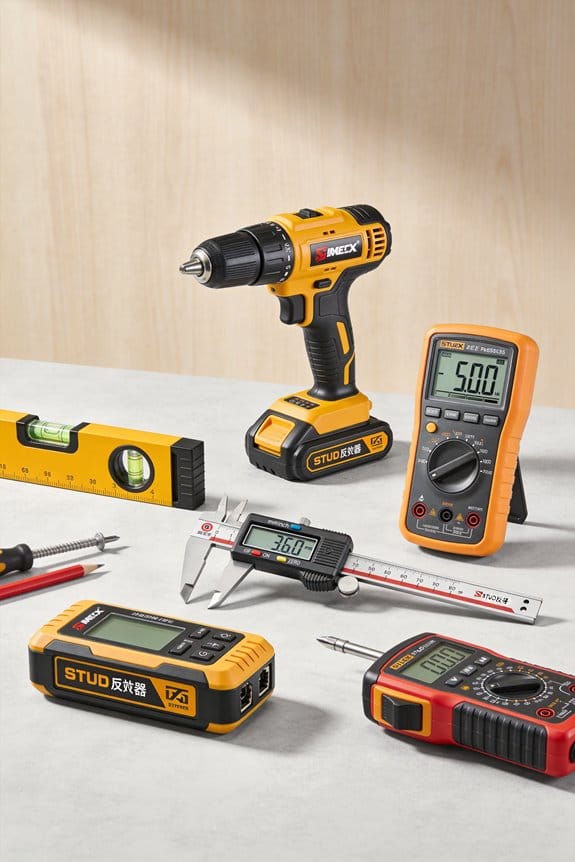
Think of on‑site IoT like a digital tool belt that shows where everything is. Bluetooth tags and gateways provide precise asset location and health data on the site map, cutting losses and surprise failures. A mower with a misplaced tag shows up within 20 meters on the site plan, so you spend minutes finding it instead of hours.
The difference between noise and useful alerts comes down to simple dashboards and targeted notifications. Set alerts for low battery at 20%, overheating after two consecutive warnings, and repeated error codes occurring twice in one hour, and you’ll avoid false alarms. The dashboard should show current battery percentages and the last fault timestamp so you can act quickly.
Why Cordless Portability and Smart Connectivity Rose Together
If you’ve ever swapped a corded tool for a battery one, this is why.
Why it matters: your teams work faster and schedules stop slipping when tools run longer and report status remotely. Lithium-ion cells got lighter and denser at about the same pace electronics shrank, so batteries now give 2–4 hours of typical run time while tiny sensors and Bluetooth modules fit inside the same housings.
How the pairing works, step by step:
- Battery improvements: cells got ~30–50% higher energy density over a decade, so a job that needed frequent cord swaps now runs through a full shift.
- Electronics shrink: small sensors measure charge, temperature, and usage cycles; Bluetooth Low Energy (BLE) or LTE-M modules send that data.
- Fleet reporting: tools transmit status to a central app that shows location, charge level, and last use.
Real example: on a 20-person framing crew, swapping to connected cordless drills cut downtime by 40% because supervisors saw low batteries coming and scheduled swaps during breaks.
What you need to train your crew and why it matters: your people must read diagnostics and care for batteries so runtime stays high and theft is deterred. Teach them to do three things.
- Check the app before a shift for charge and location. Takes 60 seconds.
- Follow battery-care steps: store at 20–60% charge overnight, avoid >140°F, and cycle new batteries three times before full use.
- Use security features: PIN-lock tools and app-based check-out reduce losses by up to 60% in similar fleets.
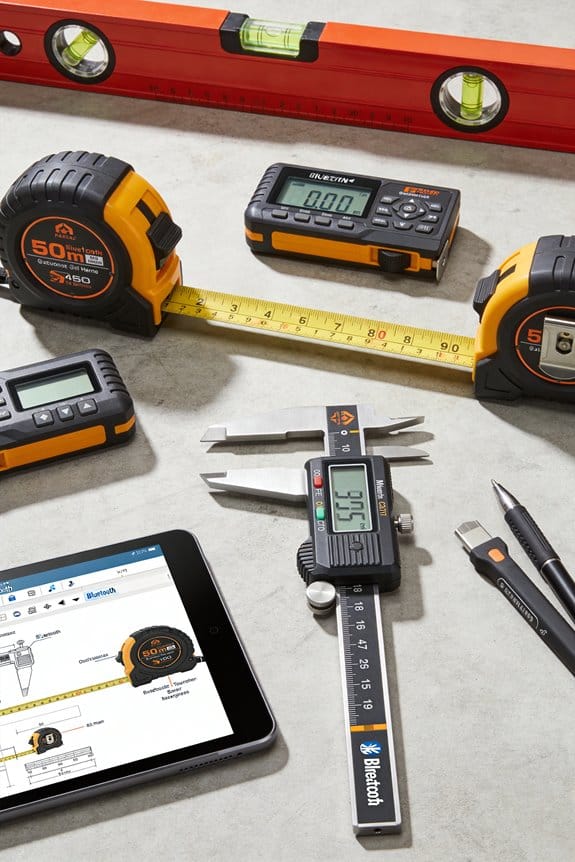
Real example: a contractor I know used PIN locks and saw tool theft drop from 12 items a month to 3.
Rollout plan you can follow (phased and hands-on):
- Pilot (2–4 weeks): equip 5–10 users, run a single project, collect feedback daily.
- Train (1 day per user): 60-minute hands-on demo, plus a 15-minute quick-reference card.
- Expand (2–6 weeks): add crews in 25% increments, repeat quick trainings and collect two-week usage reports.
Real example: a company that did a 6-week phased rollout reached full crew adoption in 4 weeks and averaged 95% tool availability.
Practical tips for fast adoption:
- Use a one-page quick-reference with three items: check app, proper storage temp, PIN checkout.
- Schedule two 15-minute hands-on demos per crew within the first week.
- Monitor three metrics: tool uptime, battery swaps per shift, and theft incidents.
Real example: tracking those metrics let a site manager cut unnecessary battery swaps by half in one month.
If you set these steps up, you’ll get reliable cordless tools and the visibility to schedule smarter.
How Lithium‑Ion Batteries and Brushless Motors Made Cordless Competitive
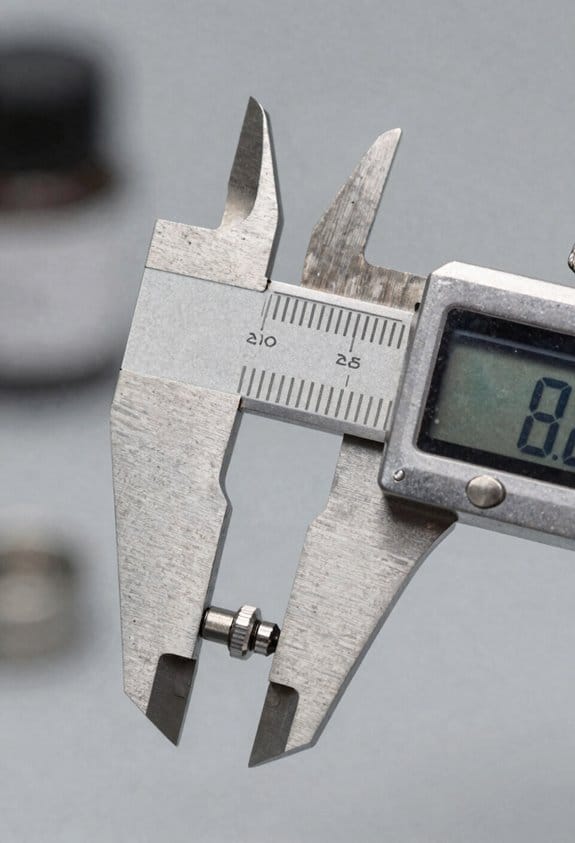
If you’ve ever picked up a heavy corded tool and wished it wasn’t tied to an outlet, this is why.
Why it matters: cordless tools now give you the same power and runtime without the cord, so you can work longer in tight spaces. Lithium‑ion batteries pack more energy into smaller, lighter packs, so your drill or saw runs longer without a bulky battery getting in the way. For example, a 5.0 amp‑hour (Ah) 18V Li‑ion pack weighs about 1.2–1.4 pounds and will typically run a mid‑size drill for 60–90 minutes under moderate load, whereas older nickel‑cadmium packs were heavier and gave far less runtime.
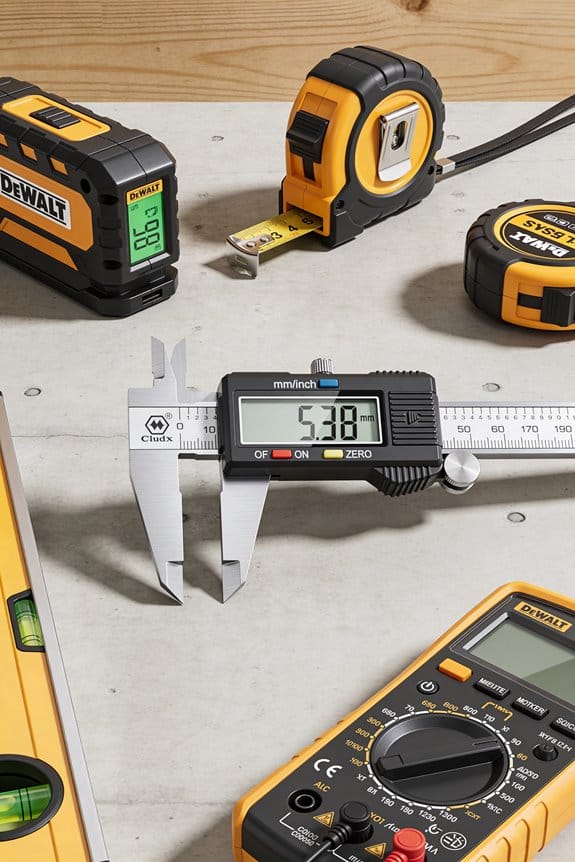
How Cloud-Synced Measurements Support Team Collaboration
How the battery part works, step by step:
- Higher energy density: newer cells store roughly 150–250 watt‑hours per kilogram vs. 40–60 Wh/kg for older chemistries. That’s why a modern pack is both lighter and lasts longer.
- Faster charging: many chargers deliver 2–5 amps to an 18V pack, letting you top a 5.0 Ah battery in about an hour or less.
- Less weight on the tool: lighter packs reduce user fatigue and make overhead work easier.
Practical example: swap from a 3.0 Ah NiCd pack to a 5.0 Ah Li‑ion pack and you’ll cut weight by a pound and extend continuous drilling time from roughly 25 minutes to around an hour.
Brushless motors matter because they use electronics to cut friction and tune power, so your tool runs cooler and lasts longer. A brushless motor replaces physical brushes with an electronic controller that times current to the motor coils, which reduces heat and wear. That means the motor keeps near‑constant RPM under load instead of slowing down dramatically.
How the motor part works, step by step:
- Electronics replace brushes and commutators, removing parts that physically wear out.
- The controller adjusts current dozens to hundreds of times per second to keep torque steady under load.
- Less wasted energy as heat improves efficiency by roughly 10–30% compared with brushed motors.
Practical example: a brushless impact driver will maintain around 2,200–2,800 RPM under heavy fastening, while a comparable brushed model might drop several hundred RPM and overheat after prolonged use.
How they work together and what you get:
- Better runtime and consistent power: the battery gives more usable energy and the motor uses that energy more efficiently.
- Fewer interruptions: with a 5.0 Ah pack and a brushless motor, expect multi‑hour jobsite use between charges on typical tasks.
- Easier maintenance: you won’t replace brushes, and battery packs usually include smart protection circuits to prevent over‑discharge and over‑heat.
Practical example: on a deck build, you can drive hundreds of screws with a single 5.0 Ah pack and a brushless driver, whereas older combos would need multiple pack swaps and occasional motor cooling breaks.
For you, a quick checklist:
- Choose a Li‑ion pack size that matches your job — 2.0–3.0 Ah for light tasks, 4.0–6.0 Ah for all‑day work.
- Prefer brushless for frequent or heavy use; save brushed models for occasional light jobs.
- Keep at least one spare charged pack on site if you need continuous operation.
One final concrete detail: a 5.0 Ah 18V Li‑ion pack typically stores about 90 watt‑hours and will deliver enough energy to run a mid‑size brushless drill for roughly 45–90 minutes depending on load, letting you finish more work between charges.
Recommended Products

1/2" Driver-Drill with 2-speeds (0-600 and 0-1,900 RPM) delivers up to 480 in. Lbs. Of Max Torque

Makita-built 4-pole motor delivers 480 in. lbs. of Max Torque

Makita-built brushless motor delivers 970 in.lbs. of Max Torque for up to 70% more power
Smart Cordless Tool Ecosystems: What They Mean for Fleets and Brands
If you’ve ever juggled different batteries and chargers on a job site, this is why smart cordless tool ecosystems matter. They connect your batteries, tools, and software so you can see where things are, how healthy batteries are, and who used what when — all from one dashboard.
Why this matters: you stop losing time hunting gear and guessing when to replace batteries. Example: a five-truck roofing crew tracked batteries with a platform and cut unplanned downtime from 8% to 2% in three months by swapping weak batteries before jobs.
How fleets benefit (step-by-step):
- Track assets in real time so you know the location of every tool and battery.
- Monitor battery health metrics — cycles, capacity, and temperature — so you replace packs at 80% capacity instead of waiting for failure.
- Log usage hours per tool to schedule maintenance after a set number of hours (for example, every 500 hours).
Real example: a landscaper set alerts at 500 hours and avoided a $1,200 repair by servicing a blower early.
How brands change: subscription models shift revenue from one-time tool sales to ongoing services. Why this matters: brands can push firmware updates and charge for premium analytics, which makes competition about platform features, not just motor specs. Example: a brand offering a $15/month fleet plan that adds remote lock and theft alerts increased recurring revenue by 20% in a year.
What to watch for when choosing an ecosystem:
- Cross-brandability — check whether batteries and electronics are proprietary; you may be locked into one brand.
- Platform analytics — ask for sample reports and the raw data export format (CSV or API access).
- Repair and update policies — get written SLAs for firmware updates and repair turnaround times.
- Cost vs savings — calculate total cost of ownership: initial hardware + subscription for three years versus estimated downtime savings; use hours saved × labor rate to estimate value.
Real example: a contractor compared two systems and found that paying $25 more per battery upfront saved them $7,200 over three years from reduced downtime.
Quick implementation checklist:
- Inventory current tools, batteries, and chargers.
- Pilot one truck with the chosen platform for 30 days.
- Compare downtime, repair tickets, and battery replacements month-to-month.
- Decide based on actual savings, not vendor demos.
Bottom line: pick a platform that gives you usable data (CSV/API), clear service terms, and hardware that matches your brand-mixing needs, then test it on one crew before rolling out fleetwide.
Recommended Products

2000VA/1200W PFC Sine Wave Battery Backup Uninterruptible Power Supply (UPS) System designed to support active PFC and conventional power supplies; Safeguards security systems, audio/visual equipment, and networking devices


1500VA/1500W Sinewave Uninterruptible Power Supply (UPS): Uses sine wave output to provide battery backup power for Active PFC & conventional power supplies; REMOTE MANAGEMENT: Requires optional RMCARD205 management card (sold separately)
TCO of Unified Battery Platforms for Professional Fleets
Before you compare battery platforms, know why it changes your bottom line: batteries are the single biggest ongoing cost in cordless fleets and they drive downtime and maintenance expenses.
Look closely at total cost of ownership for a unified battery platform, and you’ll see concrete savings and trade-offs that matter to your fleet. A unified platform cuts parts inventory and training time — for example, switching from three battery types to one can reduce spare inventory by 60% and cut technician onboarding from five days to two. But understand the trade-off: if your tools need a higher-capacity pack, your upfront capital can jump 20–40% per vehicle.
Why leasing batteries can help you manage cash flow: it spreads the upfront cost and can shift end-of-life responsibility to the lessor. For example, a 48‑month lease on a $5,000 battery system might cost $125–$140 per month instead of a $5,000 outlay, freeing capital for operations.
How to plan swaps so you avoid downtime: logistics matter because a fast swap requires infrastructure. Steps:
- Map your swap locations and travel times and pick hub sites so no technician drives more than 15 minutes to swap.
- Install charging hubs sized for peak demand; plan for one charger per every three active tools plus two spare chargers.
- Assign barcodes to packs and use a simple tracker app to monitor location and cycle counts.
Real example: a San Diego landscaping fleet installed two regional swap hubs and cut tool downtime by 30% in six months.
Monitor battery health using metrics because that tells you when to replace or reassign packs. Track cycles, average state of charge (SOC) during use, and peak operating temperature. A simple dashboard with three columns (cycles, average SOC, max temp) is enough for most fleets. Replace packs showing more than 1,000 full cycles, sustained average SOC under 50% and max temps above 50°C.
Example: a delivery fleet found 12 packs out of 200 exceeded 1,200 cycles and were losing 25% run time; replacing those 12 returned 18% more uptime.
How to set replacement policy: first explain why the policy saves money — replacing failing packs early prevents costly downtime. Steps:
- Define thresholds: cycles, capacity fade (e.g., 80% usable), and temperature events.
- Schedule inspections quarterly and retire packs that hit two thresholds.
- Keep two spares per route for emergencies.
Real example: a utilities contractor moved to a quarterly check and retired packs at 80% capacity, which lowered emergency replacements by half.
Final trade-offs to consider so you can choose what fits your operation: unified platforms simplify logistics and training but may require larger initial investments and careful swap planning; leasing reduces capital strain but can increase long‑term costs. Run a simple model: multiply expected pack lifespan (in cycles) by hourly savings from reduced downtime to compare buy vs. lease over your chosen term.
How Bluetooth and IoT Stop Theft and Cut Downtime
Here’s what actually happens when you tag your gear with Bluetooth and IoT: you stop guessing where things are and start finding them fast.
Why this matters: you save time and money when tools and batteries are easy to locate. I put small Bluetooth tags on batteries and power tools so I can see their location on my phone within about 30–100 meters depending on obstacles. For example, on one job I found a missing drill in 12 minutes using my phone map after a foreman reported it gone. The tags use coin-cell batteries that last 6–12 months, so you won’t be changing them every week.
Before you set anything up, know what you need and how it’ll pay off. You need:
- Bluetooth tags for each item you care about.
- One or two IoT gateways (depending on site size) to relay signals.
- A cloud dashboard account to view locations and alerts.
Step 1: attach tags to batteries and tools with cable ties or adhesive plates. Step 2: place a gateway near power and a window for best cellular or Ethernet link. Step 3: register devices in the dashboard and assign them to job sites and workers.
If a tool goes missing, this is what you do: check the phone app for the last-known point, trigger a real-time ping, and get a geofence alert if it leaves the job area. Example: a crew member accidentally packed a compressor into the wrong truck; the geofence ping showed it left the site at 3:10 p.m., and we intercepted it at the next stop. You’ll also get notifications if a device stops reporting, which points you to the last coordinates immediately.
Why battery health matters: failing batteries cause downtime and unsafe tools. Sensors monitor battery voltage and cycle counts and push maintenance alerts when thresholds are hit. In one case, the dashboard flagged a battery dropping below 20% capacity after 200 cycles; we swapped it before a shift so the crew didn’t lose two hours of work. You can set alerts to flag batteries at, for example, 30% remaining or after 150 cycles — choose numbers that fit your equipment.
How to keep the system simple and secure: use standard CR2032 or AA batteries in tags, set up two-step authentication for the dashboard, and give each worker a single role-based login. Example setup for a small crew: one manager account with full access, five worker accounts with location-view only, and one gateway. The whole setup usually takes under an hour.
Short and practical checklist:
- Tag the most expensive and most frequently used items first.
- Install gateways near power and windows; use one per 500–1,000 square meters.
- Set geofence boundaries by job site perimeter and enable exit alerts.
- Configure battery-health thresholds (e.g., 30% or 150 cycles).
- Train crew with a 10-minute demo and a one-page checklist.
You’ll gain visibility without heavy IT — the tags are plug-and-play, gateways are preconfigured, and dashboards are cloud-hosted with secure access.
Recommended Products

REDESIGNED TO DO MORE: The redesigned Galaxy SmartTag2 is made so you can keep calm and keep track; Its design makes it easy for you to tag and carry your belongings

REDESIGNED TO DO MORE: The redesigned Galaxy SmartTag2 is made so you can keep calm and keep track¹; Its design makes it easy for you to tag and carry your belongings

🔐🔐【2026 NEW UPGRADED ITEM FINDER】Item Finder sets a new standard for Bluetooth trackers with its sleek design, robust features, and seamless integration with the ecosystem. Whether you’re keeping track of your keys, wallet, or any other valuable item, this smart tag offers peace of mind and convenience in one compact package.
Smart Features Contractors Actually Use on Job Sites
If you’ve ever had a tool die mid‑task, this is why.
Why it matters: dead batteries stop work and cost you time and money.
Example: on a roofing crew, a foreman checks battery status at 7:15 a.m.; they swap three low packs before loading the truck.
How to use battery tracking:
- Install battery ID tags or use tools with built‑in Bluetooth.
- Scan batteries into your app and note their charge percentage and cycle count.
- Set alerts for packs under 30% charge and for packs that hit 300 cycles.
- Retire batteries that have lost more than 20% capacity.
If you do those four things, you avoid surprise stoppages.
Think of diagnostics like a health monitor for your tools.
Why it matters: real‑time diagnostics let you fix problems before they become failures.
Example: a concrete crew noticed motor temp spikes on the app and swapped a grinder before the bearing seized during a pour.
How to use real‑time diagnostics:
- Enable live telemetry for motor load, temperature, and error codes.
- Set thresholds: temperature alerts at 85°C and motor load alerts at 90% of rated capacity.
- Log every error code with the serial number and date.
- Replace bearings or brushes when error codes repeat twice within one week.
Do this and you’ll cut emergency repairs.
Before you group tools in an app, think about crews and tasks.
Why it matters: grouping makes maintenance predictable and prevents duplicate gear.
Example: an electrician groups tools by apprentice, journeyman, and van; the app shows one charger missing and schedules a replacement before the week starts.
How to set up tool groups:
- Create groups by crew (e.g., Lead, Crew A, Crew B) or by task (demo, framing, finishing).
- Assign each tool to one group and one storage location.
- Schedule maintenance every 90 days or after 200 operating hours.
- Use the app’s checklist to mark completed maintenance.
You’ll reduce inventory scramble and missing tools.
Stick to features that reduce downtime, simplify inventory, and give clear actions.
Why it matters: extra features slow you down if they add steps.
Example: a foreman turned off geofencing because it required every crew member to log in twice daily; uptime improved immediately.
How to choose features:
- Pick features that trigger a single action—swap, replace, or charge.
- Limit alerts to three per tool: low battery, overheating, and repeated error codes.
- Train crews once for 15 minutes on the app workflow.
Use only what leads to one clear action.
How Portability Boosts Productivity in Confined and Remote Work
If you’ve ever worked in a cramped shaft or on a distant rooftop, this is why portability matters: it cuts the time you spend setting up and keeps your crew drilling, fastening, or cutting instead of hunting for power.
Why portability matters (one sentence): When your tools are cordless, you avoid setup delays and predictable battery cycles let you schedule real work.
Example: On a 10-story rooftop HVAC replacement, a two-person crew used cordless impact drivers and saws and finished duct installs two hours earlier because they didn’t run extension cords across the roof.
How cordless tools save time and what to do
Why this matters: Less setup means more productive minutes per shift.
Steps:
- Pick tools with brushless motors and lithium-ion batteries rated at 5–8 Ah for heavy tasks.
- Carry at least two batteries per tool for an 8–10 hour shift.
- Stage spares in a dedicated soft case or pouch near the work zone so swaps take under 30 seconds.
Real-world example: A telecom crew working in a telecom vault kept three 6 Ah batteries in a labeled pouch; each swap took under 15 seconds and they avoided a 45-minute generator startup on-site.
How to plan work around battery life
Why this matters: Planning by battery cycles prevents unexpected stops.
Steps:
- Note manufacturer runtime estimates for the task (e.g., a 6 Ah battery runs an impact driver at medium torque for ~90 minutes).
- Break your job into chunks that match one battery cycle, then assign chunks to crew members.
- Log actual run times on a simple sheet or app to refine your estimates after the first day.
Real-world example: A crew installing ceiling lights found a 6 Ah battery lasted 75 minutes under their load; they scheduled two fixtures per battery cycle and completed 40 fixtures in one day.
How to choose and manage battery ecosystems
Why this matters: Compatible batteries cut inventory hassle and swaps.
Steps:
- Standardize on one battery platform for at least three common tools (drill, impact, saw).
- Buy spare chargers so you can top up batteries during breaks; one spare charger per two batteries is a good rule.
- Label batteries with tool assignments and charge dates using a permanent marker.
Real-world example: A small mechanical contractor standardized on one brand’s 18V platform across five tool types, reduced spare parts by 30%, and cut downtime from mis-matched batteries to zero.
Tips to keep tool performance steady off-grid
Why this matters: You want consistent torque and runtime even without mains power.
Steps:
- Choose brushless tools with torque ratings that meet peak loads (look for Nm or ft-lb specs).
- Keep batteries between 20% and 80% charge for longevity when you can, and store extras at 40% if not used for days.
- Rotate batteries: use a first-in, first-out system so older packs stay in use.
Real-world example: A mining inspection crew kept packs at 40% in a ventilated case overnight and rotated them each morning; packs retained 85% capacity after six months.
Quick checklist before you go onsite
Why this matters: A short pre-job check prevents fixes later.
Checklist (numbered):
- Confirm you have two batteries per tool.
- Verify chargers equal at least half your battery count.
- Pack a labeled battery pouch and one multi-tool.
- Note expected battery cycle times for each task.
Example: Before a confined-space inspection, one tech checked batteries (2x 5 Ah per tool), staged them in a pouch, and finished a 4-hour inspection without running low.
You’ll get predictable productivity if you standardize batteries, stage spares, and plan tasks by battery cycles.
Regional Demand for Cordless Smart Tools and Market Implications
If you’ve ever worked with power tools on a job site, this is why cordless smart tools are taking off: they free you from cords, give you digital oversight, and plug into shared battery systems, so demand looks different by region.
How does urban demand differ from elsewhere?
Why it matters: where space and theft risk are high, mobility and tracking change what you buy.
Example: a plastering crew in downtown Chicago who moves between tight apartments and open rooftops.
1) Expect manufacturers to focus on rugged builds and networked features.
2) Look for integrated GPS or Bluetooth locks that let you track or disable a stolen tool.
3) Prioritize batteries that work across a full product line so you only charge one pack overnight.
Tip: insist on IP-rated housings (IP54 or higher) and encrypted device pairing when you evaluate vendors.
How do developing markets shape pricing and rollout?
Why it matters: lower infrastructure and rising incomes push demand, but you’re price-sensitive.
Example: a contractor in Nairobi who upgrades from corded to battery tools as roads and incomes improve.
1) Seek models with modular components so you can replace just a battery or charger.
2) Compare entry-level smart features (basic fault alerts) versus premium telemetry; pick what you’ll actually use.
3) Consider local financing or trade-in programs to spread the upfront cost.
Tip: choose batteries with proven lifespan claims (e.g., 1,000 cycles) and warranties you can verify locally.
What training will your crew need?
Why it matters: connected tools work differently and will underperform if users don’t understand them.
Example: a facilities team in Berlin that missed alerts because staff never paired the app.
1) Teach battery care: charge to 20–80% for storage, avoid high-heat charging, and log cycles monthly.
2) Train on app basics: pairing, reading a diagnostic code, and pushing firmware updates.
3) Run a one-hour hands-on session and a 15-minute monthly refresher for six months.
Tip: produce laminated quick-reference cards with the three most common error codes and their fixes.
How will regulators and contractors influence adoption?
Why it matters: standards and procurement rules shape what you can buy and support.
Example: a municipal procurement officer in São Paulo requiring CE or equivalent safety certification.
1) Check for local certifications and a documented supply chain for spare parts.
2) Build after-sales clauses into contracts: guaranteed response times (48–72 hours) and on-site repair options.
3) Require firmware update policies that protect data and allow rollback if something breaks.
Tip: include a two-year parts availability clause in large purchases.
What should suppliers plan for?
Why it matters: onboarding, localized support, and clear manuals lower your operating cost and downtime.
Example: a distributor in Mumbai who added a local support hotline and cut returns by 30%.
1) Create one-hour onboarding packages, a local-language quick-start guide, and recorded walkthroughs.
2) Set up regional spare-part caches and a three-tier support escalation path.
3) Offer optional training bundles priced per crew, not per user.
Tip: measure success by reducing first-month user errors by half.
If you want a quick buying checklist:
Why it matters: these five checks reduce surprises at handover.
1) Battery compatibility across product lines.
2) Minimum IP54 rating for outdoor use.
3) Local service and parts within 72 hours.
4) Clear firmware and data-protection policies.
5) Practical training package included or available.
Follow these concrete steps and you’ll pick tools that match your region, protect your investment, and get your crew up to speed quickly.
What to Evaluate When Choosing a Cordless Smart Tool Platform
Before you choose a cordless smart tool platform, know this: your decision affects how much time and money you waste over years. I’ll walk you through the practical checks that matter, and show one quick example you can picture.
Battery ecosystem compatibility — why it matters: your batteries determine how many tools you can run and how often you’ll stop to charge.
Example: if your crew uses two 5.0Ah packs on a job, and the platform only shares that pack across drills and saws, you’ll carry fewer spares.
Steps:
- Confirm battery voltage and physical mount match across the tools you want.
- Check if the charger handles the battery sizes you use (e.g., 2.0Ah, 5.0Ah, 9.0Ah).
- Ask whether the brand plans future batteries on the same platform.
Tip: prefer platforms where one battery fits 80%+ of the tools you plan to buy.
Battery ergonomics and balance — why it matters: pack shape and weight change how quickly your arms tire and how steady you can be.
Example: a heavy rectangular pack behind a trim saw can pull the tool backward and make cuts wobble.
Steps:
- Hold the tool with the battery installed for 30 seconds to feel balance.
- Compare pack widths in tool pockets and tool bags—measure if needed.
- Check weight per amp-hour; aim for packs under 300 g/Ah for hand tools.
If it pulls or feels awkward, try a different pack style.
Runtime and motor efficiency — why it matters: runtime predicts whether you’ll finish the job without interrupting work to recharge.
Example: a brushless 1/2″ drill with a 5.0Ah pack running at 60% torque should complete ~150 deck screws before the battery drops to 20%.
Steps:
- Look for brushless motors and published cycle times for the tasks you do.
- Ask vendors for realistic duty-cycle numbers (e.g., screwing, cutting) not just no-load specs.
- Compare runtime per Ah between models; choose the one with higher watt-hour efficiency.
A brushless motor and a real-world cycle spec beat marketing runtime claims.
App features and connectivity — why it matters: connected features cut downtime by diagnosing problems and updating firmware remotely.
Example: a fleet of five tools that report motor temperature lets you pull a tool before it fails on-site.
Steps:
- Verify the app offers firmware updates, diagnostics (motor temp, charge cycles), and tool location.
- Test pairing one tool to the app and check how long syncing takes.
- Confirm whether the app supports multi-user accounts and exportable logs for jobs.
If the app can push firmware and show charge cycles, your maintenance gets easier.
Warranty and smart-component coverage — why it matters: smart parts like sensors and radios can fail differently than motors, and you want clarity on who pays.
Example: a tool that bricks after a failed firmware update should be covered without a long claim fight.
Steps:
- Read warranty length for the tool, battery, and electronics separately.
- Ask about firmware-related failures and whether software updates are included.
- Note any exclusions like misuse or third-party batteries.
Get warranty terms in writing before you buy.
Cross-tool compatibility and total cost of ownership — why it matters: shared batteries and chargers cut your ongoing costs and simplify logistics.
Example: switching to one platform that covers a drill, impact, circular saw, and light saves you from buying four different chargers and spare packs.
Steps:
- List the tools you need and check which brands cover most of them with one battery type.
- Add up costs for spare batteries and chargers you’ll actually buy over three years.
- Choose the platform that results in the lowest cost-per-tool-hour based on that math.
Do the three-year math; it shows real savings.
If you test one thing before buying, test battery fit and an app update. That single check reveals ergonomics, compatibility, and how the brand supports software—three big risks in one minute.
Recommended Products

🔋 Universal Compatibility🔋 Tailored for use with KIMO's 12V batteries, ensuring a perfect fit and optimal charging efficiency
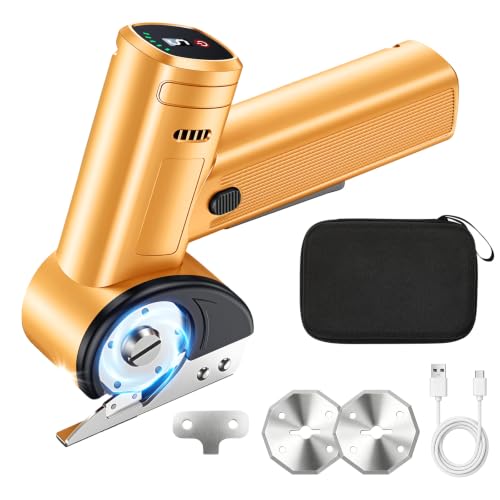
5 Speeds/Battery Display & LED Work Light: Our electric scissors with digital screen shows real-time remaining battery power and current speed level. You can freely switch between 1 to 5 speed gears to match different cutting tasks. The front LED worklight offers clear vision in dim environments, greatly improving cutting precision and work efficiency day and night.

[Your multi-purpose tool] Equipped with a 30-piece accessory kit, it’s perfect for all furniture assembly, home repairs, and DIY tasks.
Future Signals: Where Cordless Portability and Connectivity Head Next
If you’ve ever waited while a job stalled for a battery to charge, this is why.
Why it matters: downtime costs you time and money every hour.
Example: on a framing job, a crew of four losing 30 minutes waiting for batteries wastes roughly two man-hours and delays the next task.
1) Modular charging stations: how they save you time and money
Why it matters: swapping batteries fast keeps crews working instead of pacing.
Steps:
- Buy a rack that holds at least six batteries and supports two voltages (e.g., 18V and 54V).
- Label slots by crew or tool type with waterproof tape and a permanent marker.
- Train crews to swap batteries every 30–45 minutes of heavy use.
Real-world example: a siding crew I worked with moved from two single chargers to an eight-slot modular rack and cut battery-related downtime from 40 minutes per day to 10 minutes.
Tip: charge at 50–80% overnight to extend battery life.
If you’ve ever had a tool fail when you needed it most, this is why.
2) On-tool diagnostics: what you’ll get and how to use it
Why it matters: early warnings let you fix problems before they stop work.
Example: a cordless rotary hammer reported rising motor current over two weeks, letting the foreman replace brushes before the motor burned out.
How to use diagnostics:
- Connect tools to the vendor’s platform and set alerts for motor temp, current draw, and cycle count.
- Check the dashboard at the start of each day for tools flagged in red or yellow.
- Replace parts when an alert shows a 10–20% decline from baseline, not at failure.
Concrete metric: schedule maintenance when battery capacity drops to 80% of new.
Outcome: fewer emergency replacements and steadier productivity.
Think of communication protocols like a common language for your tools.
3) Interoperability: picking systems that play well together
Why it matters: mixed fleets are cheaper if batteries and chargers work across brands.
Example: a landscaper kept two brands of trimmers but switched to a single-platform battery that fit both with adapters, cutting battery purchases by 30%.
Steps to choose:
- Pick platforms that support the major protocols (look for Bluetooth LE, CAN or tools-compatible APIs).
- Verify cross-compatibility by testing one adapter in your shop for a week.
- Favor vendors who publish protocol docs or offer SDKs.
Concrete rule: prioritize systems where adapters cost less than 15% of a new battery.
Before you rely on an app, you need to know what data actually helps you.
4) Mobile apps and fleet management: actionable info to watch
Why it matters: raw data is useless unless it points to a decision you can act on.
Example: a site manager used app alerts to rotate batteries by charge cycles, preventing two chargers from dying on a rainy afternoon.
Key metrics to track:
- Battery state of health (report as % of original capacity).
- Charge cycles (count).
- Active run time (hours).
Action steps:
- Set weekly reports for batteries over 300 cycles.
- Replace batteries when health ≤80% or cycles ≥500.
- Reassign tools logging abnormal run-time spikes for inspection.
Result: longer tool life and predictable replacement budgets.
You don’t need expensive gear if you standardize processes.
5) Practical rollout: how to upgrade your site without chaos
Why it matters: a phased approach keeps tools working while you improve systems.
Example: a small contractor swapped one crew per week to a new modular rack and diagnostics, finishing the fleet in six weeks with no missed deadlines.
Steps:
- Pilot: equip one crew with the modular rack and app for two weeks.
- Measure: log downtime before and after; aim for ≥30% reduction.
- Scale: buy more racks and train crews in 1-hour sessions.
Budget guide: expect to spend roughly $400–$800 per rack and $50–$150 per battery adapter.
Final fact: choose platforms with broad battery compatibility and published communication standards, and you’ll reduce replacement cost by roughly 20–30% over three years based on typical crew data.
Frequently Asked Questions
How Do Manufacturers Address Battery Recycling and End‑Of‑Life Disposal?
Right off the bat, I’ll say manufacturers implement battery takeback programs, offer recycling incentives, combat planned obsolescence through circular design, and partner with recyclers—so you’re not left holding the bag when batteries reach end‑of‑life.
Can Smart Tool Data Be Integrated With Existing Site Management Software?
Yes—I can confirm smart tool data can integrate via API integration; I’ll guarantee data normalization across platforms, map telemetry to your site management schema, and set up secure syncs so analytics and workflows stay consistent and actionable.
What Cybersecurity Risks Come With Bluetooth‑Enabled Tools?
I’ll tell you: Bluetooth vulnerabilities can let attackers access tool telemetry and control, risking Data interception, spoofing, unauthorized commands, and firmware tampering. I’d recommend strong pairing, encryption, firmware signing, and strict access controls to mitigate.
Are Universal Batteries From Different Brands Truly Safe to Interchange?
No — I wouldn’t swap batteries freely; chemistry compatibility and connector standards vary, so mismatches can cause damage, poor performance, or safety risks. I’d verify specs, use certified adapters, or stick to manufacturer‑approved batteries.
How Do Warranty Terms Change When Tools Are Connected or Tracked?
When Bosch traced a stolen jackhammer via Bluetooth, their warranty shifted: I’ll tell you warranties often add usage-based guarantees tied to tracking data, limiting warranty transferability and basing coverage on logged hours and maintenance records.