
You double‑check a wall measurement with a laser, then tape, and the two numbers don’t match — which one is right? You pause, unsure whether the laser, the tape, or your technique caused the discrepancy. Most people assume the stated ±1 mm (or similar) on a laser spec is a hard promise, not a statistical result.
This article will show you how to read accuracy specs correctly, how to spot the test conditions behind them, and how to run quick bench checks so you know the real‑world spread for your jobs.
You’ll learn simple checks and what environmental factors actually change readings. It’s easier than it seems.
Key Takeaways
Before you trust a laser’s accuracy, know this: the spec like “±X mm” often reflects statistics, not a guarantee.
Why that matters: if you’re laying out foundation footings, a 68% confidence means one in three readings could be outside that range. Example: a laser listed as ±2 mm (typical) usually means about 68% of readings fall inside ±2 mm, so on a 10 m run you might see a reading 3–4 mm off once in a while.
If you want to know what the spec actually means
- Check the manual or datasheet for words like *typical*, *1σ*, *±*, or *guaranteed*.
- Ask the seller: “Is ±X mm typical (1σ) or guaranteed over what distance and temperature?”
- Write down the exact conditions they state (distance, temperature, target).
Think of accuracy like a promise with conditions
Why that matters: guaranteed specs only apply when conditions match the fine print. Example: a manufacturer might guarantee ±1.5 mm only at 10–50 m, 20°C, and on a 90% reflective target.
How to verify guaranteed accuracy
Why that matters: you want documented evidence before critical work. Example: on a 20 m control line, you should get consistent repeats within the guaranteed range.
Steps:
- Set a known distance (use a steel tape or survey baseline).
- Use a matte, high-contrast target painted flat white or a commercial retroreflective card.
- Take 10 measurements and log them.
- Calculate the mean and standard deviation; check how many readings fall inside the manufacturer’s claimed range.
- Ask the seller for written guarantees if you need contractual accuracy.
Beam and environment change readings
Why that matters: these factors can add bias or scatter that the spec ignores. Example: measuring across a hot rooftop will produce shimmer that moves readings by several millimeters or more at 20–50 m.
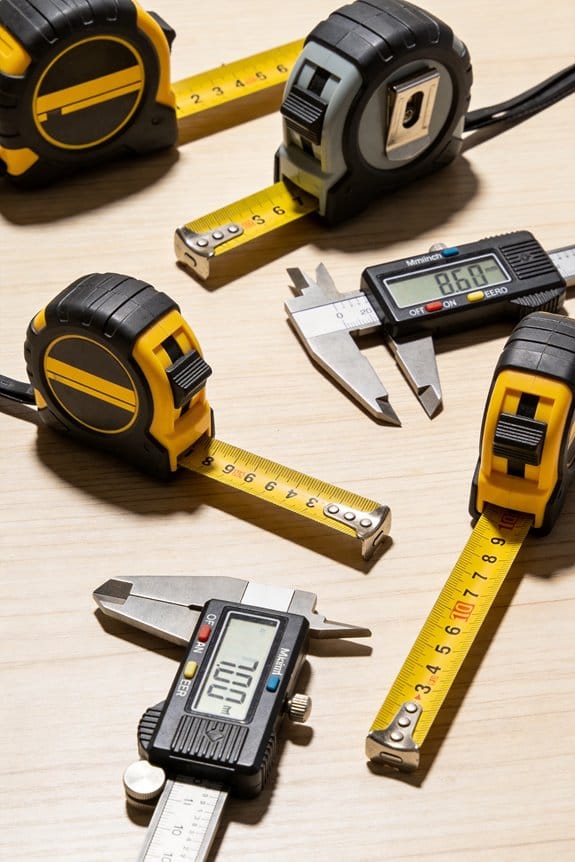
The Accuracy Limits of Compact Laser Levels in Real-World Use
Common culprits and what to do
- Beam divergence: wider beams smear on rough surfaces. Use closer ranges or a target that fully catches the beam.
- Surface reflectivity: glossy or dark surfaces can drop returned signal. Use a matte white card when possible.
- Ambient light: bright sun reduces signal-to-noise. Shade the target or measure in lower light if you can.
- Heat shimmer: over asphalt or heated air, wait for cooler conditions or measure from a different angle.
Practical field checks you can do right away
Why that matters: simple checks reveal whether the laser meets your needs on the job. Example: during a site stakeout, checking against a fixed benchmark every morning catches drift and environmental effects.
Steps:
- Pick a fixed benchmark at a known distance.
- Measure it 5–10 times and record each reading.
- Swap to a different target (matte white vs. shiny metal) and repeat.
- Repeat at a longer distance (double the distance) to see how error scales.
- If readings vary beyond your tolerance, get a written tolerance from the supplier.
When accuracy must be contractual
Why that matters: for critical builds, verbal claims don’t protect you. Example: if a structural element requires ±2 mm tolerance, insist on a written spec that covers the actual job distance, temperature range, and target type.
Steps:
- Specify distance range, temperature range, and target reflectivity in the contract.
- Require sample test results from the supplier under those same conditions.
- Include remedies if the device fails on-site testing (replacement, recalibration, or credit).
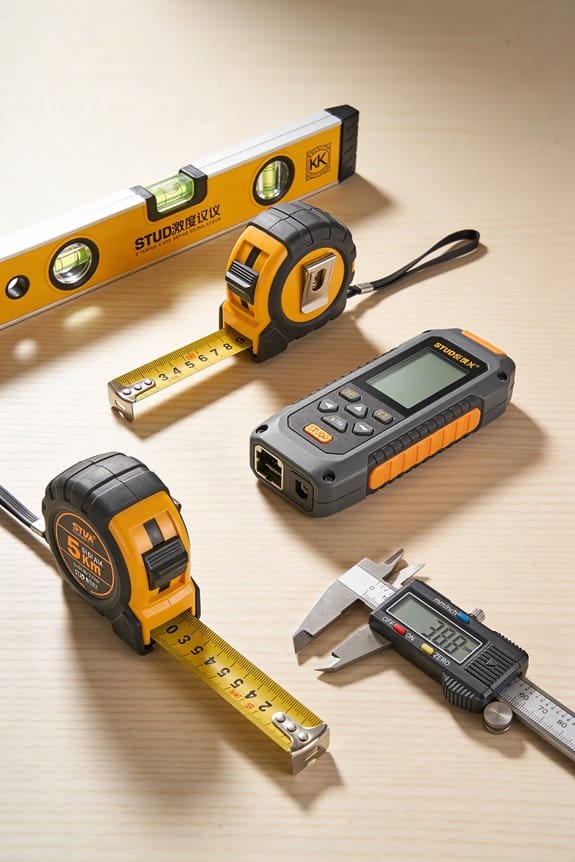
One last practical tip: bring your own matte targets and a tape measure to every site. They take up little space and will save you from trusting a number you can’t verify.
What Laser-Measure Accuracy Really Means
If you’ve ever held a laser measure and wondered how much you can trust the number it shows, this is why.
Why this matters: if you rely on a single read for cutting or billing, a wrong number can waste material or money. For example, when you cut flooring for a 5.12 m room, a 1 mm error on each piece adds up across several boards.
Accuracy is a statistical claim, not a promise. A stated ±1 mm normally means about 95% of readings fall within that band — so out of 100 measurements under the same conditions, expect roughly five to be outside ±1 mm. Manufacturers usually test under controlled conditions: flat reflective target, specific temperature, and short to mid range.
Why this matters: environmental factors change results quickly. If you’re measuring a 30 m exterior wall on a cloudy, damp day, readings will behave differently than inside a bright, dry room. For instance, measuring a 30 m brick wall in light rain may show more scatter and a few outliers.
How accuracy depends on the laser beam and timing:
1) Beam divergence spreads the dot as distance increases, so the laser hits a larger area and you effectively average over that patch. Example: a 1.5 mrad beam at 50 m produces a spot about 75 mm wide.
2) Measurement latency is how long the device averages returns before giving you a number; longer averaging reduces random noise but can mask quick changes, like when you’re hand-holding the tool.
3) Surface reflectivity matters: matte dark surfaces return weaker signals and raise variance; shiny or white surfaces give stronger returns and tighter clustering.
Why this matters: you’ll see more variability when conditions worsen, and knowing the cause helps you adjust technique. If you’re measuring to a frosted glass door at 10 m, expect more scatter than measuring a white painted drywall.
How to check your laser measure in the real world:
Why this matters: a quick verification tells you whether your unit meets its spec for the job.
1) Pick a known, straight distance: tape a line at 5.00 m on a concrete floor or use a steel tape on an internal wall.
2) Take 10 consecutive measurements without moving the endpoints, holding the device steady.
3) Record the numbers, compute the mean and the standard deviation, and count how many readings fall outside ±1 mm of the mean. If more than about one or two readings (out of ten) are outside that band, expect the ±1 mm spec to be optimistic for your setup.
Concrete example: at 5.00 m on painted drywall, you might get readings like 5.001, 4.999, 5.002, 5.000 — that’s normal.
Practical tips to get the best accuracy:
- Use a tripod or brace the device on a firm surface for measurements over 10 m.
- Aim at a high-reflectance target (white paper or foil) if the wall is dark or textured.
- Avoid shooting through glass or in rain; those conditions add bias and variability.
Short tip. Measure twice.
Why this matters: small habits cut out most bad reads. Repeating a measurement and averaging two consistent numbers reduces the chance of an outlier costing you time or money.
Quick rules of thumb:
- For indoor work under 10 m on painted surfaces expect specs to hold.
- Beyond 20–30 m, expect gradual degradation; beam divergence and atmospheric effects matter more.
- On dark or textured surfaces, allow at least double the stated variance.
Example: a tool rated ±1 mm indoors might behave like ±2 mm on dark brick at 25 m.
End with a fact: accuracy specs are useful, but you control how close your results get to that spec by choosing target, stance, and verification method.
How Manufacturers Report Accuracy (Typical vs. Guaranteed)
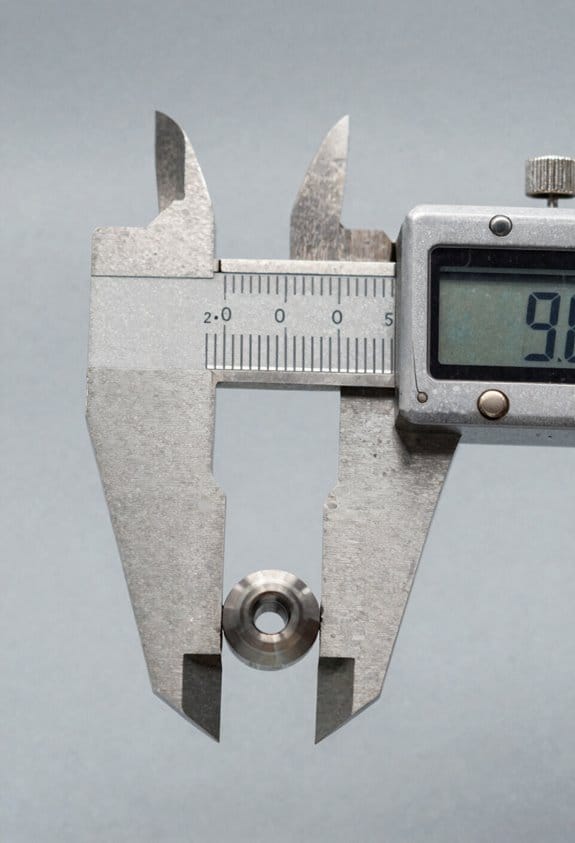
Think of manufacturer accuracy claims like weather forecasts: one is a best-case prediction and the other is the guaranteed legal promise.
Why this matters: your purchase and testing plan should match the claim type you’re relying on.
Manufacturers often quote “typical” accuracy, which shows how the device performs under ideal, controlled conditions — like a lab at room temperature, a flat reflective target at a set distance, and an experienced technician using a stable mount. For example, a laser distance meter might list “±1 mm typical” measured indoors on a smooth wall at 5 meters. Read the fine print and expect typical numbers to be optimistic.
Guaranteed accuracy is the contractual limit the device must meet across specified ranges and conditions, and it’s what you’ll use if you file a warranty claim. A datasheet might say “±3 mm guaranteed between 0.5–30 m, 18–28°C,” which means outside those distances or temperatures the guarantee doesn’t apply. Keep that in mind when you test outdoors or at long range.
Why this matters: you need a testing plan that matches the spec you care about.
How to check a datasheet in three steps:
- Find the accuracy line and note whether it says typical or guaranteed.
- Read the test conditions immediately after the spec — note distance range, temperature, target reflectivity, and any special modes.
- Compare those conditions to your use case; if they differ, expect worse performance.
Example: a handheld ultrasonic sensor lists “±2% typical, ±5% guaranteed for 0.2–4 m on flat acrylic.” If you’re measuring at 6 m outdoors on brick, use the guaranteed number as a baseline and plan for additional error.
Why this matters: marketing usually highlights typical numbers because they look better.
Quick practical tips:
- If you need a claim you can rely on legally or for contracts, insist on the guaranteed number and get it in writing.
- When testing a device yourself, recreate the datasheet conditions: same distance, temperature, and target type; otherwise your results won’t match the spec.
- Watch for exclusions like “special mode” or “filtered results” — those are often excluded from guaranteed specs.
Example: a thermal camera advertises “±2°C typical.” The guaranteed spec reads “±5°C guaranteed for targets >30°C with emissivity 0.98.” If you’re screening people for fever (around 38°C), use the guaranteed number and set your thresholds wider.
You should read datasheets carefully, match your test conditions to the listed ones, and plan using guaranteed specs when reliability matters.
Key Datasheet Specs: Resolution, Range, and Sigma
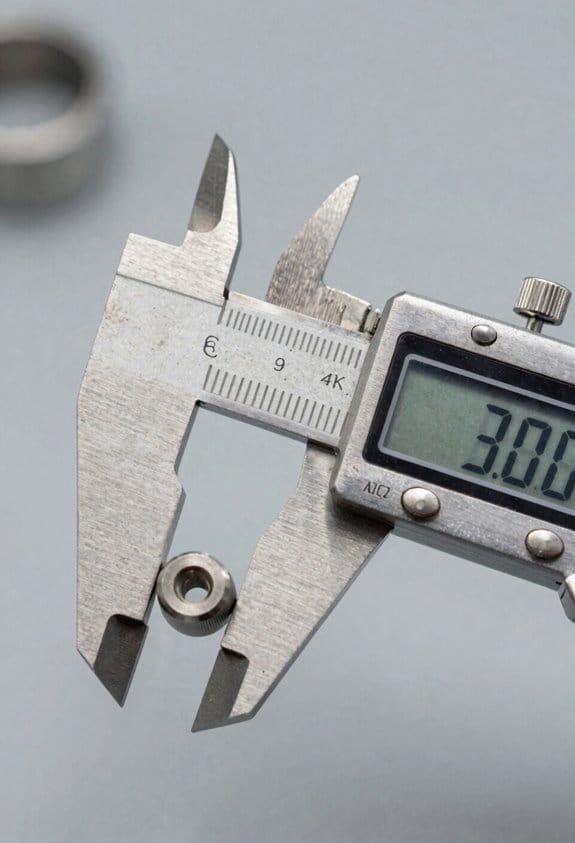
Think of resolution like the smallest tick on a ruler. It matters because it tells you the tiniest change your meter will show; if you need to detect half-millimeter shifts, get a meter with 0.1 mm or 0.5 mm resolution instead of 1 mm. For example, when you’re aligning a window frame, 0.1 mm resolution lets you see tiny adjustments; 1 mm will hide small errors.
Before you pick a meter, understand why range matters in practice: it tells you how far you can reliably measure under specific conditions. Range depends on the target’s reflectivity and the meter’s signal processing, so a glossy white wall might give you accurate returns at 100 m while a dark matte surface might only work at 20 m. For instance, measuring a barn roof from the ground on a cloudy day might fail past 30 m on a dark shingle unless the datasheet lists that range on low-reflectivity targets.
If you’ve ever seen a number like “σ” on a spec sheet, here’s why it matters: sigma tells you the statistical spread, so you can predict confidence intervals for repeated measurements. One sigma (1σ) means about 68% of measurements fall within that spread and two sigma (2σ) covers about 95%. For example, a datasheet that lists ±2 mm at 1σ implies around ±4 mm for 95% confidence.
Before you use these specs together, know how they interact: resolution, range, and sigma are linked but not interchangeable. Resolution is about display granularity, range is about physical return limits, and sigma is about repeatability and confidence. If you need a practical workflow, follow these steps:
- Check resolution first to match the smallest change you must detect (choose 0.1 mm, 0.5 mm, or 1 mm accordingly).
- Verify the rated range for your typical target reflectivity (white paint vs. dark metal) and environmental conditions like daylight or fog.
- Read the sigma value and convert it to the confidence you need (multiply 1σ by 2 for ~95% confidence).
- Log measurements in the field to confirm the meter behaves like the datasheet claims.
Example for a real task: you’re surveying a storefront from 15 m and need ±3 mm confidence. Pick a meter with 0.5 mm resolution, a rated range of at least 20 m on low-reflectivity targets, and sigma ≤1.5 mm at the distances you’ll use. Then record 10 repeated readings and check that about 95% fall within ±3 mm.
When you read datasheets, watch for these practical tips:
- Look for target reflectivity conditions tied to the range number; they change the usable distance.
- Prefer sigma given at the actual distance you’ll use, not just “typical” at 1 m.
- Use data logging so you can quantify real-world spread and spot anomalies in minutes.
Environmental Factors That Degrade Accuracy
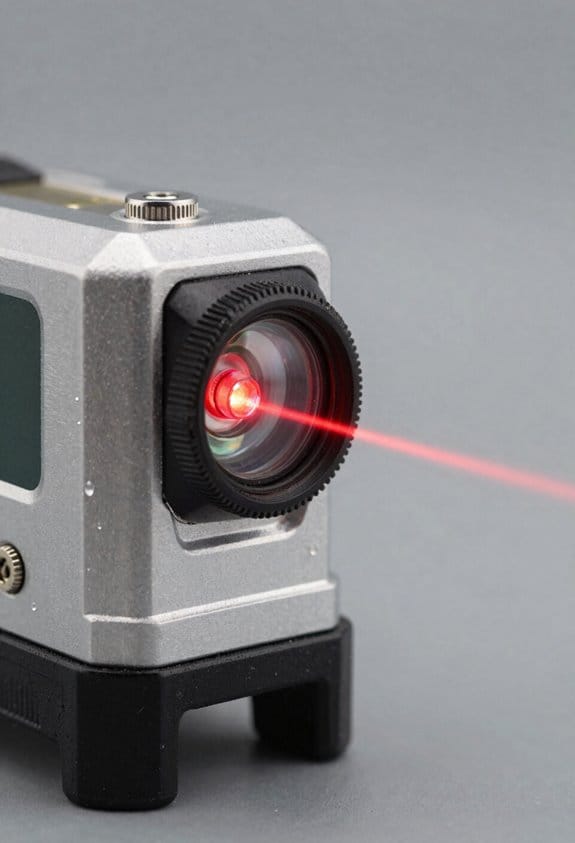
If you’ve ever tried to measure something outdoors and gotten a weird reading, this is why.
Why it matters: environmental effects can change a laser measure by several millimeters or more, which matters if you need precision for layouts, cabinetry, or HVAC runs. For example, measuring a 30 m room through an open window on a hot day can give readings that jump by 5–10 mm.
Surface texture: why it matters — the laser return gets weaker or redirects, so timing becomes uncertain.
Example: when you aim at a rough cinderblock wall in a garage, the beam scatters and the device may show a flickering distance.
How to deal with it:
- Use a flat target board (white foam core, 300 × 600 mm) at distances over 5 m.
- Tape a 50 mm square of matte white paper over shiny tiles or metal before you measure.
- If you must measure a rough surface under 3 m, take three readings and use the median.
Specular reflections and wet/shiny surfaces: why it matters — a single bright reflection can send the return off-angle and confuse the timing electronics.
Example: measuring across a wet driveway after rain often gives one reading that’s far shorter because the beam reflected off a puddle.
How to deal with it:
- Angle the device 5–15° so specular returns miss the sensor, or
- Put a matte card behind the shiny area, or
- Move to the opposite side and measure from there.
Beam divergence: why it matters — the laser spreads with distance, lowering intensity and increasing uncertainty on small targets.
Example: a beam with 2 mrad divergence at 50 m gives a spot about 100 mm wide, so a 20 mm target won’t capture the full beam and readings will jump.
How to deal with it:
- For distances >20 m, use targets at least 100 mm across.
- Keep angles near 90° to the target to avoid effective spot enlargement.
- Check your device spec for mm error per km or per 100 m and plan margins accordingly.
Ambient light and heat shimmer: why it matters — bright sunlight and air turbulence reduce the signal-to-noise ratio so the unit struggles to detect the return.
Example: measuring across a long asphalt parking lot at noon can produce random 10–15 mm errors because heat shimmer distorts the beam path.
How to deal with it:
- Shade the target with your body or a clipboard when possible.
- Measure in the morning or evening for long runs if you need sub-centimeter repeatability.
- Take five readings and discard the highest and lowest, averaging the middle three.
Glass and clear liquids: why it matters — they pass, refract, or internally reflect the beam so you may be measuring a reflection or the far surface instead of the intended plane.
Example: aiming at a storefront window can give you the distance to a display inside, not the glass itself.
How to deal with it:
- Measure to a nearby matte frame or trim instead of the glass.
- If you must measure to glass, place a matte sticker where you want the beam to land and aim at that.
Temperature extremes: why it matters — electronics and timing circuits drift with temperature, changing indicated distance by millimeters.
Example: taking a laser measure from a cold truck into a 30 °C warehouse can shift readings until the device reaches ambient temperature.
How to deal with it:
- Let the device acclimate 10–20 minutes when moving between extreme temperatures.
- For critical work, verify the tool against a known distance (5.000 m tape) before you start.
Quick checklist to keep accuracy predictable:
- Use a matte target board 300 × 600 mm for distances >5 m.
- Shade the target in bright sun; wait for cooler times for long runs.
- Take multiple readings: 3–5, then use the median or average middle three.
- Acclimate the device 10–20 minutes after big temperature changes.
- Avoid aiming at glass, puddles, or shiny metal; cover them with matte paper when possible.
Follow those steps and you’ll cut random errors down to the device’s rated specs, usually within a few millimeters for typical consumer lasers.
Quick Accuracy Checks Before Each Use
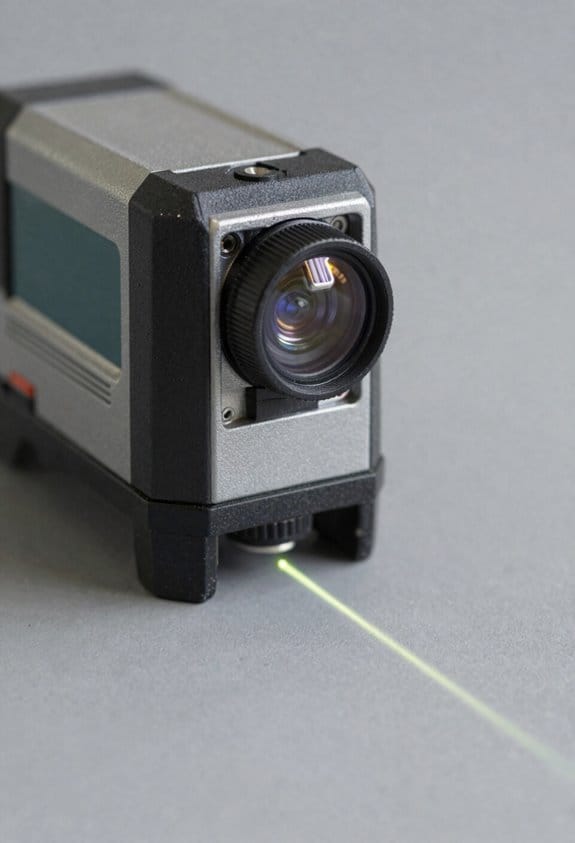
Before you do a measurement, you need to know that small environmental changes can shift readings by millimeters, and that’s why a quick check matters. I once measured a window frame outside on a humid morning and the first three readings drifted by 4 mm; a battery swap fixed it.
1) Check the batteries because low power drops laser output and raises noise.
- Use fresh AA or the model’s specified cell and aim to replace batteries below 20% charge.
- Example: on a cold site day, swap batteries if voltage reads under 1.2 V per AA.
2) Verify sight alignment so you avoid parallax errors when you measure edges.
- Why this matters: if the laser dot isn’t at the optical reference, your distance will be off.
- How to do it: stand 3–5 meters from a fixed target like a doorknob, hold the device steady, and confirm the laser dot sits directly on the center of the sighting reticle.
- If it’s off by more than one dot diameter, adjust your aim or check the mounting.
3) Inspect for visible damage because cracks or loose parts change readings.
- Look at the housing, lens, and battery compartment for gaps, dents, or corrosion.
- Example: on a construction site I spotted a cracked lens that made measurements jump 2–3 mm until it was replaced.
4) Clean the lens to remove dust or fingerprints that scatter the beam.
- Use a lint-free cloth with a little lens cleaner or isopropyl alcohol and wipe in a circular motion.
- If you see streaks after cleaning, repeat until the spot is gone.
5) Perform a short known-distance check to confirm consistency before you trust field readings.
- Why this matters: a repeatable known distance proves the device behaves under current conditions.
- How to do it: measure a marked 2 m or 5 m tape on the floor three times; the spread should be ≤1 mm for precision devices and ≤3 mm for general-use models.
- If the spread is larger, redo steps 1–4 or swap batteries.
Do these five checks in under two minutes and you’ll avoid most frustrating errors.
Fast Bench Calibration Tests (16–50 Ft)
Before you run a quick bench calibration you need to know why it matters: you want to confirm your laser measure reads within its stated tolerance so you don’t get surprised on the job.
1) Set up and align
Why this matters: a misaligned beam gives bad results even if the unit is fine.
Example: on my garage workbench I align to a metal clamp at 20 ft so I can clearly see beam position.
Steps:
- Put your laser on a flat surface (bench or floor) with a small block or non-slip pad under it.
- Place a fixed target or clamp exactly 16 ft away, then repeat at 25 ft and 50 ft.
- Rotate or slide the laser until the beam is parallel to the bench edge; use the bench edge as your alignment guide.
Tip: use tape to mark the laser position so you can reseat it consistently.
2) Take repeat readings
Why this matters: repeat readings show whether measurements fluctuate or have a consistent bias.
Example: I take five readings at 25 ft aimed at a painted spot on drywall and watch the display for variation.
Steps:
- Take 5 consecutive readings at each distance (16, 25, 50 ft).
- Record each reading and calculate the average and the max-min spread.
- If the spread exceeds the manufacturer tolerance (for example, ±1/16 in or 1.5 mm), mark that distance as out of spec.
Note: if you see one outlier, re-seat the unit and repeat the five readings.
3) Check response speed
Why this matters: slow or lagging measurements slow you down on real jobs and can hide errors.
Example: timing how long it takes to get a stable reading at 50 ft with a stopwatch showed my older unit took 2.5 seconds.
Steps:
- Start a stopwatch, trigger a measurement, and stop when the display stabilizes.
- Repeat 3 times per distance and record the times.
- If times vary more than 0.5 seconds or are consistently slow (over ~2 seconds), note that performance issue.
4) Document results for future comparison
Why this matters: written records let you spot drift over months.
Example: I keep a one-page table in my toolbox with dates, averages, spreads, and response times for each unit.
Steps:
- Create a simple log with columns: date, distance, five readings, average, spread, response time.
- Store the log with the device or in a cloud note.
- Re-run the test after any bump or firmware update and compare numbers.
If you find persistent deviations beyond specs, repeat the whole sequence after re-seating the unit and replacing batteries; if results still fail, contact the manufacturer with your log and exact distances.
Why Distance and Device Type Change Stated Accuracy
If you’ve ever aimed a laser measure at a distant target and gotten a weird result, this is why.
Why this matters: your measurements can be off enough to ruin a layout or cut. When a laser beam travels farther it widens — that spreading, called beam divergence, makes the reflection come from a larger area and the sensor can’t lock onto a single precise point. For example, if you measure a 100-foot wall with a device that has 1.5 mm accuracy at 50 feet, at 100 feet the effective error can double, so your margin of error might be closer to 3 mm.
Why device type matters: different technologies behave differently and that affects your on-job accuracy. A phase-shift laser gives tighter precision up close by comparing wave phases, so if you’re measuring inside a room under 60 feet you’ll typically see millimeter-level repeatability; for example, measuring a 20-foot stud bay the phase device will give consistent readings. Pulse-based systems send single pulses and listen for echoes, so they handle 200+ foot distances better but sacrifice short-range finesse; for instance, using a pulse device on a 250-foot site line you should expect stable readings where a phase unit would fail.
Why environment and wear affect results: temperature, rain, dust, and even aging electronics change the spec over time. A new tool rated ±1 mm at 30 m under lab conditions will often widen after years of outdoor use, so don’t assume the spec holds after heavy field work. Example: after a season of dusty renovation jobs and a few drops, your meter that once hit targets perfectly might start shifting by millimeters on each shot.
What manufacturers mean by the numbers: they usually give accuracy at a specific distance and confidence level — often 95% — so you must check the range tied to the ± value. If a spec lists ±1.0 mm at 50 m, that ±1.0 mm applies at 50 m, not at 10 m or 200 m.
How to get the accuracy you need (steps):
- Check the spec sheet and note the distance tied to the ± figure, and the confidence level.
- Pick the right device for the distance: use phase-shift for under ~60 m work, and pulse systems for over ~60–100 m.
- Use a target plate or large, flat surface at long ranges to give a clean reflection.
- Calibrate or verify your meter on a known distance every few months (for example, a measured 10 m baseline).
- Protect the unit from dust and moisture and avoid sharp impacts to reduce drift.
If you follow those steps, your real-world readings will match the specs much more often.
Choosing Pulse vs. Phase-Shift: Pick by Range and Use Case
The difference between pulse and phase‑shift comes down to range.
Why this matters: picking the wrong system wastes time and battery on the job. Phase‑shift gives you sub‑millimeter repeatability at short to mid distances and is fast for continuous tracking; pulse keeps accuracy out to hundreds of meters or kilometers but uses more power and can be slower.
If you’re working indoors or on tight layouts, pick phase‑shift. Example: when you’re installing floor tile across a 10 m room and need consistent offsets for dozens of anchor points, phase‑shift will lock repeatedly within 0.5 mm and update quickly while you move. How to choose for that job:
- Check required repeatability — if you need ≤1 mm, choose phase‑shift.
- Confirm working distance — phase‑shift is best up to ~150–200 m.
- Verify continuous-tracking speed — use phase‑shift for live layout or moving targets.
For outdoor surveying or long lines, pick pulse. Example: when you’re measuring baseline distances between two survey markers 800 m apart in a field, a pulse system maintains accuracy without needing a reflective prism at every midpoint. How to choose for that job:
- Check target distance — if you regularly work beyond ~200 m, choose pulse.
- Plan battery capacity — expect 20–50% higher power draw for long-range pulse sessions.
- Account for target reflectivity and weather — use high-return targets or prisms and avoid heavy rain for best results.
Also match device features to conditions. Example: on a rainy day measuring a 250 m corridor behind a construction site, choose a pulse unit with a sealed housing and a prism, and bring spare batteries. Quick practical rules:
- Precision indoor work (≤1 mm, ≤150 m): phase‑shift.
- Long-range outdoor work (>150–200 m): pulse.
- If reflectivity is low or weather is bad: add a prism or boost power, and prefer pulse for distance.
One last tip: always run a short field check before you start full measurements — measure a known 10 m span and compare readings; if your device drifts more than your spec allows, swap methods or recalibrate.
Realistic Expectations, Safety, and When to Hire a Pro
Before you take measurements with a laser, know what that tool will actually do for you so you don’t waste time or get inaccurate results.
After you choose pulse or phase-shift mode based on the distance you need and how repeatable readings must be, set realistic expectations about limits and safety. Pulse mode is typically good under about 50–100 meters for consumer units, while phase‑shift gives better precision up to the device’s rated range; check your manual for exact numbers. Short-range advertising claims can be optimistic; for example, a 0.5 mm accuracy claim at 10 m might fall to several millimeters at 50 m. Reflective surfaces like glass or shiny metal and wet surfaces scatter or return the beam oddly, so use a target plate or a matte tape patch and take repeat readings to verify results.
Why this matters: if you measure a wall for cabinetry and trust a single reading, you could cut pieces that won’t fit. Example: when installing kitchen cabinets, place a matte target 1 m above the floor at both ends of the run and take three readings at each point; use the average for ordering.
Safety: Class 2/3R lasers can hurt eyes, so protect yourself and others. Never look into the beam, avoid pointing it at people or animals, and keep the laser away from reflective surfaces that can redirect the beam. Follow IEC standards listed in your manual and wear safety glasses if you work around others or use the laser in a busy site. If you’re on a ladder, secure the laser with tape or a mount so it can’t fall.
Why this matters: eye injuries are immediate and avoidable. Example: on a renovation site, one person held a laser while another measured across the room; they used magnetic mounts and safety glasses and avoided accidental exposure.
Technique and upkeep you can do at home: small habits keep your readings consistent. First, get basic hands‑on training (a 15–30 minute walkthrough with the manual or a short video). Second, hold the device steady or mount it; use the same point on the device for aiming every time. Third, take at least three measurements per spot and record them; discard obvious outliers before averaging. Fourth, if you drop the unit or it gets wet, have it checked or recalibrated—consumer units often need calibration after a fall of about 1.5 m or a strong knock.
Steps for consistent technique:
- Mount or steady the device.
- Aim at a matte target or tape patch.
- Take three readings and record them.
- Average the middle two values or all three if they’re close.
When to hire a pro: hire one if your measurements affect legal liability, precise structural work, or if site conditions exceed your device specs. Professionals bring calibrated instruments, documented procedures, and insurance that covers mistakes. Example: for a property boundary dispute or load‑bearing beam placement, a licensed surveyor or structural engineer will produce stamped drawings and calibration certificates that you can use in court or for building permits.
Why this matters: mistakes in those situations are expensive and risky. If your project involves permits, legal boundaries, or critical structural dimensions, get a pro who can provide documented accuracy and liability coverage.
Frequently Asked Questions
How Do Temperature Changes During a Single Measurement Affect Accuracy?
Temperature changes during a single measurement can cause thermal expansion of the device and sensor drift, so I’d expect small, distance-dependent errors; I’d pause for thermal equilibrium or recalibrate if precision’s critical.
Can Firmware Updates Change Stated Device Accuracy?
Yes — I can confirm firmware updates can alter stated device accuracy; I’ll watch for calibration notices and, if needed, perform a firmware rollback to restore prior behavior while I revalidate accuracy against a benchmark before field use.
Do Measurement Units (Ft Vs M) Alter Accuracy Reporting?
Absolutely — they don’t change device physics, but unit conversions and rounding errors can introduce tiny differences; I check specs in the unit I need, because small rounding slips can feel like glaring mistakes to me.
How Does Battery Level Influence Precision of Readings?
Battery level affects precision: I’ve seen battery degradation and voltage sag cause unstable electronics, raising measurement uncertainty; keep cells charged, swap weak batteries, and recalibrate after drops to maintain specified accuracy and avoid sporadic errors.
Are Accuracy Specs Affected by Using Protective Cases or Mounts?
In gentle terms, I say yes: protective padding can slightly dampen mount vibration and improve readings, but excessive cushioning or loose mounts introduces misalignment, so I’d balance snug protection with firm mounting for reliable accuracy.