
You open an article on your phone to research a topic and then can’t remember what you just read five minutes later.
Your question is: should you read on screen for speed or switch to paper for better understanding?
Most people assume screens are just faster and equally good, so they default to digital without matching format to their goal.
This piece shows when screens help (quick search, sharing, text-to-speech) and when paper helps (complex thinking, better recall, older readers), and gives exact, low-effort tests to choose the right format.
You’ll get clear steps to test your own tasks and quick fixes that improve focus and memory.
It’s easier than you think.
Key Takeaways
If you’ve ever searched a long document for one fact, this is why.

You want answers fast. Use Ctrl+F (or Cmd+F on Mac) to jump to the exact word or phrase in seconds instead of scanning page by page; most searches take under 5 seconds. For example, when I needed a deadline in a 40‑page PDF, Ctrl+F found the date in three seconds. Try it now on any long file you have.
The difference between collaborative edits and static notes comes down to version control.
You need a single place everyone can change and see updates in real time, or you’ll waste hours merging edits. Open a shared Google Doc, enable suggestions, and everyone can add comments that show who changed what and when; I once tracked revisions across five teammates in one document without emailing drafts back and forth. Use that workflow when plans will change.
Think of accessibility tools like personal reading aids.
You want to remove barriers so you can actually finish reading. Turn on text-to-speech at 1.25x speed, or increase font size to 18–22px if small text slows you down; these settings often cut your reading time by 10–30%. For example, a colleague with dyslexia reads company memos twice as fast using text-to-speech and 20px fonts.
Before you compare formats, decide whether you care more about speed or retention.
You need to match the format to your goal. If you want to skim for facts, use digital with links and search; if you want to remember concepts for an exam, print the pages and annotate by hand. Try both once: time yourself locating three facts digitally, then note how much you recall after reading a printed page for five minutes.
It sounds obvious, but screen distractions change how you read.
You want settings that preserve focus or you’ll lose comprehension. Turn off notifications, use reader mode, and set a 25‑minute timer for focused reading sessions. A writer I know finishes long articles twice as often when they mute notifications and use full‑screen reader view.
Quick Answer: When to Choose Digital vs. Paper Reading
Here’s what actually happens when you pick paper or screens for reading: you get different speeds, focus, and memory outcomes.
Why this matters: choosing the right format saves you time and improves recall. If you’re studying for an exam, picking the wrong one can cost hours.
Choose paper when you need deep understanding or long-term memory. Studies show printed material gives better literal and inferential comprehension. Use paper for these specific cases:
- Study sessions: read a 30–60 minute chapter on paper, highlight with a pen, and write two margin notes per page. Example: you sit at your desk with a printed 40-page psychology chapter, underline key terms and write two questions per section—your recall after 48 hours improves.
- Long reports: print documents over 20 pages for edits; mark up with a red pen. Example: edit a 25-page grant proposal by printing it, circle unclear sentences, and make 10 specific changes before emailing.
- When memory matters: review printed notes for 20 minutes before sleep; this boosts retention. Example: cram for a certification by reading your printed cheat sheet for 20 minutes before bed.
Choose digital when you need speed, searching, or multimedia. Screens make locating information and interacting with images or videos simpler. Use digital for these concrete tasks:
- Quick lookups: search PDFs or web pages to find a fact in under 2 minutes. Example: find a stat for a meeting by pressing Ctrl+F and copying the sentence.
- Updates and collaboration: use shared docs to track changes and comment in real time. Example: co-edit a one-page agenda in Google Docs while teammates add notes.
- Multimedia support: open an article with embedded diagrams or videos for instant examples. Example: read a tutorial with a 3-minute how-to video and pause at the demo.
Limit screen time to reduce eye fatigue and maintain focus. Why it matters: eye strain lowers concentration in long sessions. Do this:
- Follow the 20-20-20 rule: every 20 minutes look at something 20 feet away for 20 seconds.
- Reduce glare: set brightness to match ambient light and increase text size by 20–30%.
- Use blue-light filters after sunset or enable night mode.

Example: during a 2-hour digital study block, set a timer to enforce the 20-20-20 rule and lower brightness by 15%.
Match format to your task goals, not habit. Why it matters: aligning medium with purpose saves effort and improves results. Steps to decide:
- Define the goal in one sentence (e.g., “memorize key formulas”).
- Pick the format: paper for memory and comprehension, digital for speed and media.
- Set limits: schedule session length—paper 30–60 minutes, digital 15–30 minutes.
Example: before a study session, write your goal on a sticky note, choose paper if you need to retain facts, and set a 45-minute timer.
Final practical tip: hybrid works. Why it matters: you get benefits from both formats when used intentionally. Use paper for first-pass deep reading, then digitize highlights for searchable access. Example: mark a printed article, take photos of key pages, and upload them to a searchable folder.
Recommended Products

Ideal for marking on glass, plastic, film, and most surfaces

THE ULTIMATE PAPER TABLET – For the first time on a reMarkable paper tablet, you can write, sketch, and read in color. Ultra-slim and portable, but with a full-size 11.8” color display, adjustable reading light, and an unmatched paper-like writing experience.

Used Book in Good Condition
How Reading on Screens Changes Attention and Comprehension

Here’s what actually happens when you read on a screen: it fragments your attention and weakens memory encoding, and that matters because weaker encoding makes facts and ideas harder to recall when you need them.
I find screens often increase attention fragmentation because notifications, hyperlinks, and constant scrolling break your focus into short bursts; that makes deep reading harder and reduces your ability to connect ideas across a page. For example, picture reading a 1,200-word article on your laptop while email, chat pings, and an ad banner are visible; you’ll likely re-read less than half the paragraphs with full focus.
When your attention keeps shifting, your memory encoding—the process that stores information for later use—becomes weaker, so facts and ideas stick less well. Try recalling three main points five minutes after a distracted reading session versus after 20 minutes of uninterrupted reading; you’ll remember far fewer details after the distracted session.
Reading on screens can speed up scanning, but a faster pace plus divided focus reduces your inference and evaluation skills. Imagine skimming product reviews quickly on your phone to decide which blender to buy; you might miss caveats about noise or durability and end up with the wrong model.
Before you start reading on a screen, take these concrete steps to keep focus and improve comprehension:
- Turn off notifications for 20–40 minutes. Do not just set “do not disturb”; actually toggle app notifications off.
- Use full-screen or Reader view and increase font size to 16–18 px so you read fewer words per line.
- Set a simple timer: 25 minutes focused, 5 minutes break (one Pomodoro). Repeat twice, then take a longer 15-minute break.
- After each focused block, write a one-sentence summary and two bullet-point takeaways in a note app.
Do these three things while you read:
- Close unrelated tabs and apps.
- Keep your phone in another room or face-down with vibrate off.
- Highlight one sentence every 3–4 paragraphs that captures the main idea.
Follow this short routine if you want stronger recall: read for 25 minutes without interruptions, stop, write one sentence summarizing the section, then wait 10 minutes and test yourself by recalling the three main points aloud. This habit trains sustained attention and improves memory encoding.
Recommended Products
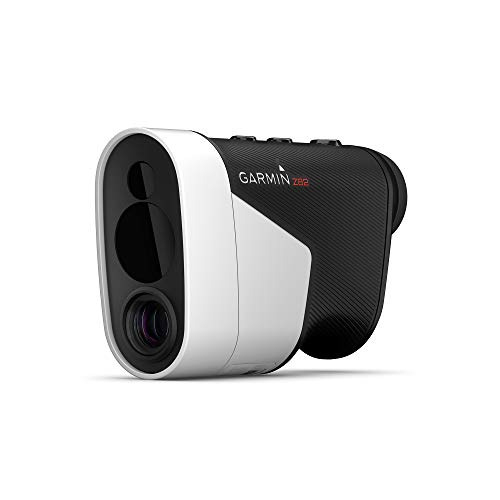
Most accurate laser range finder on the market within 10” of the flag, up to 450 yards

Measures » Carry/Total Distance » Smash Factor » Launch Angle » Swing Speed » Apex (Max Height) » Ball Speed
Who Gains or Loses With Digital Reading (Age, Skill, and Task)

If you’ve ever struggled to read on a screen, this is why.
Digital reading helps some people and trips others up, depending on your age, skill level, and the task you need to do. Older adults often hit practical barriers: small default fonts, screen glare, and unfamiliar gestures that raise your mental effort and slow comprehension. For example, my neighbor Joan (72) stops reading long articles on her tablet because the default font is tiny and she can’t find the menu to enlarge text; she switches to a printed newspaper instead.
Why this matters: you use more brain power to just manage the device, leaving less for understanding the text.
How to reduce barriers (steps):
- Increase font size to at least 16–18 points or 120% zoom.
- Turn on high-contrast or reader modes in your browser or app.
- Use a stylus or tap targets scaled to at least 44×44 pixels for easier navigation.
Do these three things before you start reading.
If you’re a struggling reader, digital tools can be a real help.
Search, audio support, and highlighting let you find facts and follow content faster than with paper. For example, a high school student with dyslexia used text-to-speech and keyword search to finish a research assignment in half the time compared with print notes.
Why this matters: you finish tasks faster and lose less information to decoding words.
How to use digital supports (steps):
- Turn on text-to-speech at 1.25x speed so you follow along.
- Use the browser find (Ctrl/Cmd+F) to jump to keywords, not to skim everything.
- Save highlights to a single note app so you review later.
But digital reading also increases distraction and shallow processing when the task needs deep thinking.
For long, complex tasks—sustained reading, argument analysis, or studying—paper usually helps your memory and inference. My friend Mark printed a 12-page academic paper and annotated it by hand; he recalled the paper’s structure and main claims better a week later than when he tried to read it on his phone.
Why this matters: your brain binds concepts to physical layout and uninterrupted time.
How to switch to paper effectively (steps):
- Print the text on A4 or letter-size pages with 1.15 line spacing.
- Use a colored pen to annotate margins and a sticky note for big ideas.
- Review your annotations within 24 hours.
Match format to task and reader skill.
For short fact-finding tasks (phone number, date, quote), use digital search and quick scans—digital wins. For sustained reading and reasoning, pick paper to reduce interruptions—paper wins. If you’re unsure, try a quick experiment: time yourself on the same 800-word article on your device and on paper, and compare recall after 30 minutes.
Why this matters: a simple test tells you which format improves your work.
Adjust settings to reduce problems.
If you choose digital, lower the cognitive load with concrete settings:
- Set font to 16–18 points.
- Use reader mode or high contrast.
- Turn off push notifications and open only one tab.
If you choose paper, make the environment quiet and use a timer: 25-minute focused blocks with 5-minute breaks.
Why this matters: small adjustments change comprehension more than upgrading devices.
One final practical tip: match format to the goal, not to habit. If you’re preparing for a presentation, draft and annotate on paper, then use digital tools to search and format final quotes.
When Digital Is Better : And When Printed Text Still Wins
Think of reading like choosing a tool for a job.
What matters most is matching your reading tool to your goal and to you. If you want facts fast, pick digital; if you want to remember an argument, pick print.
When does digital reading help you most?
Why it matters: Digital formats get you answers quickly, saving time when speed matters.
Example: You need a statistic for a meeting in 10 minutes and open a PDF, search for “2019 unemployment rate,” and find the number in 20 seconds.
How to use it (3 steps):
- Use search (Ctrl/Cmd+F) to find keywords in documents.
- Open 2–3 tabs and use the browser’s find on each to compare snippets.
- Increase text size to 125–150% on long pages to reduce squinting.
Digital is best for quick searches, hyperlinks to sources, and multimedia like embedded charts — and you can change font size instantly. Screens do cause more eye strain over long sessions, so use breaks: follow the 20-20-20 rule (every 20 minutes look 20 feet away for 20 seconds).
When does printed text give you better results?
Why it matters: Paper helps you focus and remember, which matters when you need to learn or analyze deeply.
Example: You’re studying a 30-page journal article for a seminar; spreading pages on a table and annotating by hand helps you trace the argument across spreads.
How to use it (3 steps):
- Print one copy and use a highlighter and margin notes—under 10 highlights per page.
- Create physical tabs or use sticky notes with short labels like “method” or “evidence.”
- Read in 45–60 minute blocks without digital devices nearby.
Printed pages give tactile feedback and a fixed layout that supports navigation and memory, and paper removes pop-up distractions.
Quick guide to choose between them
Why it matters: Picking the right medium saves time and improves results for the task at hand.
Example: Writing a policy memo? Draft on a screen, then print the draft for a final read-through to catch structural issues.
Steps (3):
- If you need speed or links: digital.
- If you need retention or deep analysis: print.
- If you need both: use digital for drafting and print for final review.
Match the tool to the task and your workflow so you spend less time switching and more time understanding.
Recommended Products

Intelligent lighting in multiple formats. Adapts and transforms with your day.

Intelligent lighting in multiple formats. Adapts and transforms with your day.

💡【ULTRAWIDE ILLUMINATION】: BenQ e-Reading Desk Lamp utilizes OVAL-Light technology to illuminate a 35.4" x 26.7" (90cm x 68cm) wide area, which is wider than the average desk lamp, ensuring a minimum of 500 lux. You no longer need to suffer from insufficient light while reading or working!
Quick Tests to Evaluate Readability in Classrooms and Workplaces

If you’ve ever read something that left you confused, this is why.
Why this matters: you want text that your students or team can actually use without re-reading.
1) Short timed reads: literal recall checks
Why it matters: quick scores show basic clarity in under five minutes.
How to do it:
- Pick a 100–150 word paragraph from your document.
- Give the group 60–90 seconds to read silently.
- Ask three literal questions (who, what, when) they can answer from the text.
- Score: count how many people get all three right.
Example: in a staff briefing, 12 of 15 answered all three questions after 60 seconds, so you know the paragraph is mostly clear.
Tip: if fewer than 80% pass, cut sentence length and remove jargon.
2) Eye-tracking spot checks: find where attention drops
Why it matters: you see exactly which words or lines lose readers’ focus.
How to do it:
- Recruit 4–6 people who represent your audience.
- Use a basic eye-tracker or a camera setup and record one paragraph while they read.
- Note fixations (where eyes linger) and regressions (when eyes jump back).
Example: during a procedure handout test, readers repeatedly went back to a long sentence listing five steps; fixations were concentrated on the fourth clause.
Action: break long lists into bullets or separate sentences to reduce regressions.
3) Annotation comparison: measure alignment with your meaning
Why it matters: you learn whether readers pick up the same main ideas you intended.
How to do it:
- Give readers the paragraph and ask them to underline the single main idea and circle two supporting points.
- Compare their marks to your model answer and count matches.
- Calculate percent alignment: matches ÷ total readers × 100.
Example: in a classroom worksheet, only 40% underlined the intended main idea because it was buried in a long sentence.
Fix: move the main idea to the first sentence and simplify.
4) Perceived difficulty surveys: capture reader experience
Why it matters: perceived ease often predicts whether readers will act on the text.
How to do it:
- After any test, ask two quick questions on a 1–5 scale: ease and confidence.
- Collect responses and average them.
Example: an internal memo scored 2.1 for ease and 2.5 for confidence, matching low recall rates.
Follow-up: prioritize edits that boost both scores above 4.0.
How to prioritize edits
Why it matters: you’ll get the biggest comprehension gains fast.
- Rank problems by impact: sentences over 25 words, jargon, and hidden main ideas.
- Fix the top three issues first, then retest with the same quick methods.
Example: cutting average sentence length from 28 to 18 words raised literal recall from 60% to 85% in one team test.
Start simple: shorten sentences, define one unfamiliar term, and move the main idea up front.
Final practical checklist
Why it matters: this helps you run a quick evaluation in under 30 minutes.
- Select 1–2 target paragraphs (100–150 words).
- Run a 60–90 second timed read with three literal questions.
- Do a mini eye-tracking or watch for regressions with 4–6 people.
- Collect underline/circle annotations and a two-question survey.
- Prioritize fixes: shorten long sentences, clarify one term, move main idea forward.
Example: complete all five steps during a prep session before sending a company-wide email to avoid follow-up questions.
Recommended Products

【Fully automatic one-touch measurement of mode】:The instrument is equipped with a one-touch measurement mode button for quick mode switching. With one-touch operation, the auto-optometers can automatically take measurements for you, which is suitable for most routine optometry scenarios.

All In One Smart Board - Tancovili digital whiteboard features a 4K UHD display, 48MP AI camera, an 8-array microphone, and dual 15W speakers. run Android 14 with 8GB RAM + 128GB storage. The OPS slot allows to install an OPS PC to operation a Windows system and software, built-in AI camera and microphone, powerful 4-split screen projection capability, includes a complimentary wireless screen mirroring device, and supports Wi-Fi 6. It will significantly boost your productivity in office, schools, or at home.
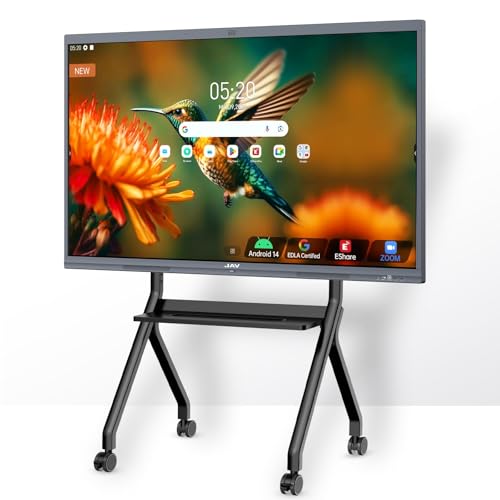
【55-Inch Future-Oriented Smart Whiteboard】: This interactive whiteboard display features a 4K UHD touchscreen, AI camera, powerful 8-core CPU (Core Cortex-A73*4, GPU-Mali G52 MC1, 8GB RAM + 128GB ROM), and Android 14 OS. Its robust processing power ensures smooth operation for complex tasks and daily applications, offering ample storage for apps and data while maintaining seamless performance even under intensive workloads. Ideal for office or classroom environments requiring cutting-edge technology.
Frequently Asked Questions
How Does Font Choice on Screens Affect Long-Term Retention?
It lowers retention if fonts are unfamiliar; I find typeface familiarity boosts long-term recall, and spacing adjustments (line and letter) reduce cognitive load on screens, helping me encode and later retrieve information more reliably.
Do E-Ink Devices Match Paper for Deep Reading?
Yes — I think e-ink often rivals paper for deep reading; like a typewriter in a museum it reduces eye strain and mimics tactile feedback, yet comprehension still favors paper for longer, demanding texts.
Can Screen-Reading Speed Improvements Be Trained Without Losing Comprehension?
Yes — I think speed training can boost screen-reading rates, but I warn you it often introduces comprehension tradeoffs; I’d train gradually, include comprehension checks, and prefer mixed paper practice to preserve deep understanding.
How Do Accessibility Tools Alter Digital vs. Paper Outcomes?
They improve outcomes for some readers: I find assistive overlays and keyboard navigation reduce cognitive load and boost comprehension for users with disabilities, though benefits vary—highly skilled readers still often retain advantage with paper for deep understanding.
What Role Does Ambient Lighting Play in Digital Readability?
Ambient lighting strongly affects digital readability: I find ideal ambient contrast and glare reduction essential, since balanced light and anti-glare measures lower eye strain, improve focus, and preserve comprehension on screens compared with harsh or dim conditions.